Troubleshooting
iTDC
p.131
1. Check if communication ID set in the device is same with communication ID set in a
software.
See [Setting Changes] > [SETUP MENU F2] > [COMM ID(COMMUNICATION ID, BOARD
ID) DISPLAY] and check a communication address set in the device.
2. When you use several devices together, communication addresses set in the devices
should be different from each other.
3. Check if baud rate is same with baud rate set in a software.
See [Setting Changes] > [SETUP MENU F2] > [Baud Rate Setting] and check baud rate set
in the device.
* If you initialize the device, baud rate is set to 9,600 bps which is the default.
1.3 Please check if the communication port setting is good.
Check if communication port set in software is same with communication port set in PC.
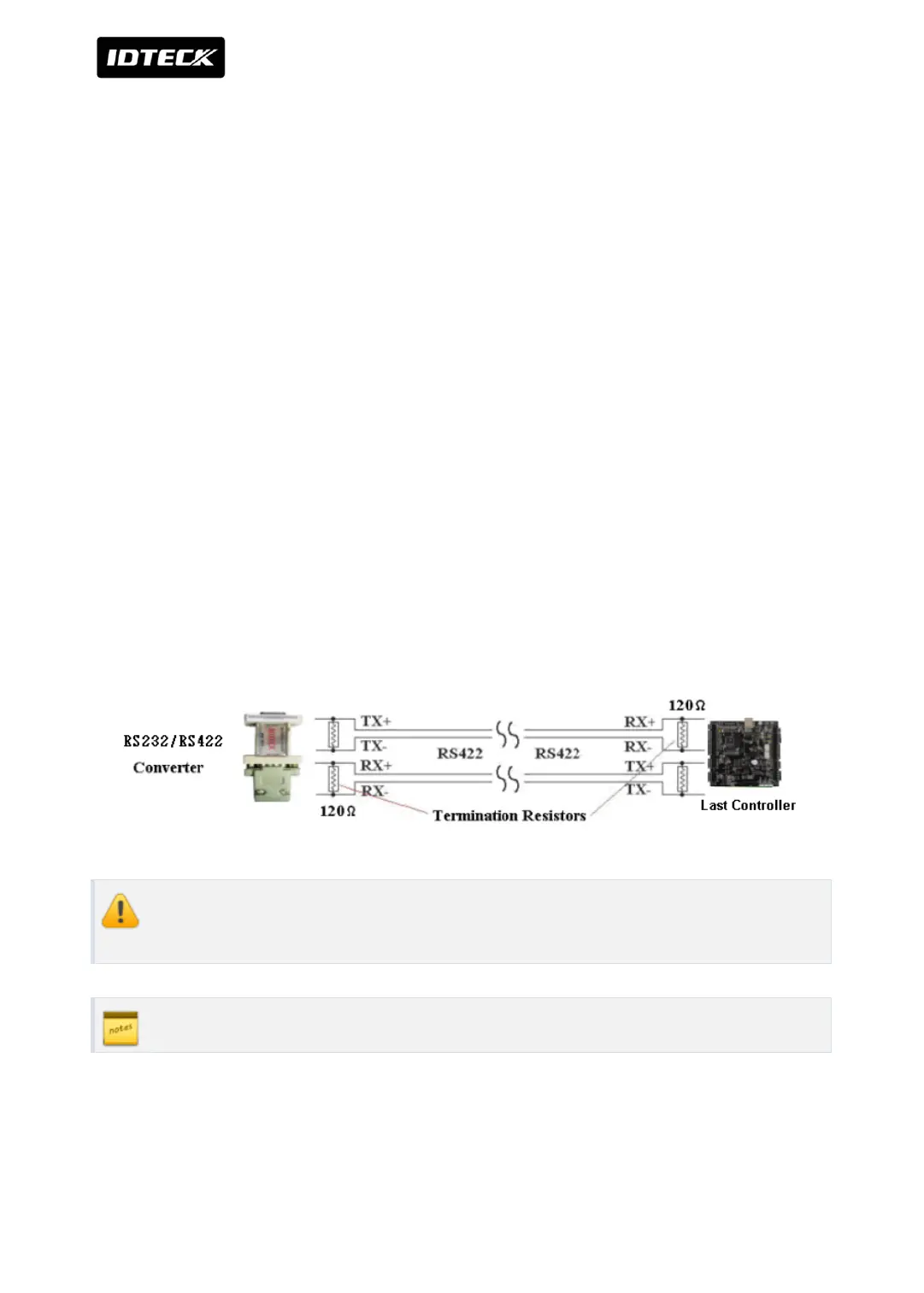
1.4 Please check if the termination resistor is connected.
For long distance communication of RS422 or RS485, a resistor is connected to match
impedance to reduce distortion and attenuation which are caused by delay. This resistor is
called termination register.
In the case that several controllers are installed, the termination resistor should be
connected to the last controller and the last controller only.
Resistors below 90Ω are not used as a terminal resistor.



 To Next Page