SETTING CHANGES
iTDC
p.81
2.1 TIME SETTING
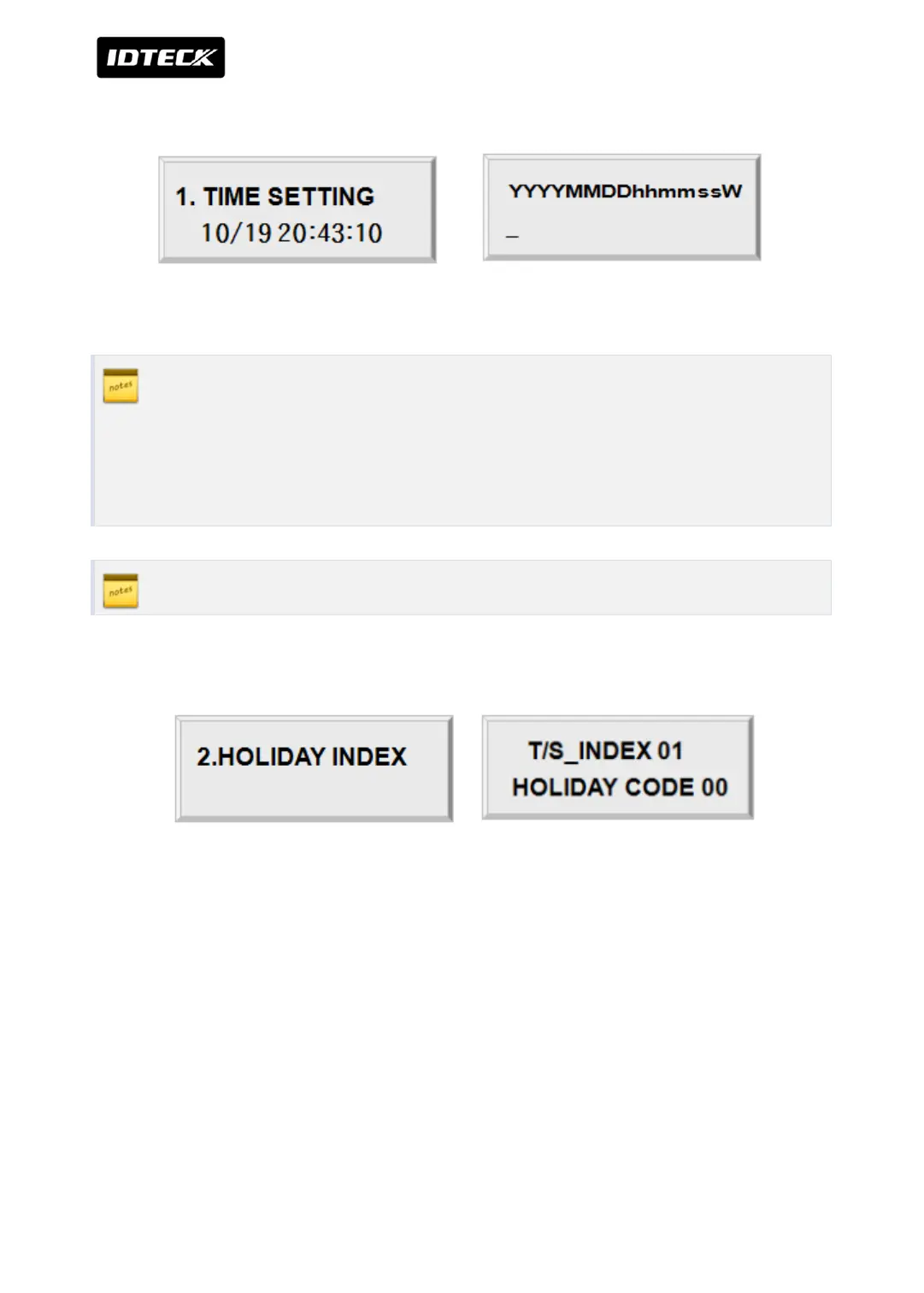
Press <ENT> key and enter 15 digit Date/Time codes then <ENT> key to finish setting.
YYYY: Year, MM: Month, DD: Date
hh: Hours (24 hours system), mm: Minutes, ss: Seconds
W: Sun=1, Mon=2, Tue=3, Wed=4, Thu=5, Fri=6, Sat=7
Example: 200902101330152 => Feb.10, 2009 13:30:15 Mon
2.2 HOLIDAY INDEX SETTING
Holiday Index is to link the Holiday Schedule (H/S) to Time Schedule. You can set-up one of
holiday index (01~10) to one of T/S index (01~15) so that the Holiday Time Code in the T/S
can be applied for the Holidays in the H/S. Default HOLIDAY CODE is ‘00’ which means no
holidays are applied to T/S.
Select HOLIDAY INDEX menu and press <ENT> then select desired T/S_INDEX (01~15) by
pressing <4> or <6> key then press <ENT> key to input 2 digit HOLIDAY CODE and <ENT>.



 To Next Page