COMMUNICATION WIRING
7
p.52
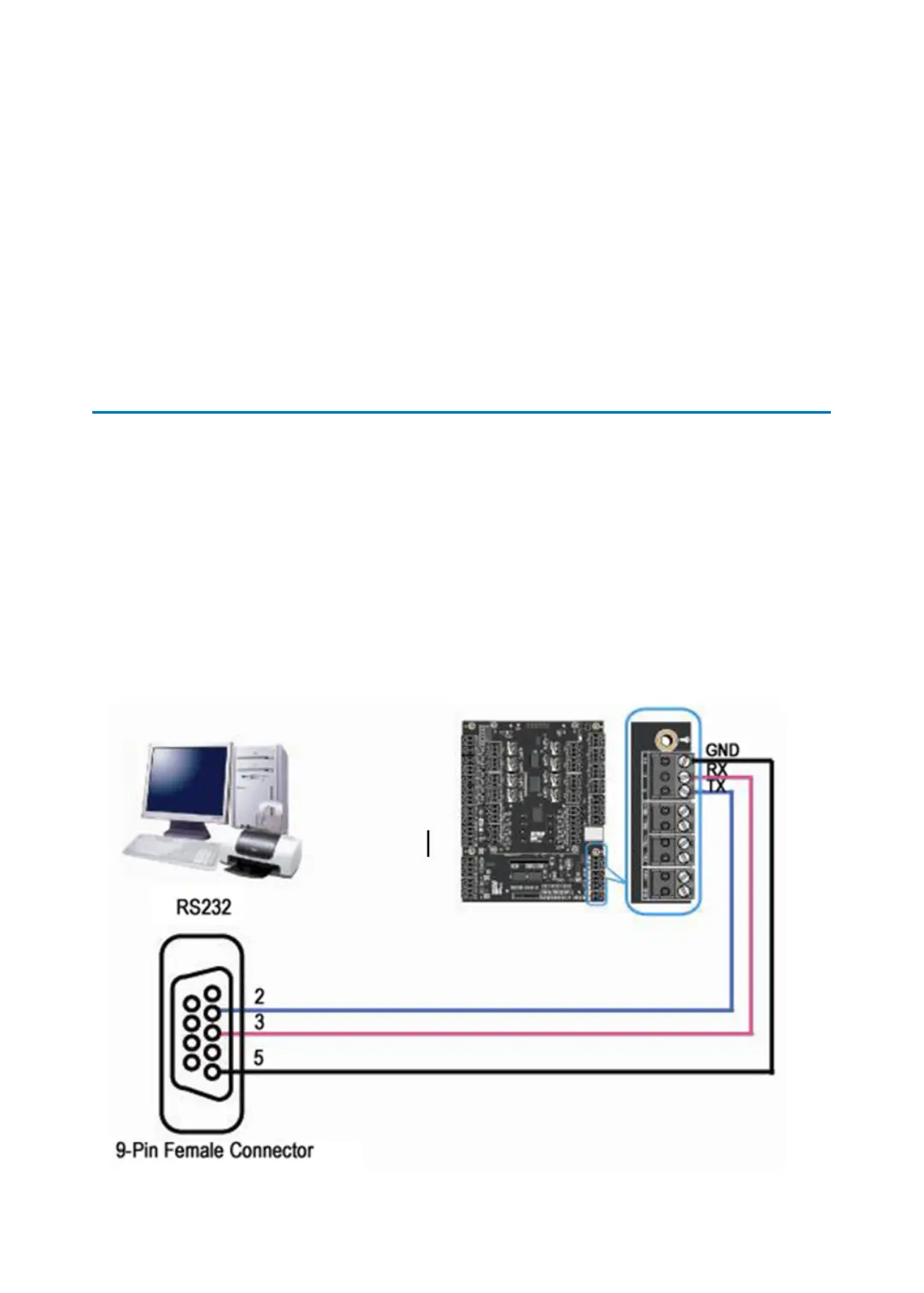
1 RS232 COMMUNICATION PORT CONNECTION
A 9-pin connector (Serial communication connector, female) is required to connect the iTDC
to a host computer via RS232 communication. Please follow the instructions below;
●
Connect RS232-TX port of iTDC to the pin #2 of the 9-pin connector.
●
Connect RS232-RX port of iTDC to the pin #3 of the 9-pin connector.
●
Connect RS232-GND of iTDC to the pin #5 of the 9-pin connector.
●
Plug in the 9-pin connector to COM Port of the host PC.
●
Install and run iTDC Application Software (STARWATCH iTDC PRO I, II or STANDARD)



 To Next Page