EasyManua.ls Logo

IDTECK iTDC - Please Check if the Device Is Grounded Well; When Turning on the Device, Date; Time Is Not Displayed on the LCD and Special Characters Are Displayed

IDTECK iTDC
146 pages
Print Icon
To Next Page IconTo Next Page
To Previous Page IconTo Previous Page
Loading...
p.132
Troubleshooting
iTDC
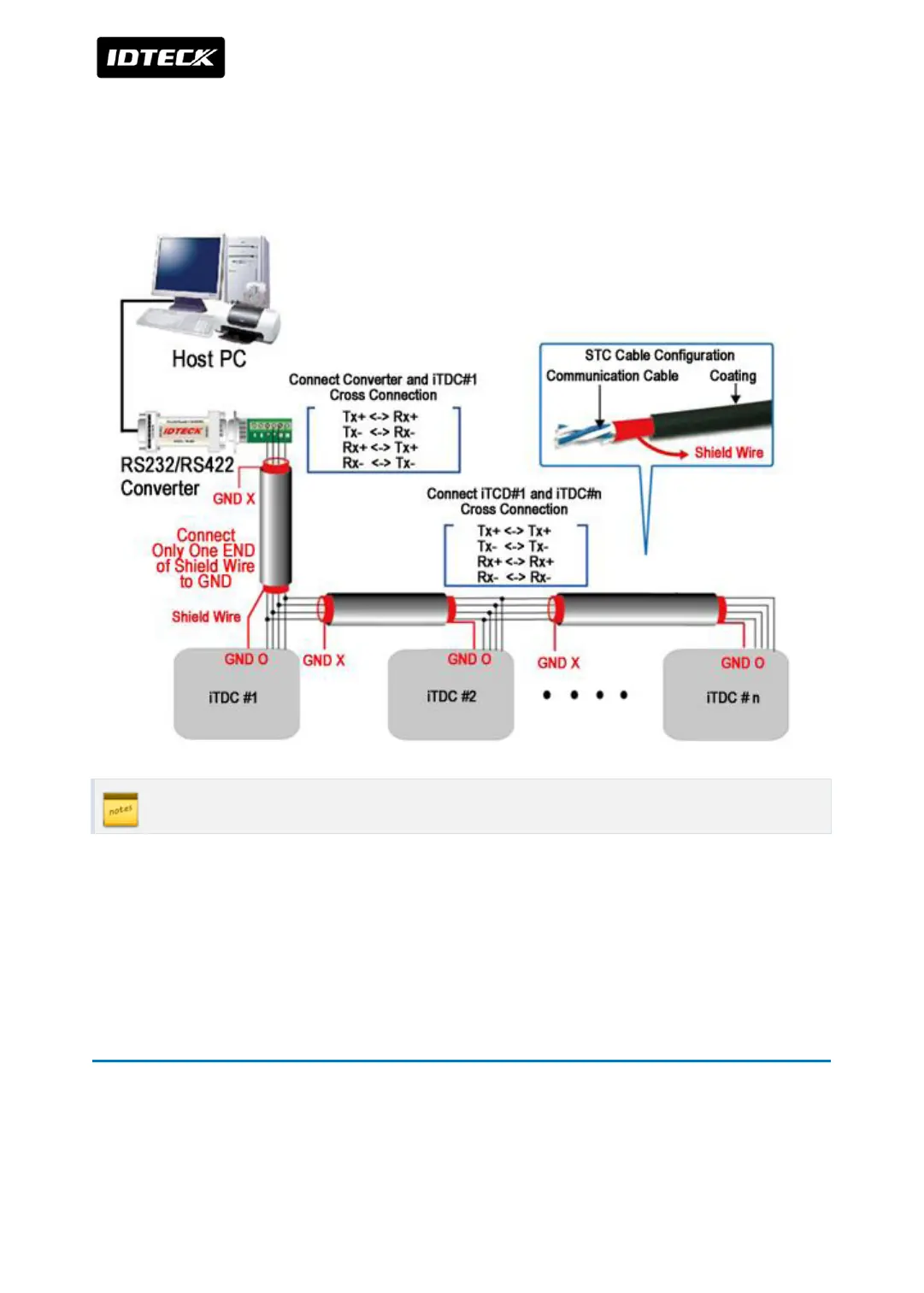
1.5 Please check if the device is grounded well.
See [Communication] >[RS-422 CONNECTION (MULTIPLE ITDC CONNECTIONS)] of the
manual and check if the device is grounded well.
If the problem persists, connect service center.
2 When turning on the device, Date / Time is not
displayed on the LCD and special characters are
displayed.


Table of Contents

Other manuals for IDTECK iTDC

Related product manuals