PRODUCT INSTALLATION
iTDC
p.35
metal type.
3. Screw All screws to fix Nema case with devices in the Nema case have to be metal
type.
4. Ground contact part
of Nema case
It is to connect Earth GND of plug to Nema case. Connect Earth wire of NFB
by metal screw. Also you must use circle lug to tight fix on it.
5. Ground contact part
of power point
You must use power point which Eartch GND connecting piece is included
as figure above.
No. / Name How to connect Earth GND
Size of the Nema Case which IDTECK sells is 350mm X 399mm X 100mm (Width X
Depth X Height), and it has thickness of 1.4mm. If you use another Nema Case, the
Nema Case has to be made by conductive metal and it should be bigger than
IDTECK’s Nema case. The Nema Case has to be grounded, and use the Nema Case
with doors to isolate the device from outside.
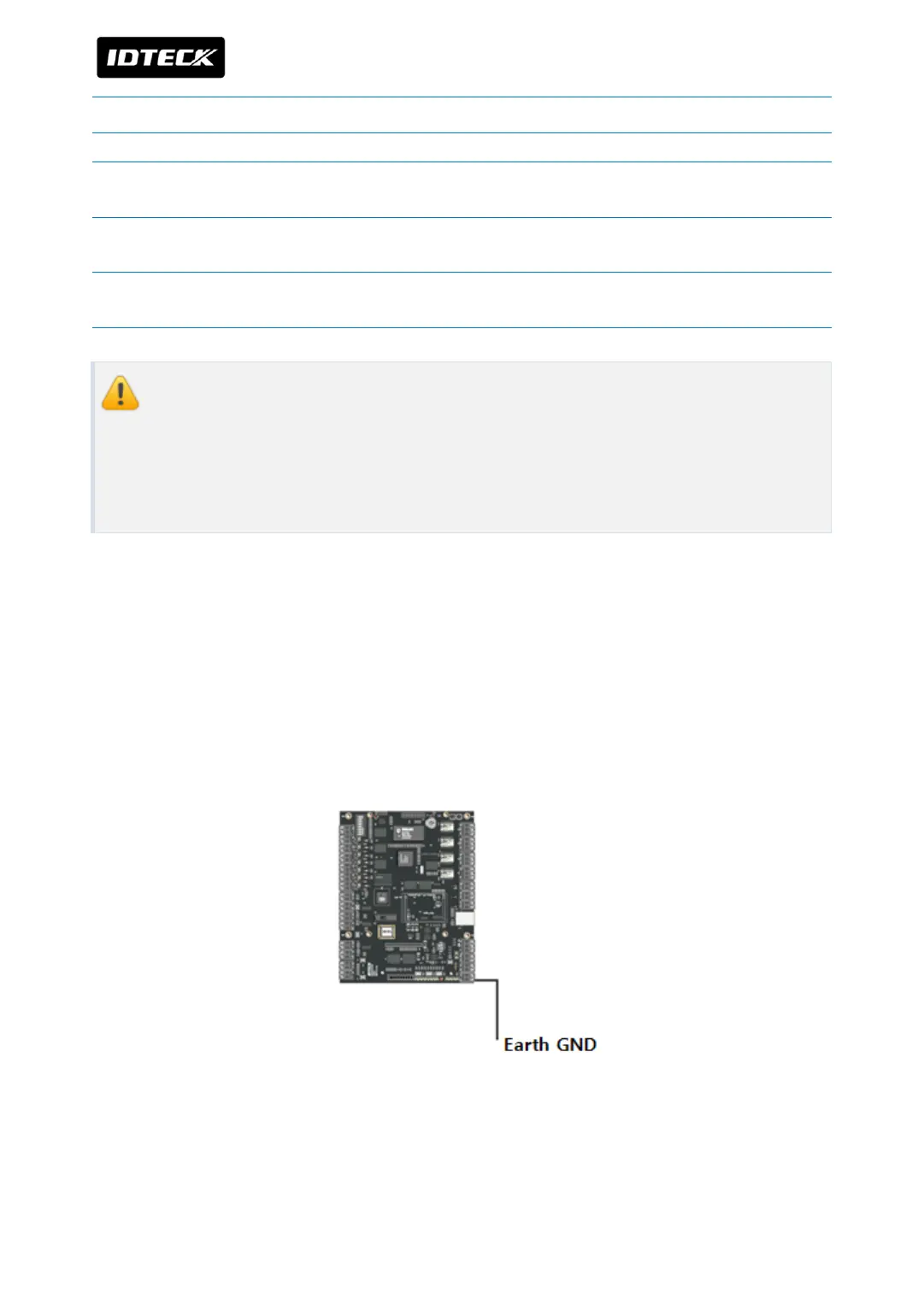
4.2 CONNECTION OF EARTH GND WHEN ITDC/ITDC-SR IS NOT INSTALLED ON
NEMA CASE.
If you don’t install iTDC/iTDC-SR in Nema case, GND wire of power port of each device must
be grounded to Earth GND. GND connection makes zero for potential difference and
prevents malfunctions from thunderbolt and surge. Connect GND wire of power port to
Earth GND as figure below.



 To Next Page