BASIC SETTING
9
p.62
You have to connect optional LCD display and Keypad to iTDC for the following manual
settings.
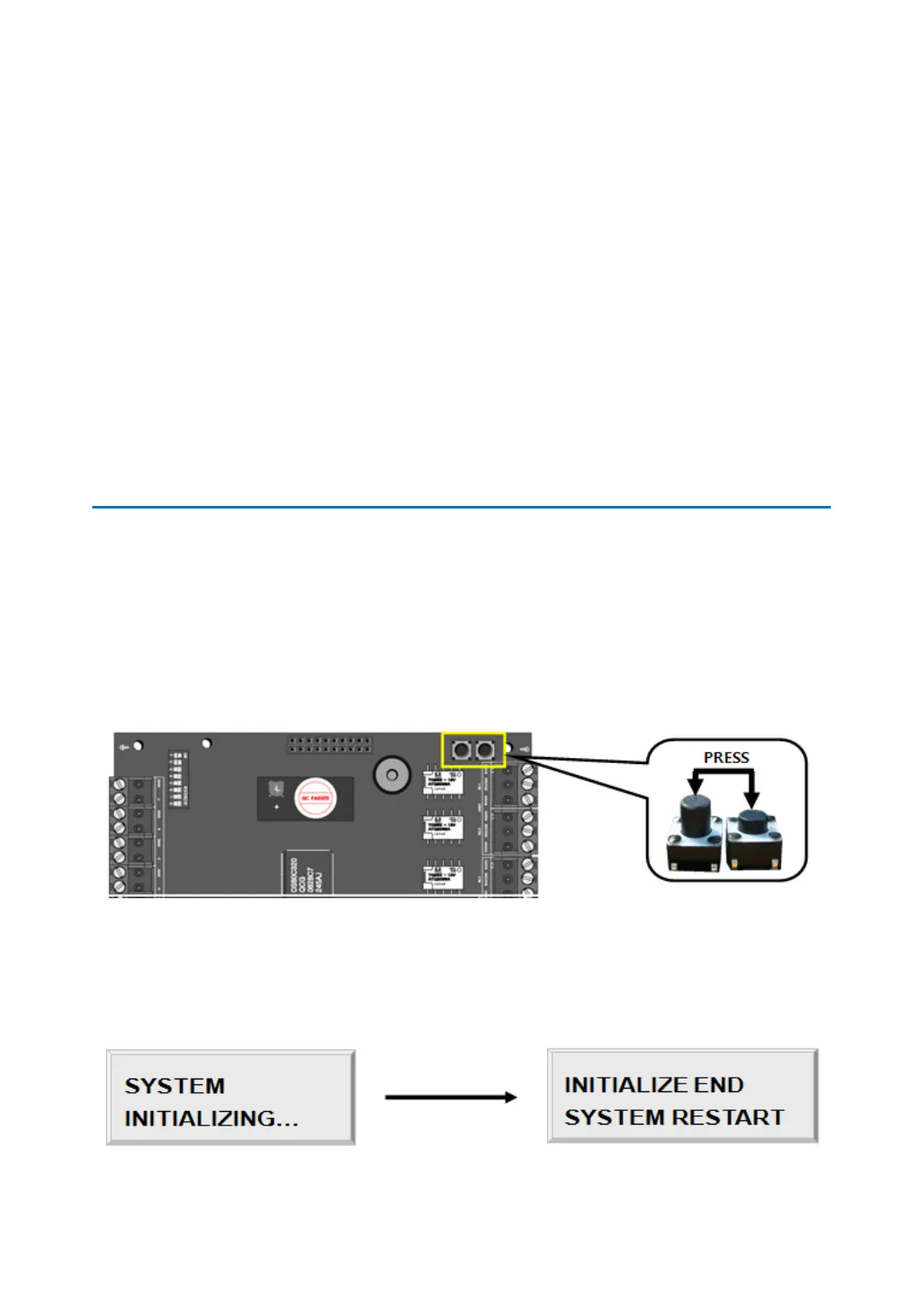
But, Initialization is available without LCD and Keypad as description below.
1 INITIALIZATION
Press down the two initialization switches simultaneously and then keep pressing for 2
seconds. Once buzzer sound is generated, release the two initialization switches then
initialization is done and system restarts automatically.
(Initialization is available without LCD module but to check the procedure of initialization,
LCD module is needed.)
If initialization has completed, system reboots then buzzer sound is generated twice.
The figure below is LCD display in initialization. (You can check it if you purchased LCD
module)



 To Next Page