p.66
BASIC SETTING
iTDC
6.1 Reference for LCD Display
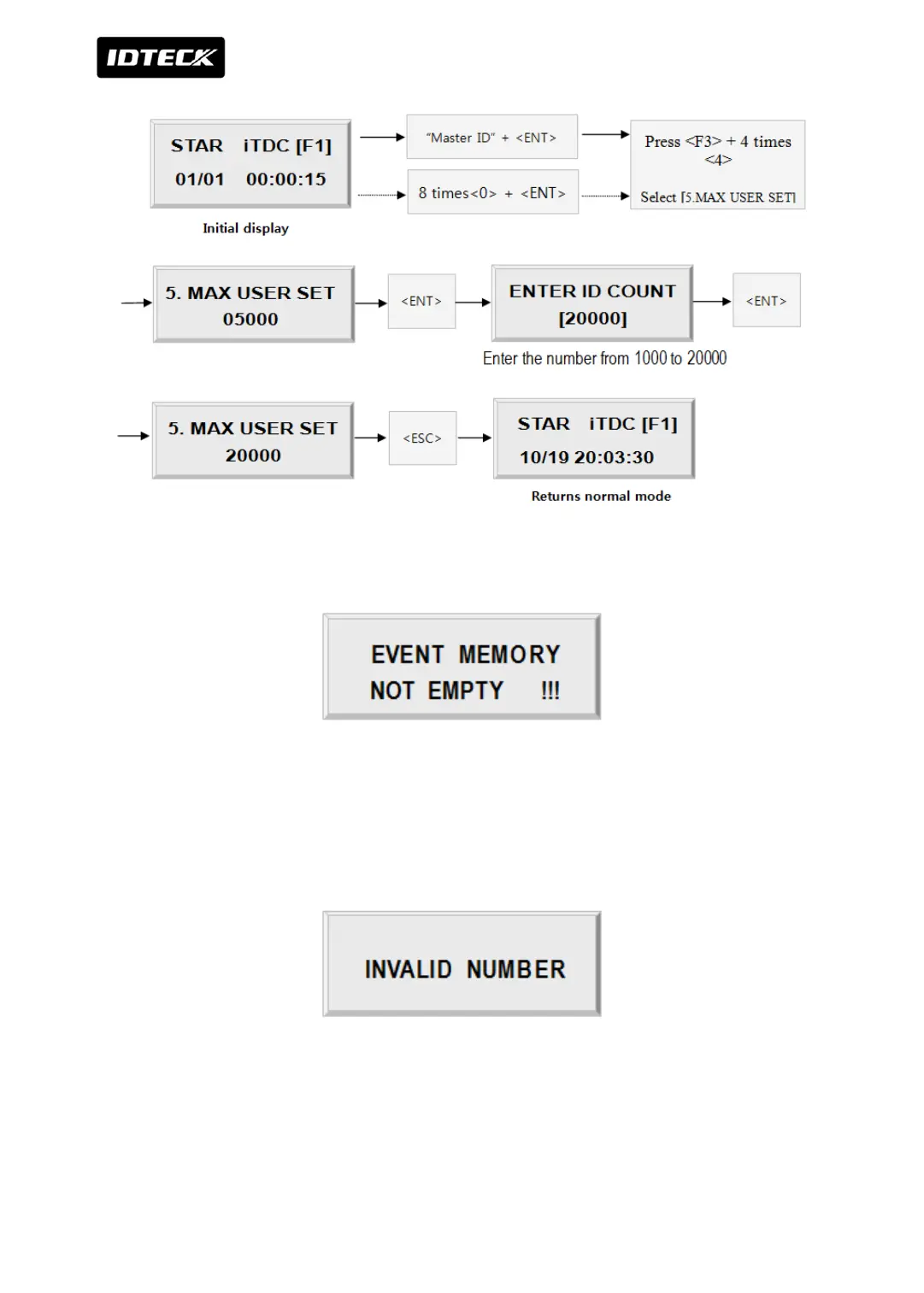
This error message will be displayed when you press <ENT> key in the [MAX USER SET] menu
and it means that some events are still existing in the EVENT Buffer and you may lost the data
when you change the MAX USER SET. You may try this setting again after uploading the
events to the host PC or deleting them, using the [SETUP MENU F3] -> [14. EVENT CLEAR].
This error message will be displayed when you try to change MAX USER SET less than the
total registered User ID. In this case you have to delete some User ID or clear the User ID,
using the [SETUP MENU F3] -> [2. DELETE] first then try again from the beginning.



 To Next Page