SETTING CHANGES
iTDC
p.71
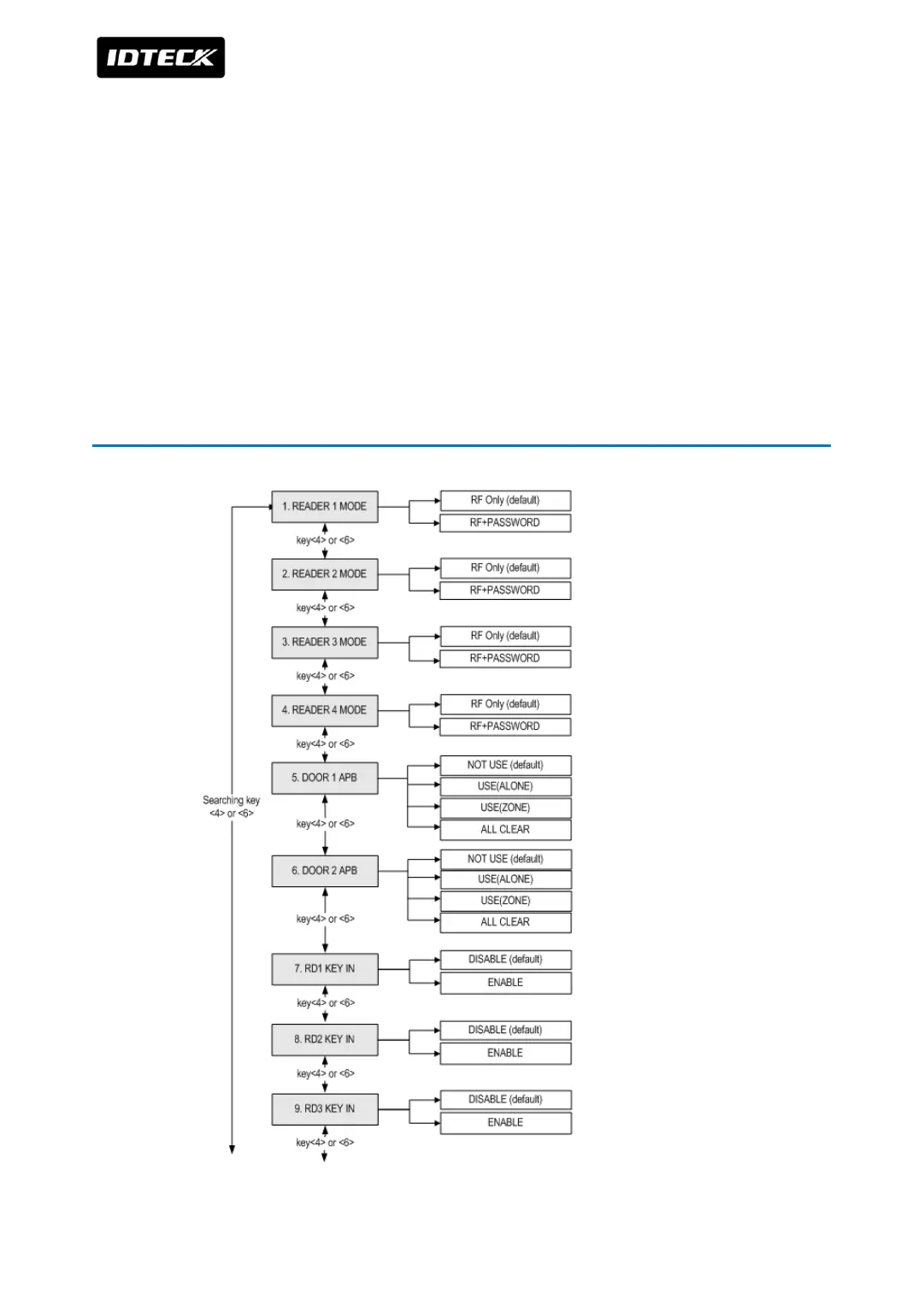
optional Keypad then you can get into SETUP MENU. There are 4 main SETUP MENU and you
first get into [SETUP MENU F1]. You can move to other SETUP MENU by pressing <F1> key
for [SETUP MENU F1], <F2> key for [SETUP MENU F2], <F3> key for [SETUP MENU F3] and
<F4> key for [SETUP MENU F4]. There are several SUB MENU in the main SETUP MENU and
you can scroll up and down the SUB MENU by pressing <4> and <6> key in the main SETUP
MENU. If you don’t press any key for 20 seconds or if you press <ESC> key then iTDC will exit
the SETUP MENU then return to normal operation. The Master ID for iTDC-SR is 10 times <0>
key (Default setting “0000000000”).
1 SETTING MENU F1



 To Next Page