p.96
SETTING CHANGES
iTDC
Enter 1 digit ID type in the CODE_ field and press <ENT> key. Individual ID is distinguished by
“0” for general user, “1” for 2 men operation then group #1, “2” for 2 men operation then
group #2 or “3” for special ID who can set “ARM / DISARM code”. To use general access
control system, you must input “0” for all users.
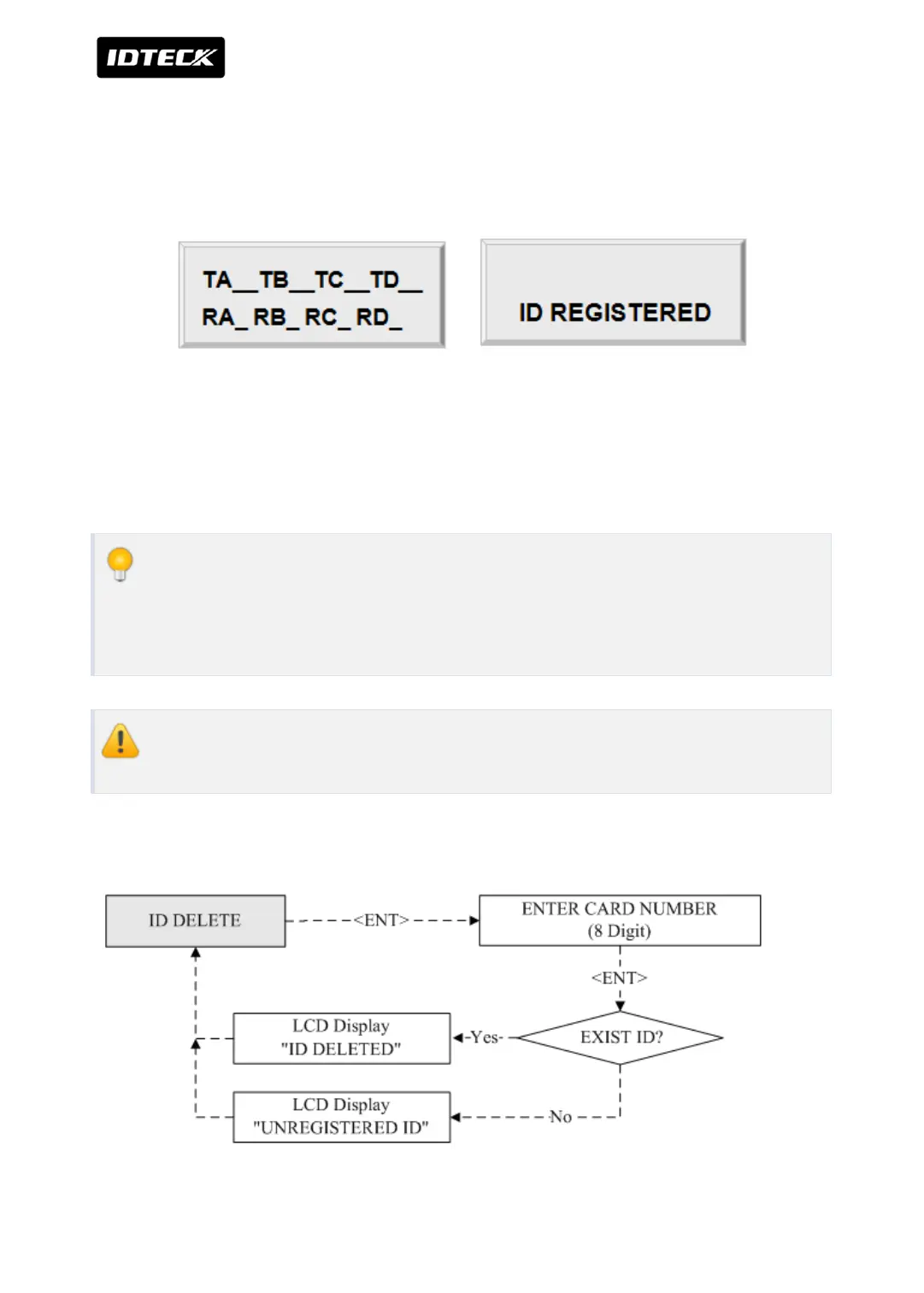
Enter 2 digit T/S index between 0 and 15 to TA, TB, TC and TD and <ENT> key. This T/S will
be applied to each Reader.
For RA, RB, RC, and RD, Enter <1> key to use the Reader or <0> key for no use and <ENT> key
to finish the setting.
Example:
When you want to apply T/S 01 for Reader#1 (TA), T/S 02 for Reader#2(TB), T/S 02
for Reader#3(TC) and T/S 00 for Reader#4(TD) and you want to use Reader#1, #2,
#3 only. Press <0><1><0><2><0><2><0><0><ENT> key for T/S
ID number of iTDC-SR is a 10 digit number between 0000000000 and
4294967295.
3.2 ID DELETION



 To Next Page