PRODUCT INSTALLATION
iTDC
p.39
Door Contact
Connect to Input#4 of EIO88
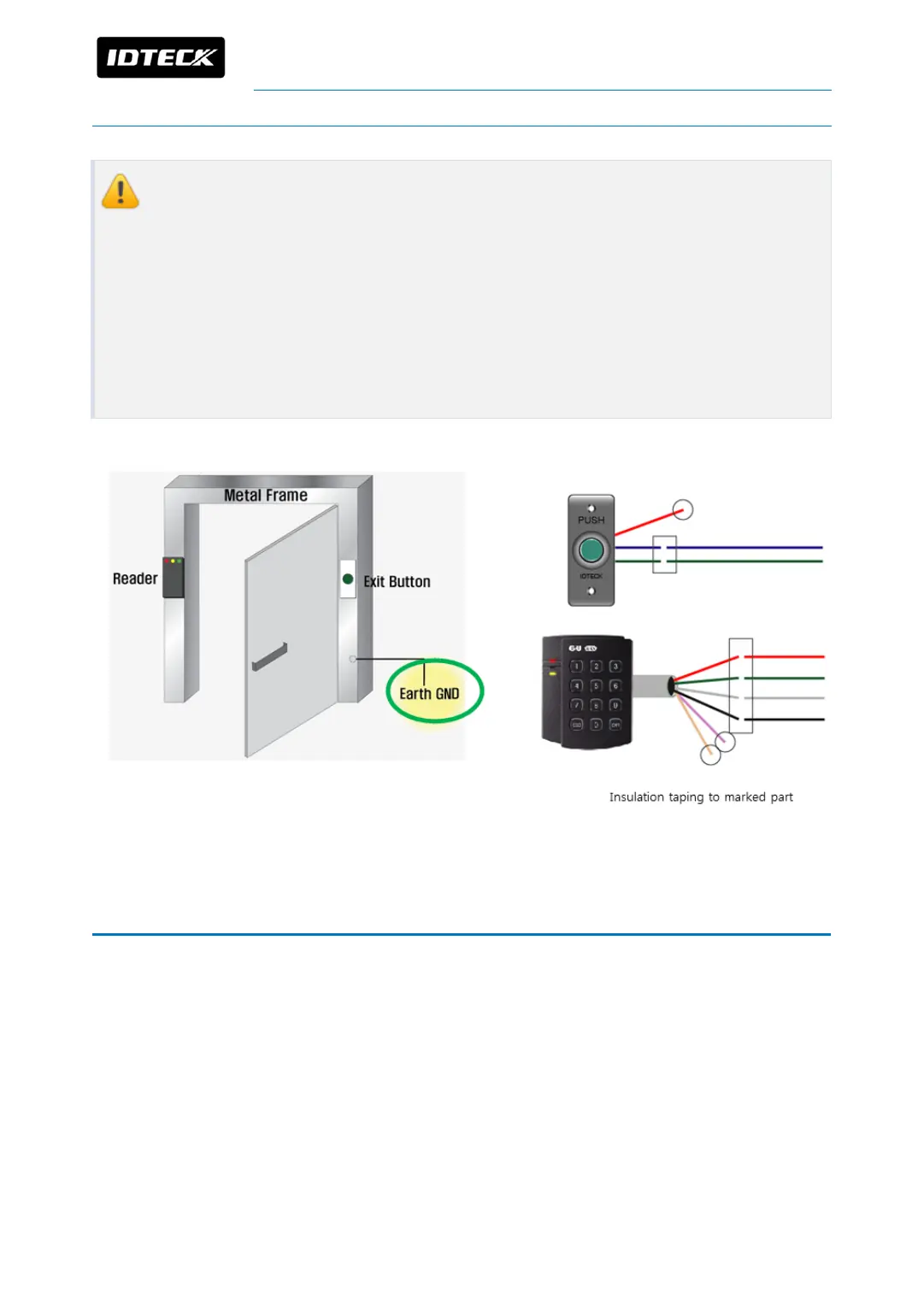
1. If reader or input device is installed on metal frame, you must ground between
the metal frame and Earth GND otherwise static electricity of metal frame flows to
device then it causes malfunctions and shortens life of the product.
2. To prevent contact from external conductive material, use insulation tape to wire
reader, exit button and lock. Also tidy up the cable to prevent exposure of cable
core then complete taping with insulation tape. If the cable core is exposed and
touches conductive materials such as a frame, it causes big damage to device.
7 OUTPUT DEVICE WIRING
Door lock and alarm device can be connected to output ports (RELAY#1~RELAY#4) of
iTDC/iTDC-SR.
Wiring for Power Fail Safe and Power Fail Secure is different so follow the correct way to
wire.
I/O board (EIO88) is required to control more than 3 doors.



 To Next Page