p.76
SETTING CHANGES
iTDC
Once it is set as “DISABLE”, no entrance or exit is possible through keypad of the
reader.
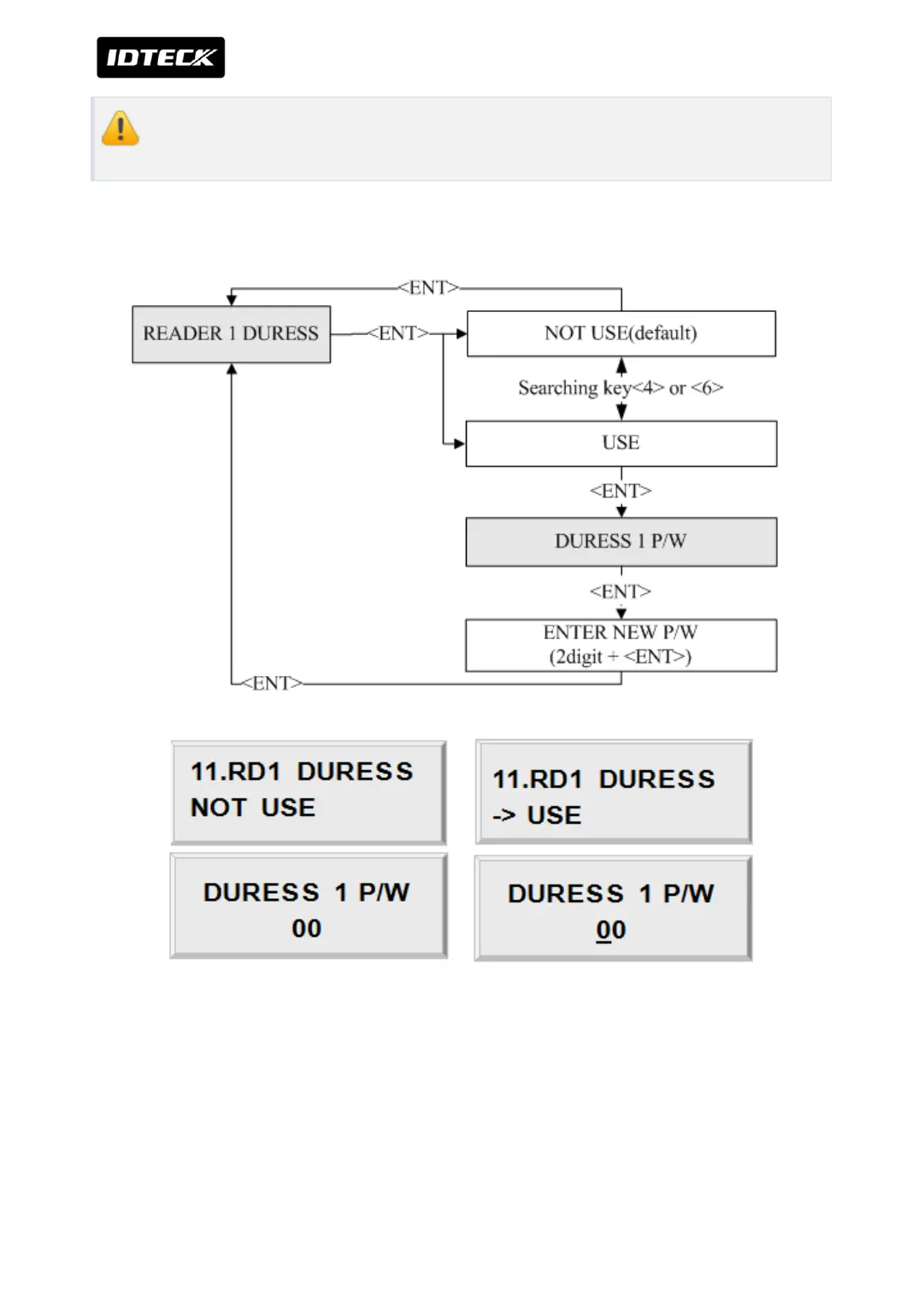
1.4 DURESS MODE SETTING
You can select whether the DURESS mode is used or not used for READER1. To use this
function, you need Keypad Reader. Default setting is NOT USE. If you want to set-up Duress
mode then press <ENT> key and select ->USE by pressing <4> or <6> key then press <ENT>
key. LCD will display default Duress Password ‘00’. Press <ENT> key again to enter 2 digit
Duress Password then press <ENT> key to finish setting.



 To Next Page