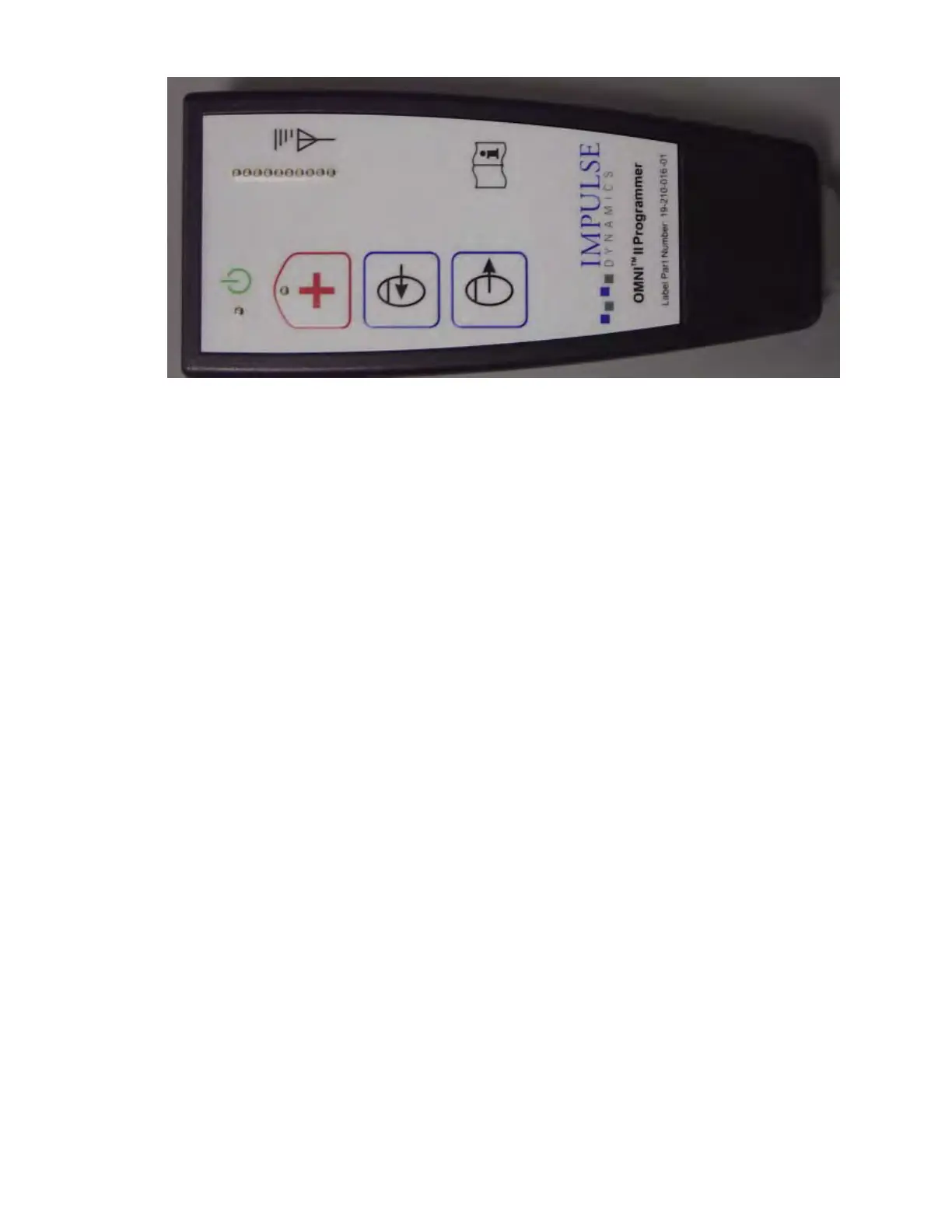
Figure 5: OMNI II Programmer Wand
10.6 Charging the Battery of the OMNI II Programmer Tablet PC
Warning: Only charge the OMNI II Programmer Tablet PC battery with the medical-
grade power supply provided with the OMNI Smart Programmer system. Do
not attempt to recharge the Tablet PC’s battery with any other power supply.
Note: Power cord used with medical-grade power supply must be CE marked.
To charge the battery of the OMNI II Programmer Tablet PC:
• Plug the DC output connector of the medical-grade power supply into the power
input connector of the Tablet PC (located at the bottom right of the Tablet PC and
identified by a yellow socket).
• Plug one end of the CE marked power cord into AC input connector of the
medical-grade power supply and then plug the other end into a hospital-grade
mains power receptacle. Be sure that the mains voltage is in the range 100 to
240VAC, 50/60Hz and that the receptacle has a properly grounded connection.
• When the charging the battery of the OMNI II Programmer Tablet PC, allow the
internal battery to charge for a full 24 hours before attempting to use the OMNI
Smart Programmer at implant. It is recommended that the Tablet PC battery of the
OMNI II Programmer be routinely recharged between uses.
10.7 Operating the OMNI Smart Programmer
Note: The OMNI Smart Programmer must be operated as a battery-powered device.
Connect it to the mains only when charging of the Tablet PC battery is required. The
OMNI Smart Programmer will not be able to interrogate or program the OPTIMIZER
Smart IPG until the Tablet PC of the OMNI II Programmer is disconnected from the
mains.
The Tablet PC of the OMNI II Programmer must be disconnected from the line-powered
power supply before use. Disconnect the DC output connector of the medical-grade
power supply from the power input connector located in back of the Tablet PC.
Note: Position the OMNI Smart Programmer such that disconnecting it from the mains is
not impeded.



 To Next Page