11. OMNI SMART PROGRAMMER SYSTEM SOFTWARE
The OMNI Smart Programmer System software contains applications that are used to read and
modify the parameters that control the OPTIMIZER Smart IPG.
11.1 Selection Screen
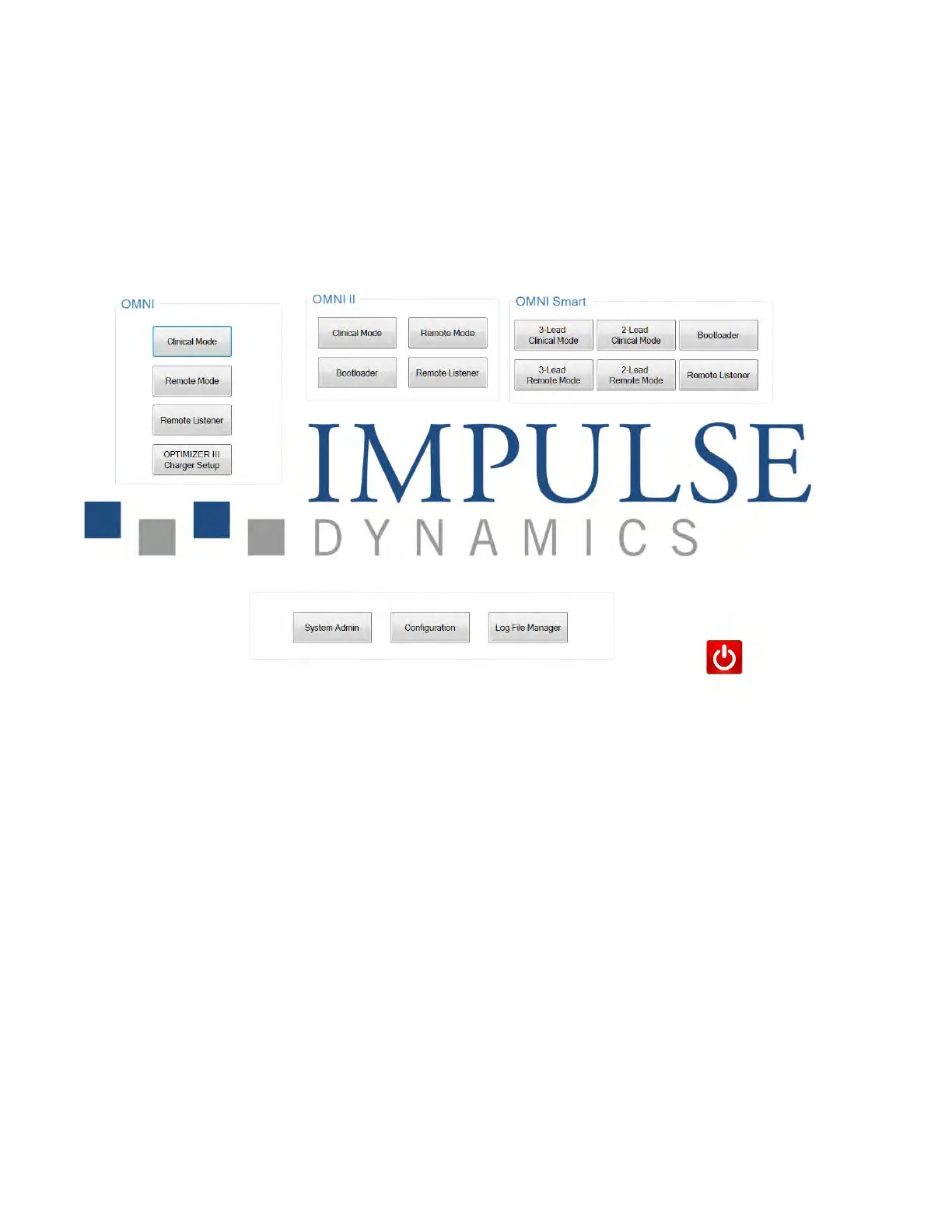
When the OMNI Smart Programmer is turned on, a selection screen is presented upon
completion of the start-up sequence. Click on the appropriate button for the desired
operation.
Figure 7: OMNI Smart Programmer Selection Screen
11.1.1 OMNI
The buttons contained within the OMNI box are for use with the OPTIMIZER
III system. Their functions are equivalent to the selection screen buttons of
OMNI-R Programmer. For details please see OPTIMIZER III Physician’s
Manual.
• Clinical Mode: For regular programming of the OPTIMIZER III IPG
• Remote Mode: For remote control of another OMNI Smart Programmer
using the OMNI Programmer software.
• Remote Listener: For remote watching of another OMNI Smart
Programmer using the OMNI Programmer software.
• OPTIMIZER III Charger Setup: For setting up an OPTIMIZER III
charger



 To Next Page