30. LOCAL SENSE (LS) SCAN
The OMNI Smart Programmer software has a LS Scan tool which can be used to select
appropriate operating parameters for the LS channel.
To open the LS Scan tool:
• Select the Follow Up button on the Task Bar.
• Select the LS Setup tab on the Follow Up bar.
• Select the LS Scan button on the LS Setup panel.
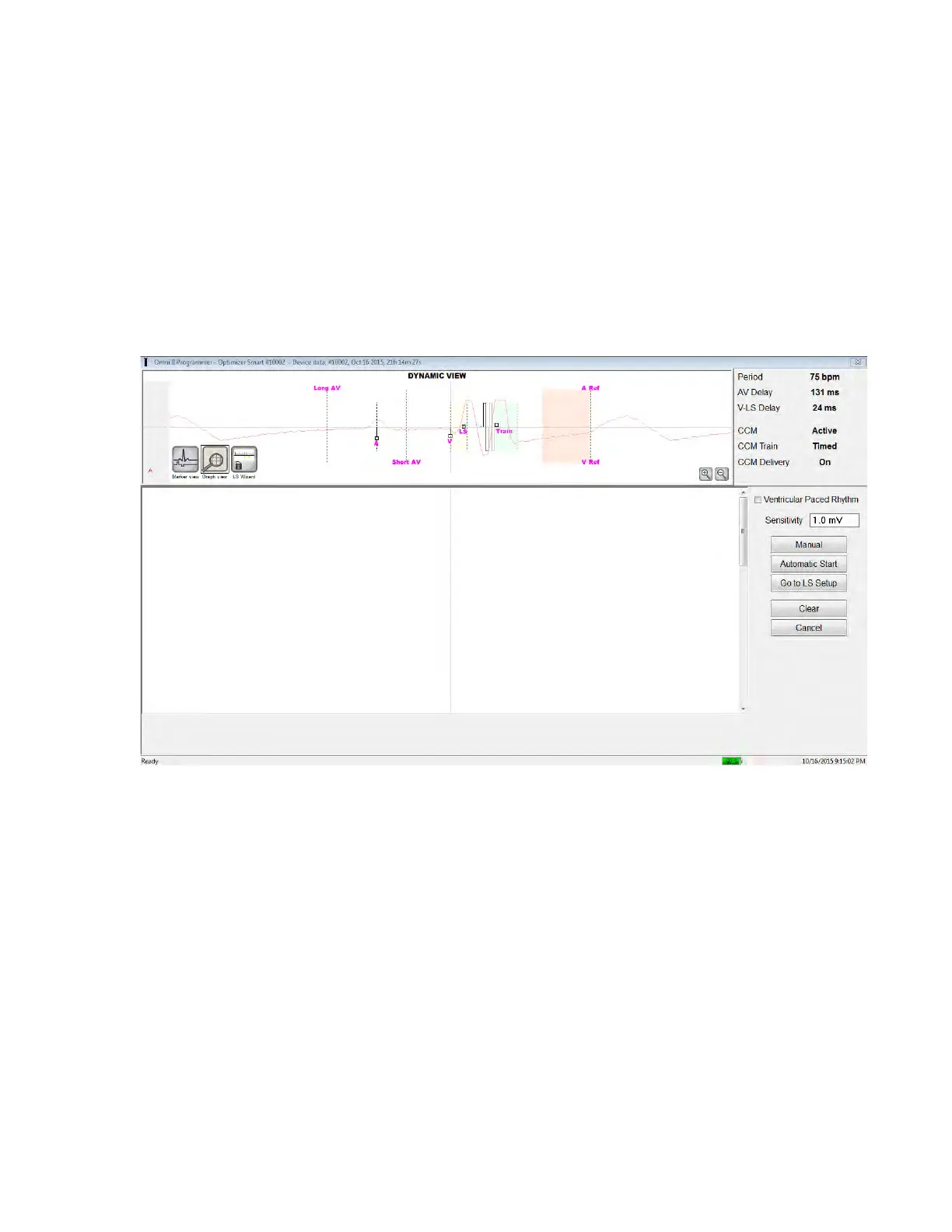
The Local Sense Scan screen will appear. The Graph view is shown at the top of the screen and
the Sensitivity parameter related to Local Sensing appear on the right pane of the screen.
Figure 49: LS Scan Screen
When running an LS Scan, the OPTIMIZER Smart IPG is set to a special mode in which LS
signals are sampled every 2 ms throughout a 200 ms interval centered at the right-ventricular
event. These signals are sent to the OMNI Smart Programmer to be displayed in the Local Sense
Scan window as histograms.
Local Sense scans can be performed either manually or automatically:
• Use the Manual button to acquire a LS histogram for a specific LS sensitivity selected
through the Sensitivity parameter.
• Use the Automatic button to start a process that scans through various LS Sensitivity
values.
When the automatic scans are completed, all collected histograms appear in the Local Sense
Scan screen. The operator can then select the most appropriate sensing threshold.
The sensitivity used to accrue sensing data for one histogram is the LS Sensitivity parameter that
appears on the right-part of the window.



 To Next Page