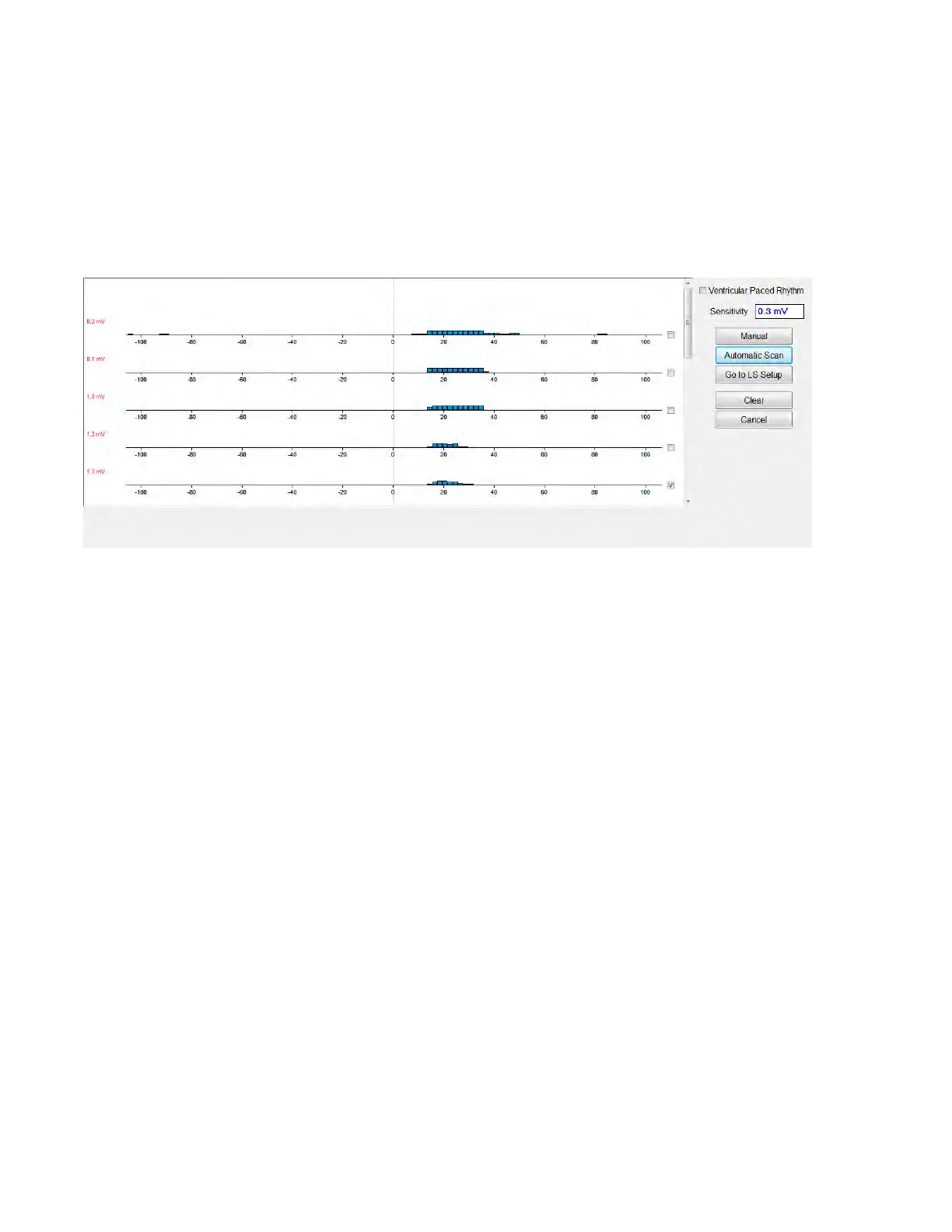
By acquiring these samples for different LS Sensitivity values, the timing of the LS event
relative to the right-ventricular event is clearly demonstrated. The LS Scan results should be
interpreted as follows:
• Blue bars in the histogram indicate that the LS signal was sensed more than the number
of times indicated by the Events per Bar parameter.
Note: For lower values of LS sensing threshold (higher sensitivity), signals other than the LS
may be detected. For example, using Figure 45, an appropriate value for the LS Sensitivity
parameter would be 1.7 mV.
Figure 50: Local Sense Scan Screen after Automatic Scan
To use the results of the LS Scan:
• Select the check box next to the desired sensitivity values.
• Select the Go to LS Setup button.
• Once the application returns to the LS Setup panel, select the check box under LS 1
column of the Measurement box.
• Select the Propose LS button. This command changes the LS parameters of the OMNI
Smart Programmer to the optimum settings based on the selected LS Sensitivity.
Note: This operation only changes the parameter values of the Programmer. The selected
parameters must still be programmed into the OPTIMIZER Smart IPG using the Program
command.
• Observe the LS Wizard screen. It shows the LS parameters in graph form. The brown
markers represent the Pre and Post V Refractories, the yellow markers represent the Alert
Start and Alert Width, and the blue markers represent the Post LS Refractory interval.
• If the proposed LS parameters are acceptable, issue the Program command to program
the new LS parameters into the OPTIMIZER Smart IPG.
If the proposed LS parameters are not desired, select the Cancel button. This command resets the
LS parameters of the OMNI Smart Programmer to the last interrogated/programmed values.
If necessary, the LS Scan command may be used again to scan and select another LS Sensitivity
value.



 To Next Page