Warning: After performing the lead impedance measurement, the operator should perform an
interrogation to verify that the programmed values are set as intended.
28. SETTING THE CLOCKS ON THE OPTIMIZER SMART
IPG AND OMNI SMART PROGRAMMER
The time of day is maintained by an internal clock within the OPTIMIZER Smart IPG and is
used by the CCM Therapy Delivery Scheduling mechanism to turn the CCM Signal on and off in
accordance with the programmed CCM Schedule parameters.
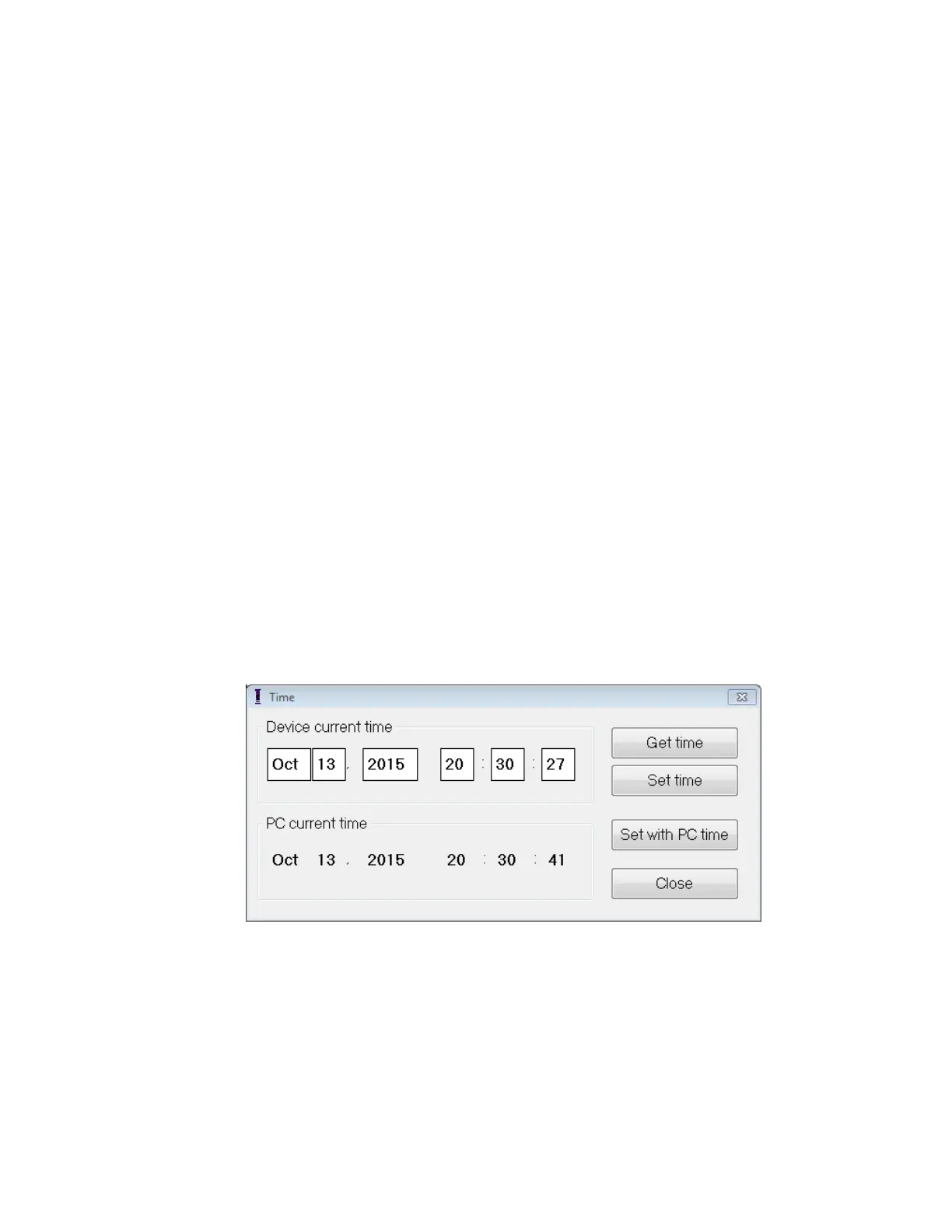
There are three buttons that are used to manage the internal clock functions:
• Get time: Button for reading the current IPG time.
• Set time: Button for manually setting the IPG time.
• Set with PC time: Button for synchronizing the IPG time with the PC time.
28.1 Reading the OPTIMIZER Smart IPG Time
The real-time clock in the OPTIMIZER Smart IPG is very precise. Nevertheless over the
successive months and years, the current device time of the IPG may lose its
synchronicity with the current local time. In order to read the current device time of the
OPTIMIZER Smart IPG:
• Place (or replace, if necessary) the Programmer Wand over the OPTIMIZER
Smart IPG implant site.
• Select the Time button on the Tool Bar.
• When the Time window appears, select the Get Time button.
Caution: Be certain that you are selecting the correct button.
Figure 47: Time Window
If Interrogation is successful, the current time in the device will be displayed under
“Device current time” in the Time window.
If the Programmer Wand is not well positioned over the implant site, the interrogation
operation may fail. If a failure in communication occurs, the Programmer will display the
message “Get Time Error” along with the options Retry and Cancel.
Retry can be performed by repositioning the Programmer Wand and selecting the Retry
button.



 To Next Page