12.10.2 Parameters
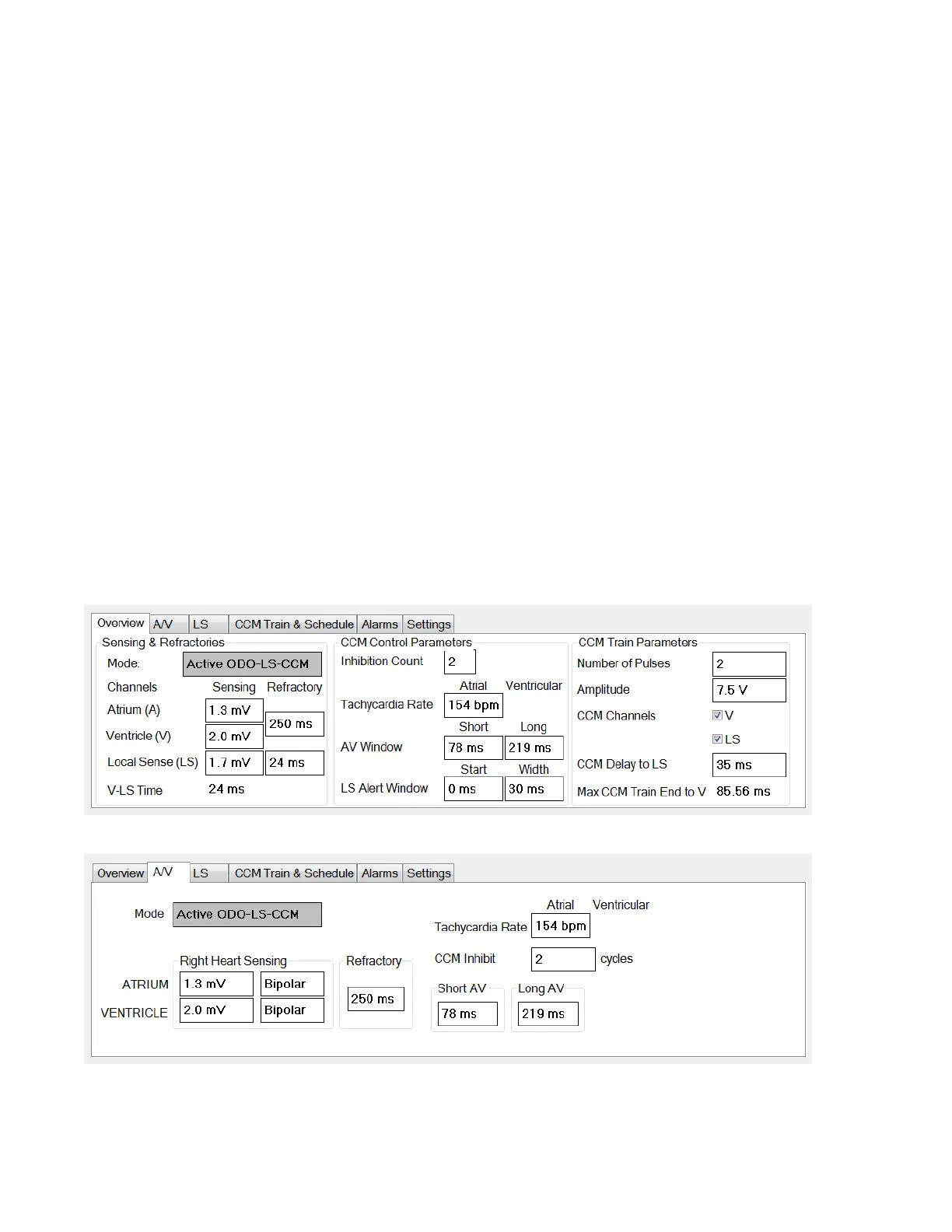
The Parameters Bar contains the following tabs, each with their own panel:
• Overview: contains the most important parameters found under the A/V,
LS, and CCM Train & Schedule tabs.
• A/V: displays the operating mode, as well as the atrial and ventricular
heart sensing and timing parameters.
• LS: contains the parameters for the Local Sense mechanism.
• CCM Train & Schedule: contains the parameters that define the CCM
signal and the parameters to configure the CCM signal delivery schedule.
• Alarms: contains the parameters related to the alarms to be reported to the
charger.
• Settings: contains buttons for following commands:
o Set system time…: Allows the user to set the OMNI Smart
Programmer system time. This is analogous to setting the PC time.
o IPG Version: Displays the firmware version of the interrogated IPG.
o Interface battery: Reads the battery voltage of the lithium battery
inside the OMNI II Programmer Interface Box.
o Interface version: Displays the firmware version of the OMNI II
Programmer Interface Box.
Figure 27: Overview Tab
Figure 28: A/V Tab



 To Next Page