135
Changing the Fan Direction
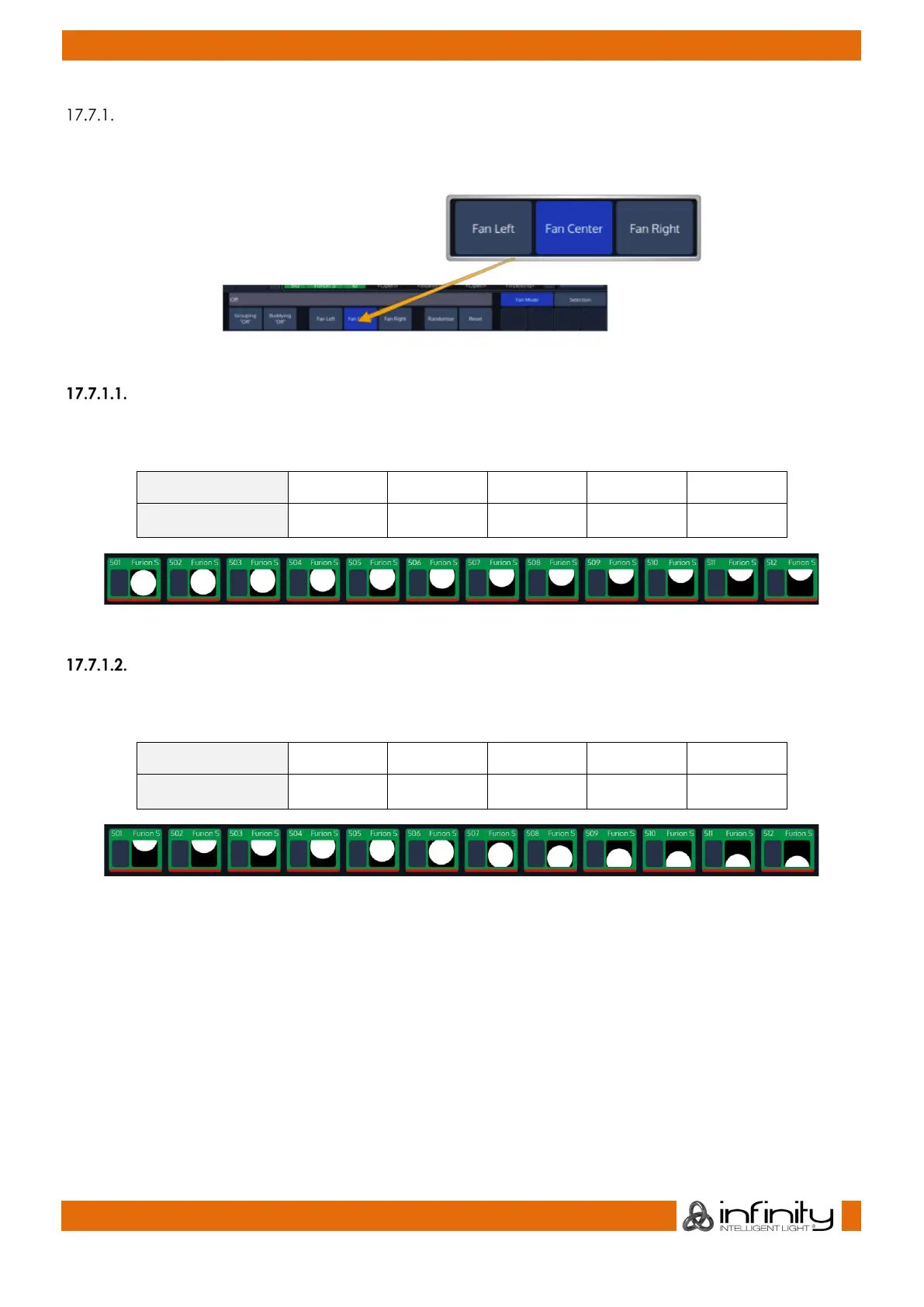
By default, fanning adjusts attribute values from the center of the fixture selection. You can specify the
fan mode using the Fan Mode Toolbar.
Fig. 106: Fan Modes
Left:
The first fixture in the selection order remains unchanged, while the values of the last fixture change the
most:
Before Fanning: 50 % 50 % 50 % 50 % 50 %
After Fanning: 50 % 60 % 70 % 80% 90%
Fig. 107: Fan Example – Fan Left
Center (default):
As described in section “Fan any value using the Encoders:”, the middle fixture remains unchanged,
while the values for the first and last fixtures' change most, in opposite directions. For example:
Before Fanning: 50 % 50 % 50 % 50 % 50 %
After Fanning: 10 % 30 % 50 % 70% 90%
Fig. 108: Fan Example – Fan Center



 To Next Page