146
Adding an Effect
To add an Effect to the effect programmer, simply select the fixtures you would like to be included in the
effect and click on Add FX in the Effect Editors top toolbar.
Fig. 120: Add FX Button
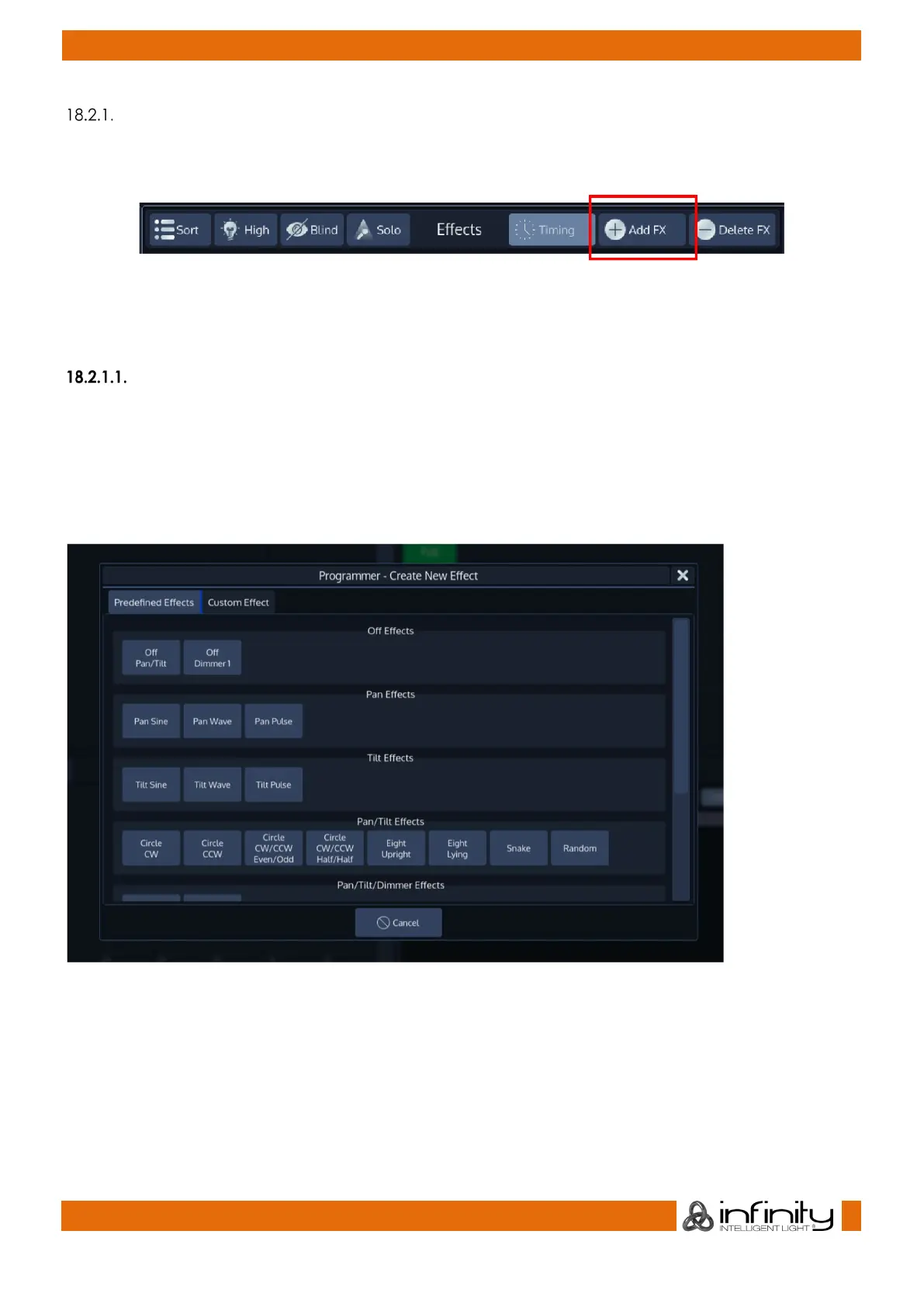
A dialog will be shown asking you if you would like to add an pre-created effect or a specific effect table
operating on one of the parameters.
Adding a Predefined Effect
Predefined effects aid in the quick creation of complex effects on stage.
They will add all nessecary effect rows operating on the parameters and will calculate the effect
attribute values (offset, speed, duty cycle) automatically based on your fixture selection. However, you
can always modify the settings based on your needs in the effect editor afterwards.
These may be selected from the first tab (Predefined Effects) of the Create New Effect Dialog.
Fig. 121: Predefined Effects



 To Next Page