211
Editing
To change the behaviour and appearance of Labels and Cuelists, select them and click on the Edit
Button found in the Edit Mode toolbar. You may do this for multiple Items at once.
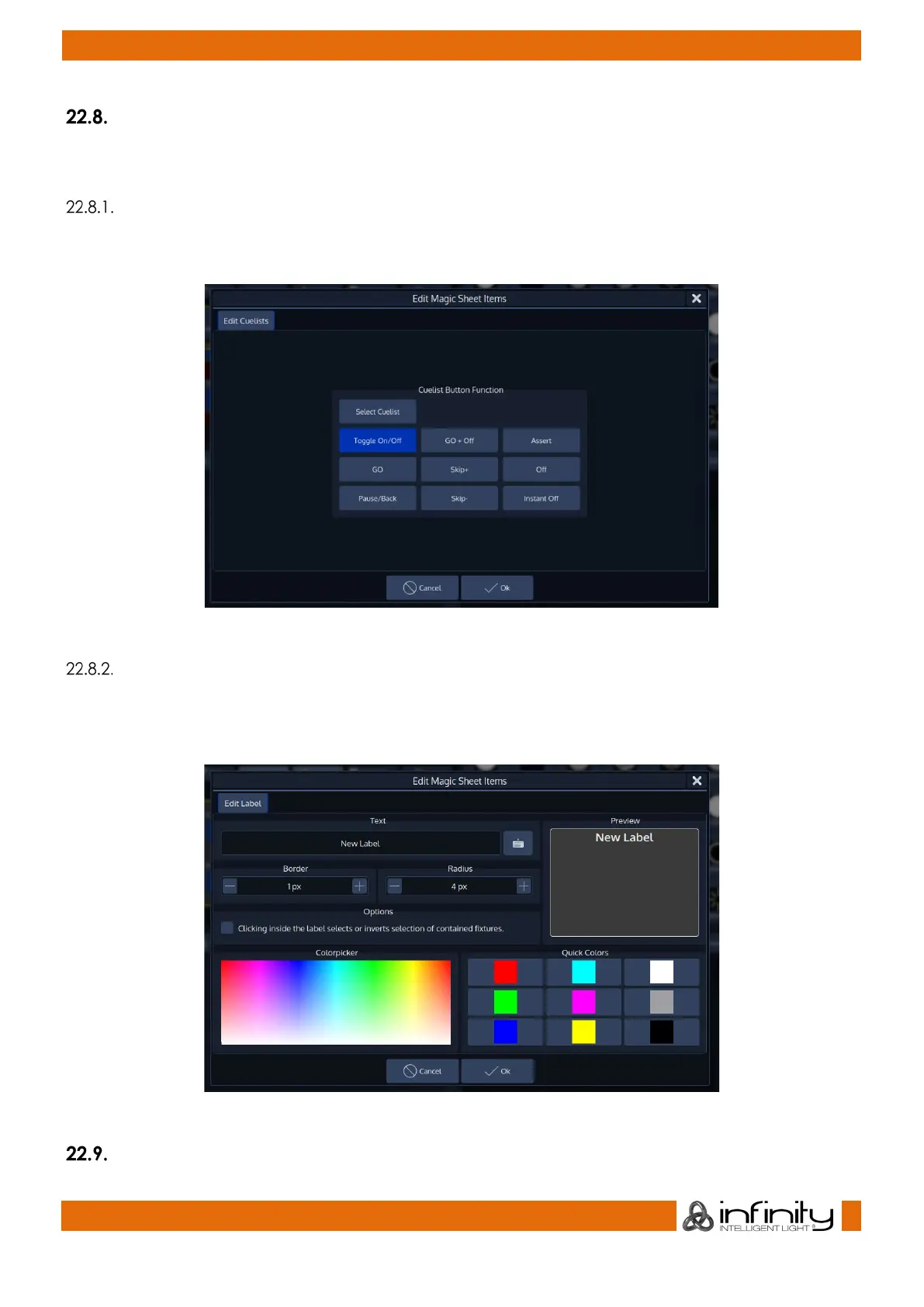
Edit Dialog for Cuelist Magic Sheet Items
The Edit Dialog for Cuelists lets you select what should happen when you press on the Item when the
Magic Sheet is not in Edit Mode.
Fig. 180: Edit Cuelist Magic Sheet Item
Edit Dialog for Label Magic Sheet Items
The Edit Dialog for Labels lets you adjust the appearance and behaviour of a or multiple labels. You may
define a labels Text (an empty text is possible too), border thickness and radius, as well as the labels color.
You can also specify of clicking on the Label should select the contained fixtures.
Fig. 181: Edit Cuelist Magic Sheet Item
Arranging / Moving Items in the Magic Sheet



 To Next Page