255
Update Fixture Libraries
Update via USB
In order to update the factory library on the Chimp, make sure you have downloaded the appropriate
file from the Highlite Infinity website.
Copy the downloaded file (with the file extension .faclib) into the folder “infinity\factory_library_update”
on your USB Key.
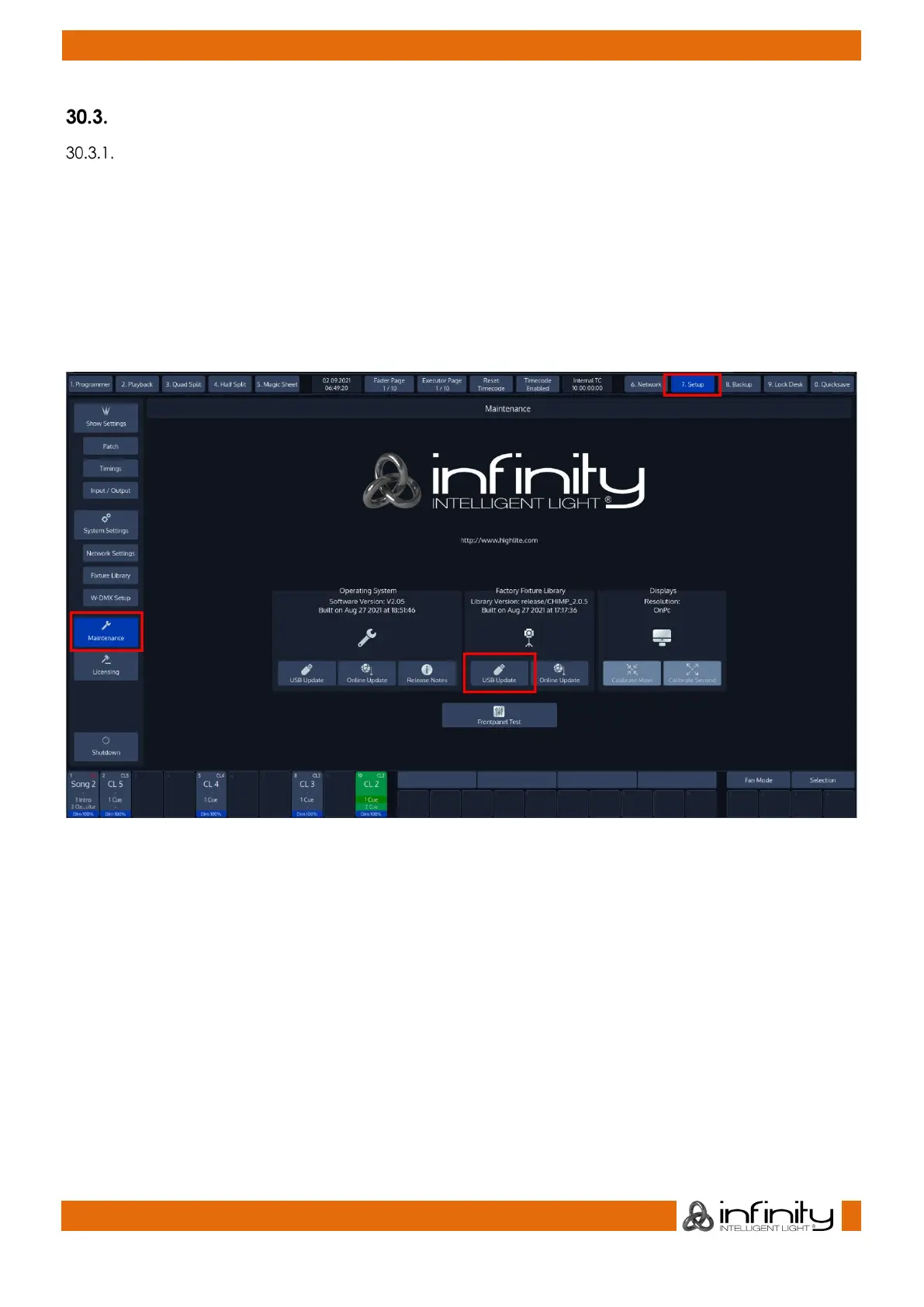
Now, plug the USB Key into one of the Chimps USB Ports and head over to the Setup Menu. Select
Maintenance from the Side Menu.
Click on USB Update from within the Factory Fixture Library group-box.
Fig. 227: Setup Menu – Maintenance –USB Library Update
The Chimp will present you with a list of available library updates found on your USB Key. Select the
appropriate file and click on Select.
A wizard will lead you through a few steps and will ask you to reboot the console when done.
Please note that updating the factory library does not affect fixtures used in shows or in the user library.



 To Next Page