237
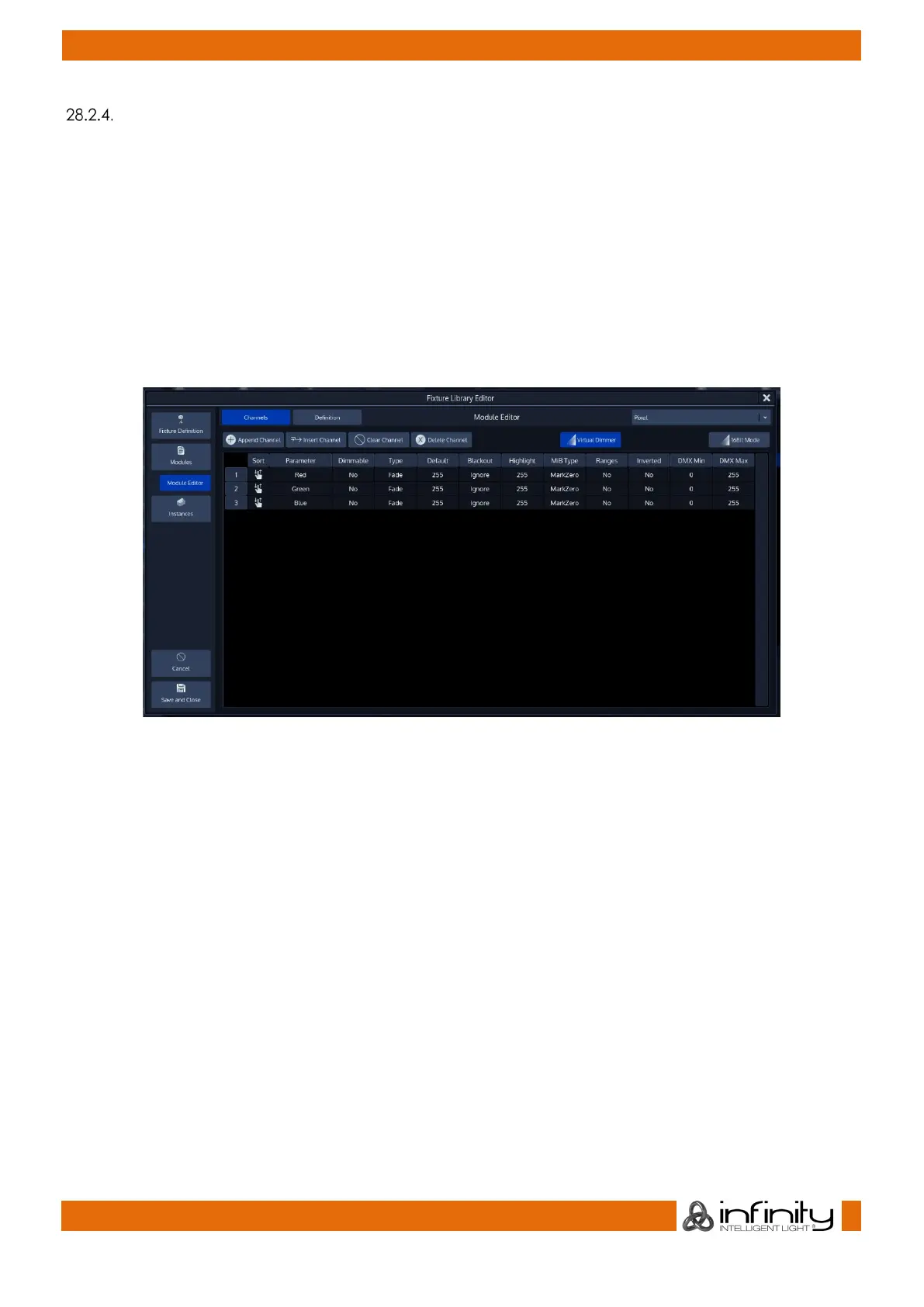
Module Editor
In the module editor, the first row of buttons contains the Channels and Definition buttons, as well as a
drop-down menu on the right-hand side to select the module to be edited.
The Channels button causes the module editor to show the list of channels for given module, whereas the
Definition button may be used to change the name and description of the module.
The second row of buttons is used to append or insert new channels, clear a channel’s mapping or to
delete a channel completely.
Additionally, it may be used to add a Virtual Dimmer to the Fixture, if Color Mixing (RGBxxxx, CMY or HIS)
attributes are present.
The 16 bit Mode button may be used to show dmx values as 16 bit.
Fig. 211: Fixture Library Module Editor - Channels Page
Within the Channels page, a table showing the mapping of the DMX Channels of a Fixture to the Fixtures
Parameters is shown.



 To Next Page