64
Fader / Executor Page Change Settings
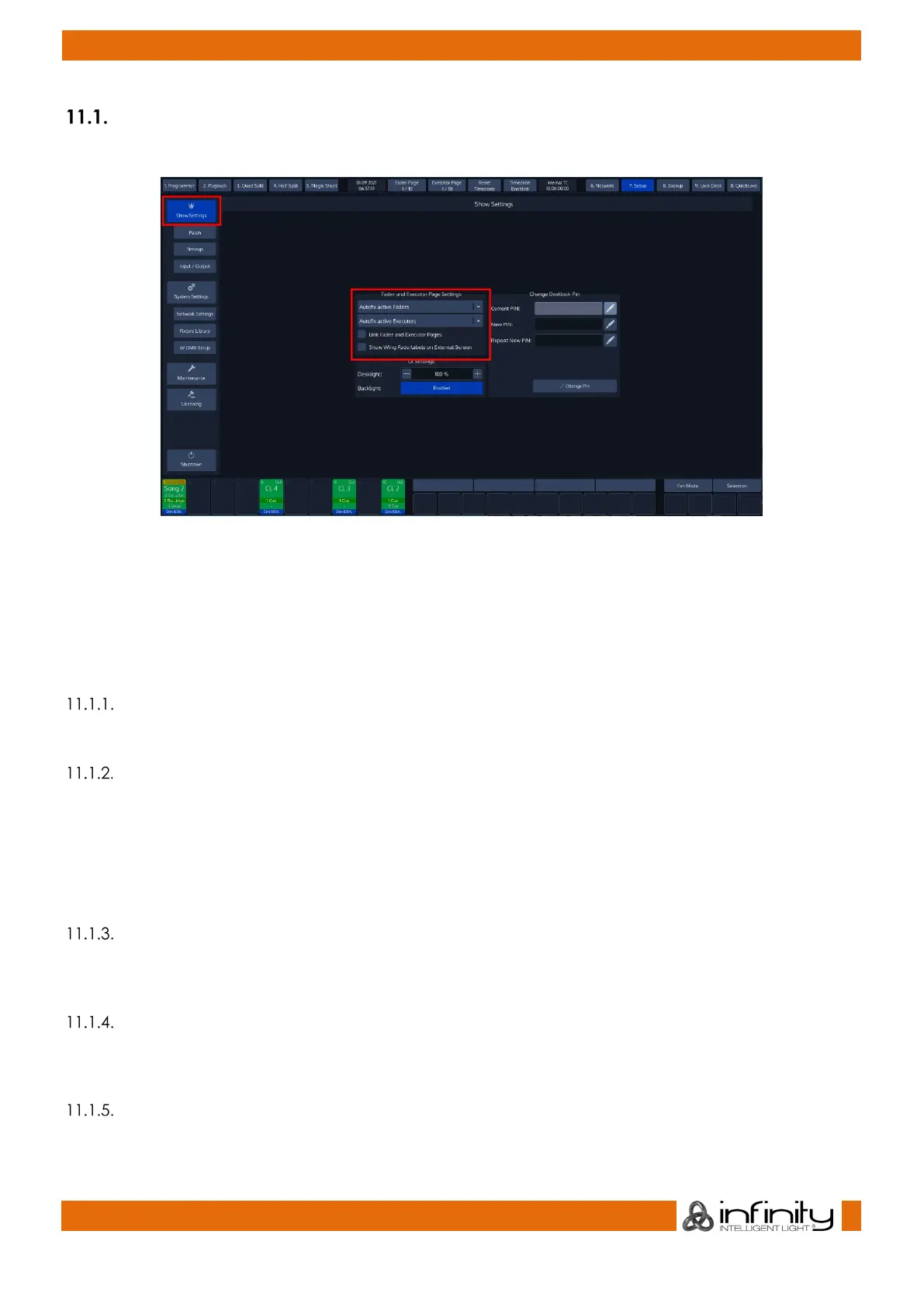
To edit the Page Change settings, change to the Setup screen and click on the Show Settings button.
Fig. 46: Show Settings – Fader and Executor Page Settings
The Fader and Executor Page settings Group Box contains all the settings concerning Fader and Executor
Page changes. The first drop-down menu changes the settings for the Faders, the second for the
Executor buttons.
When Fader and Executer Pages are linked, the options set in the first drop down are applied to both
faders and executor buttons.
Leave Faders / Executors in Background
When this option is selected the playbacks will be kept running “in the background”.
Autofix Active Faders / Executors
Autofix is a convenience function that is used to carry over running playbacks to the new fader or
executor page. It is best explained with a little example:
Imagine you have a cuelist running on Fader Page 1. With Auto Fix enabled, when you switch to Page 2
this playback will be carried over to the new page and will continue to be “fixed” to that particular spot
until you switch it off.
Release Faders / Executors on Page Change
With this entry selected, the console will automatically release all playbacks on a fader or executor page
when the active page is changed. Playbacks assigned to the template page will not be released.
Link Fader and Executor Pages
When checked, the console automatically changes the Executor Page when the fader page is changed
and vice versa.
Show Wing Faderlabels on external Screen
Fader Labels for the Wing are displayed on the secondary screen if checked.



 To Next Page