60
Import Shows from USB
Plug the USB Key into one of the Chimps USB Ports and head over to the Backup Menu.
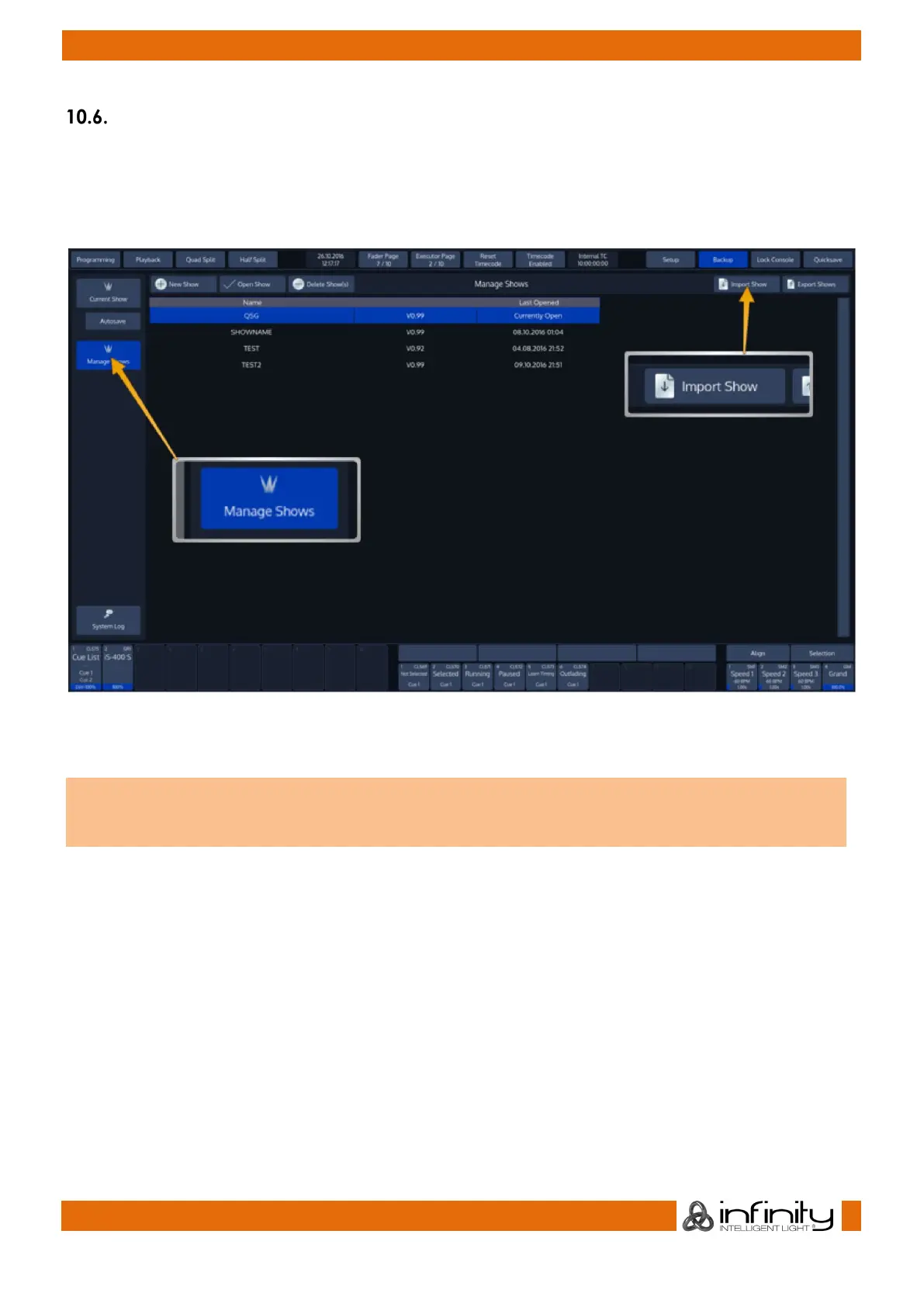
Select Manage Shows from the Side Menu.
When the Manage Shows screen is shown, click on Import Show.
Fig. 42: Manage Shows
Chimp will open a wizard guiding you through the progress.
You can not import a showfile with the same name as the one that is opened. If this is the case, the
Import Show wizard will ask you to close the showfile prior to import and provide a button to do so.



 To Next Page