77
Inverting Pan / Tilt and defining if a Fixture reacts to the Grandmaster Fader
Sometimes it may be necessary to invert the direction of a fixture’s Pan or Tilt attribute or define if a
fixtures Dimmer should react to the Grandmaster.
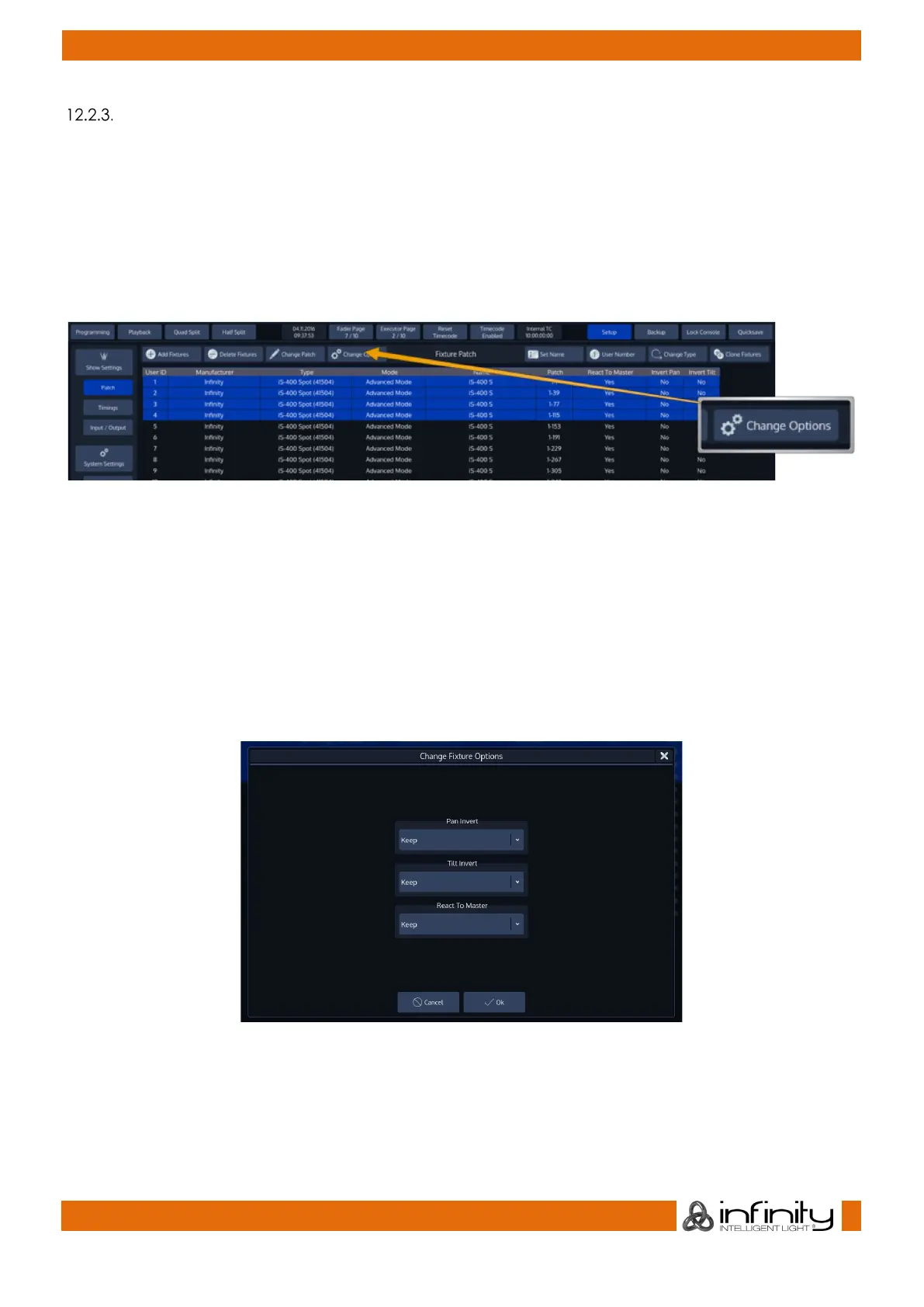
To do this for multiple fixtures at once, first select the fixtures you would like to change the Pan and Tilt
Invert for and click on Change Options within the Patch Screen. The Change Fixture Options dialog will
be opened.
Alternatively, you may select the appropriate cells from the table and press the [Set]-key, or double,
right or long click.
Fig. 59: Change Fixture Options Button
The Change Fixture Options dialog consists of multiple dropdown menus, where the default setting of
each menu is “Keep”.
This ensures that only modified values are applied to the fixtures.
Select if a fixture’s Pan or Tilt should be inverted or not, and if the selected Fixtures should react to the
Chimps grandmaster fader.
Select the appropriate options from the drop-down menus.
Click on Change to finish.
Fig. 60: Fixture Options Dialog



 To Next Page