78
Change DMX-Patch
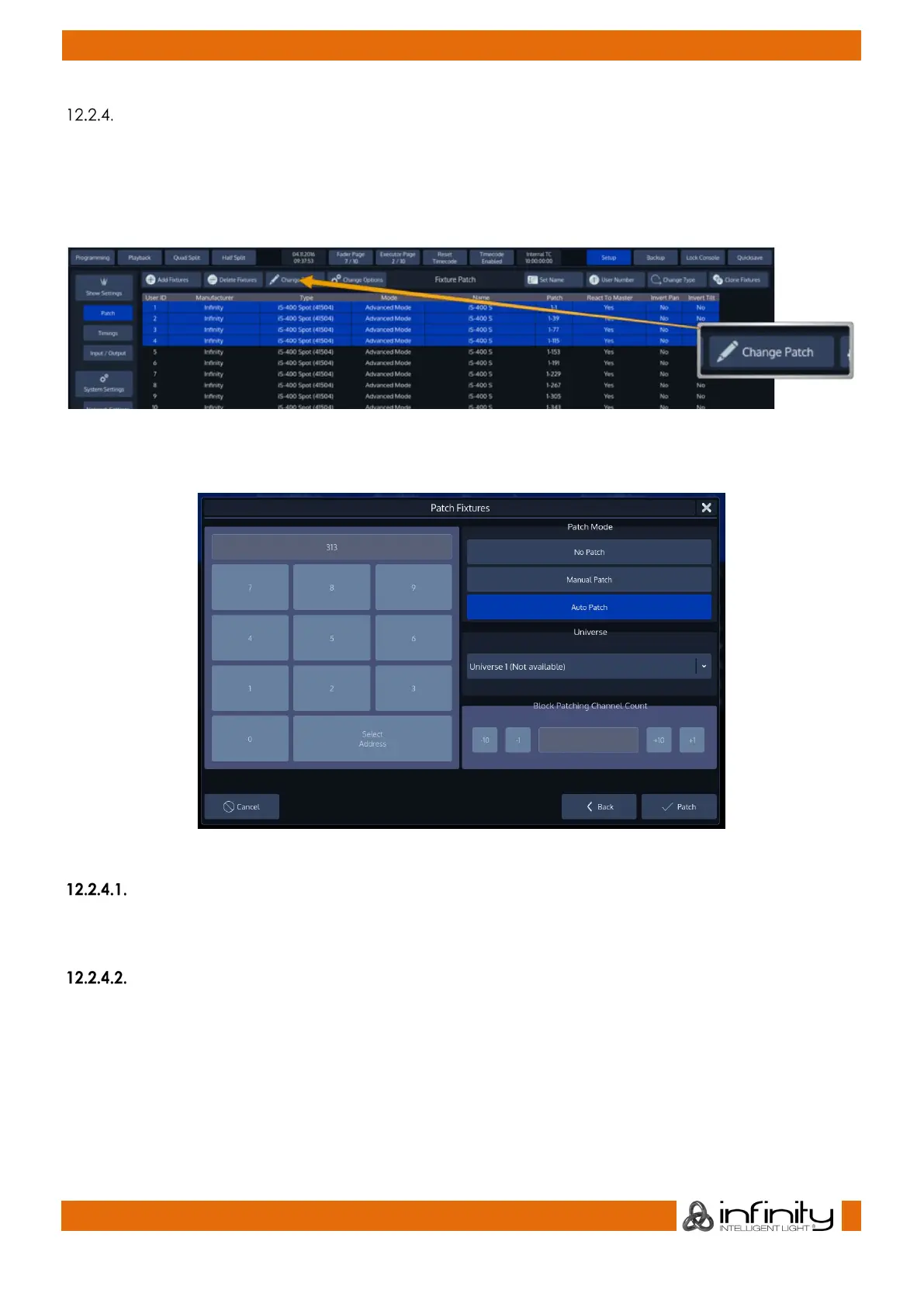
To change the DMX-Patch for a single or multiple fixtures at once, select the fixtures you would like to
patch and click on Change Patch within the Patch Screen.
Programming on the chimp is not dependent on the patch, so unpatching or repatching a fixture will not
cause any programming to be lost.
Fig. 61: Change Patch Button
The Patch Fixtures Dialog will be opened:
Fig. 62: Change Patch Dialog
Unpatch
Unpatch will remove any patch information from the fixtures. However, the fixtures and all of their
programming will be kept within she showfile.
Manual Patch
The fixtures will be patched to the address and universe specified by the user.
● Select Manual Patch.
● Select the Universe drop-down menu.
● Then enter the DMX Address of the fixtures
Block Patching or Patch Offset as some consoles call it is a function that enables to leave gaps between
each fixture that is patched. The Number specified here is the total number of channels a single fixture
will “occupy” on the universe. So if your Fixture for example has three channels and you set the Block
Count to 5, each fixture patched will be patched as the fixture type had a total of five channels.



 To Next Page