192
Disable Disables the timecode input or generator
Resets the timecode generator to its start time.
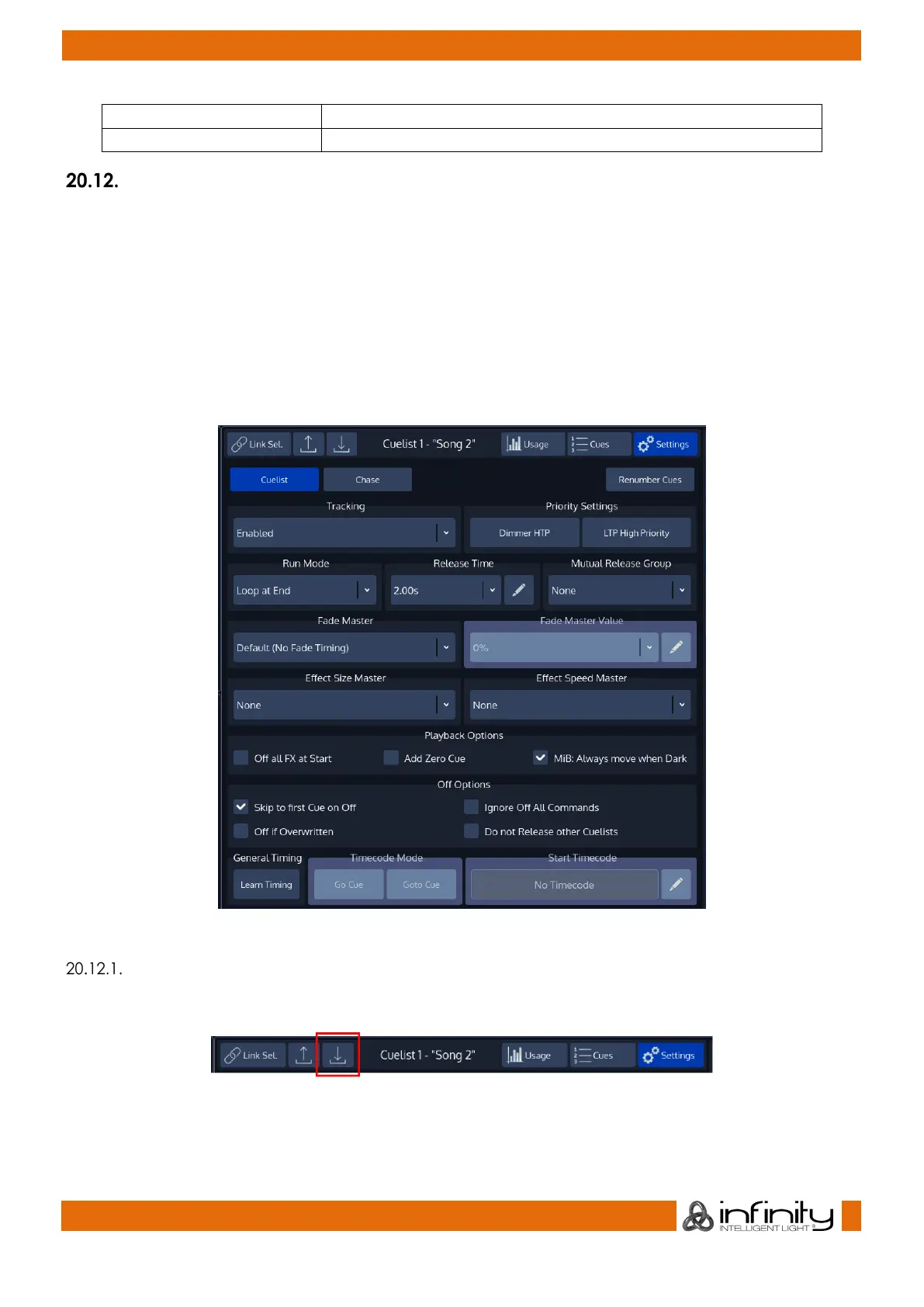
Edit Cuelist Window
Probably the most convenient way to open the Cuelist Settings window is by clicking on the Fader Label
of this cuelist and selecting Cuelist Settings.
To open the Edit Cuelist Window using the command line, type [Edit] [Cuelist], followed by the ID
of the Cuelist you would like to edit the options of, eg. [1]. Finish the command by pressing [Enter].
Alternatively, you may press the [Edit] key and select the Cuelist you would like to edit from a Cuelist
Split Widget.
Another way to access the Edit Cuelist Window is to open a Cuelist View and to press the Settings Button
in the title bar of the Cuelist View.
Fig. 161: Edit Cuelist Window
Saving Options as Default
Specified Options may be saved as default for new Cuelists by pressing the Save Default button.
Fig. 162: Save Default Button



 To Next Page