56
10. Working with Shows
Showfiles contain all your show related settings like fixture schedule and patching, input settings, groups,
presets, cues, master assignments, etc. Multiple shows may reside on the console and the amount of
shows is only limited by hard disk memory. However, we advise to regularly backup old shows to a USB
key and delete them off the consoles memory.
Create a new Show
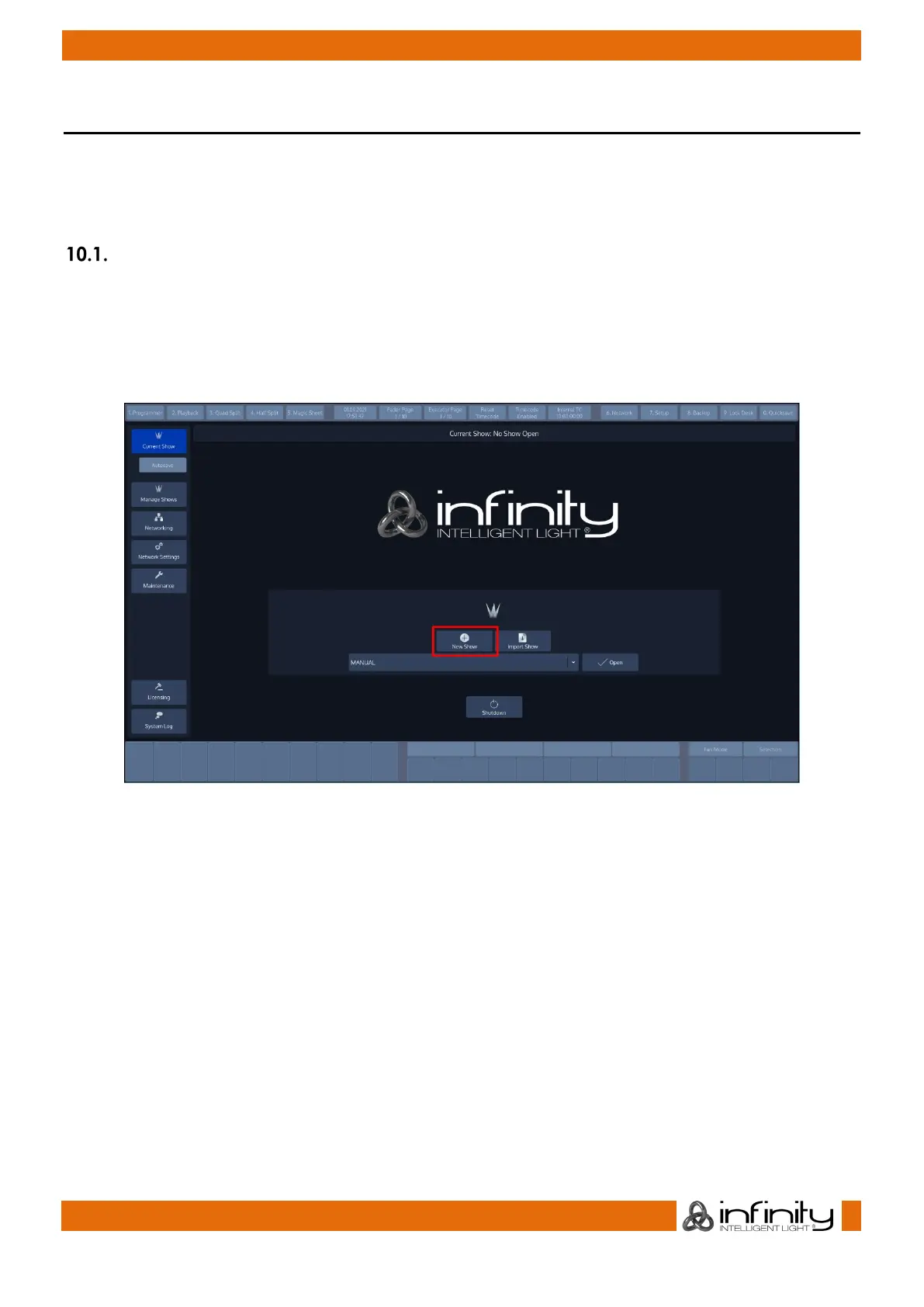
Within the touchscreen display, hit the New Show button.
This will open up a keyboard dialog to enter the name of the show to be created. You may also enter the
Name using an attached USB-Keyboard anytime the keyboard dialog is shown. As soon as you hit the
enter button a new show with the name you just entered will be created.
Fig. 37: Welcome Screen - New Show



 To Next Page