208
Navigating in a Magic Sheet
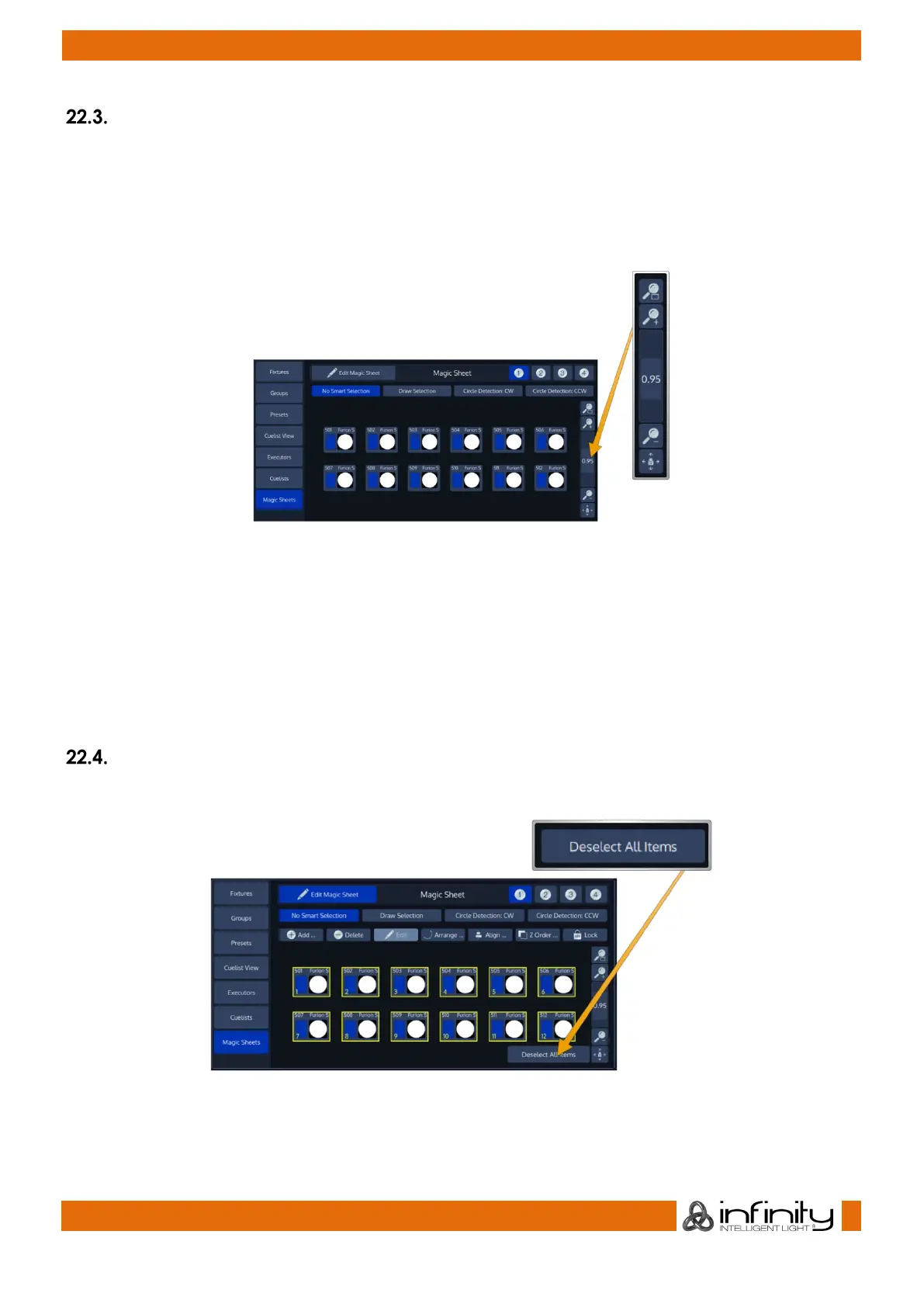
A persistent overlay on the right hand side of the Magic Sheet area can be used to Zoom Fit, Zoom in,
Zoom Out and to activate the Viewport Drag mode which allows the user to select the area of interest in
the sheet.
For each Magic Sheet Zoom Factor and Position can be individually set and will be recorded inside the
showfile.
Fig. 175: Magic Sheet Navigation Overlay
• Zoom Fit will set the Zoom and the Viewport so you can see every Item in this Magic Sheet.
• Zoom + will zoom into the Magic Sheet, meaning you will see the Items larger.
• The Vertical Scroll Bar determines the Zoom level.
• Zoom – will zoom out of the Magic Sheet, meaning Items get smaller.
• The Viewport Drag button allows you to move the Viewed Area around.
Deselecting Items in a Magic Sheet
The selection may be cleared at any time using the Deselect All Items button in the bottom right.
Fig. 176: Deselect All Items Button



 To Next Page