219
24. Using the Output Window
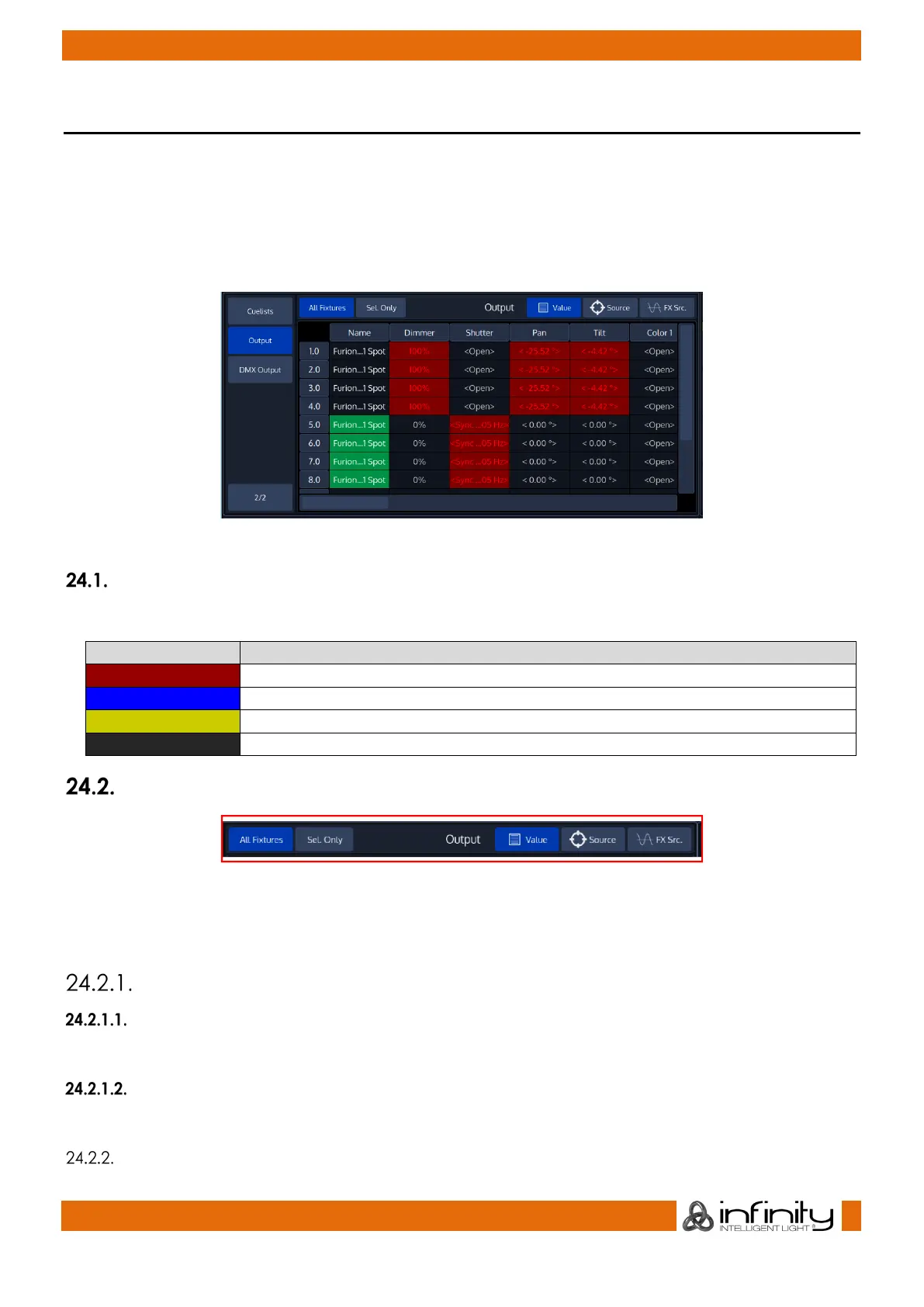
The Output Window is a useful tool to troubleshoot data or programming Issues, or simply to double
check which channels are being output at which value and from which source.
You may open the Output View window by clicking on the Output View button on the second page of
any split widget side menu.
The list of fixtures and values may be sorted and filtered using the title bar buttons.
Fig. 192: DMX Output
Color Coding
The Output View color’s have the following meanings:
The value comes from within the programmer
The value is output from a cuelist
100% The value is output with the highlight value
The value is output with the default value
Title Bar Buttons
Fig. 193: Output View Titlebar
The Output Views title bar consists of multiple buttons which are useful for further filtering of the
information provided.
All Fixtures / Selected Only
All Fixtures
When All Fixtures is chosen, the output view displays all fixtures that exist in the Showfile.
Selected Only
When Sel. Only is chosen, the output view displays only fixtures that are selected.
Value



 To Next Page