147
Adding a Custom Effect
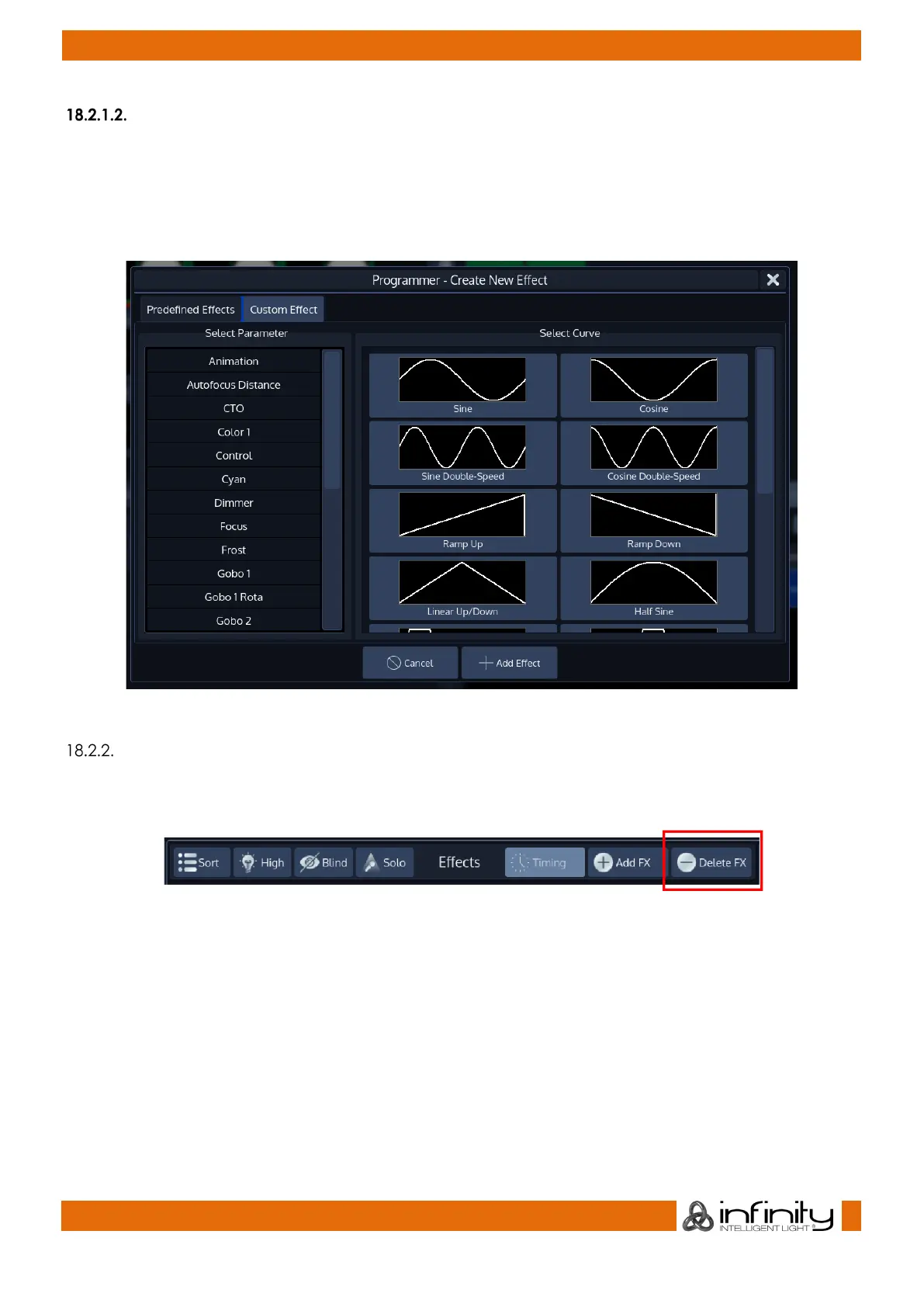
The second tab (Custom Effect) is used to create your own effects based on mathematical functions.
To add an effect, first select the Parameter from the list on the left hand side, and choose the effect
table that should be used on this parameter.
Click on Add Effect when done.
Fig. 122: Create Custom Effect
Deleting an Effect
To delete Effects from the effect programmer, simply select the effect(s) you would like to delete by
toggling the button in the first column in the editor and click on Delete FX in the Effect Editors top toolbar.
Fig. 123: Delete FX
Please note that deleting an Effect is not stopping the effect if it is already running in playback:
If you just created an Effect and recorded it into Cue 1 of a Cuelist, deleting the FX in the Editor and
storing this to Cue 2 of the same cuelist does not stop the Effect. Add an Off Effect form for the
Parameters in that Cue instead.
You may also delete effects for selected fixtures by pressing the [Off] key followed by either the Effects
button in the side menu, or by pressing the [Fx]-key.



 To Next Page