229
Network Settings
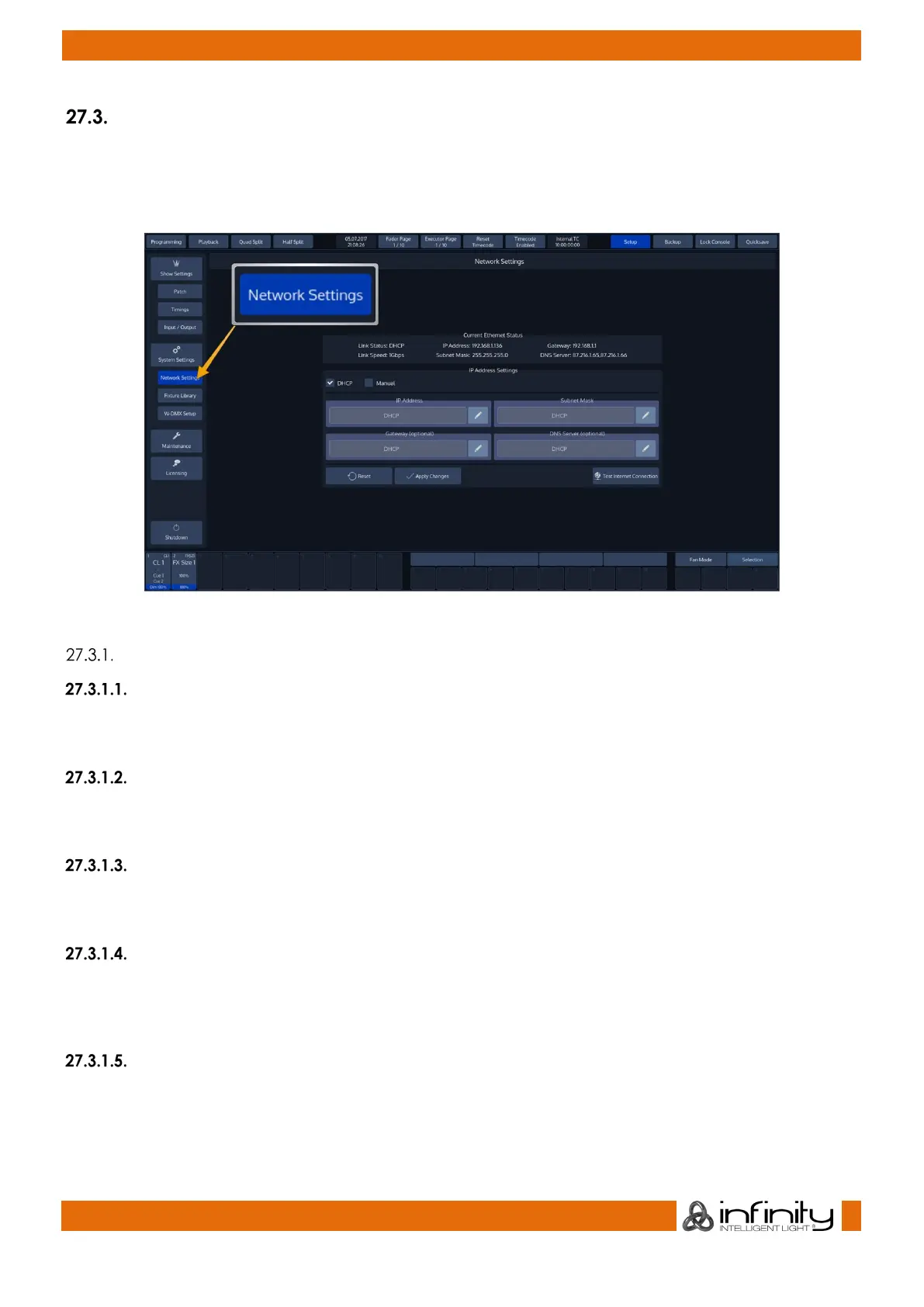
From within the Setup screen, select Network Settings to open the “Change Network Settings” Page.
You may now change IP-Address Settings and test if the console has access to the World Wide Web. This
is particularly useful for the built-in online software update function.
Fig. 204: Network Settings
Changing the IP Address
DHCP or Manual
Here you may set if the Chimp should get its IP Address settings from a DHCP Server on the LAN, or if you
wish to assign IP Addresses manually. IP Address and Subnet Mask are mandatory if set to Manual.
IP Address
This text-field will display the IP-Address of the console if manual configuration has been selected above.
Use the Edit button on the right of the text field to set the IP Address.
Subnet Mask
This text-field will display the Subnet Mask of the console’s Ethernet port if manual configuration has been
selected. Use the Edit button on the right of the text field to set the Subnet Mask.
Gateway
This text-field will display the Gateway-Address of the Ethernet port if manual configuration has been
selected. Use the Edit button on the right of the text field to set. The Gateway is only needed should you
wish to connect your console to the Internet.
DNS Server
This text-field will display the DNS Server of the console’s Ethernet port if manual configuration has been
selected. Use the Edit button on the right of the text field to set. The DNS Server is only needed should you
wish to connect your console to the Internet.



 To Next Page