248
Start a Fixture using an existing Fixture Type as a template
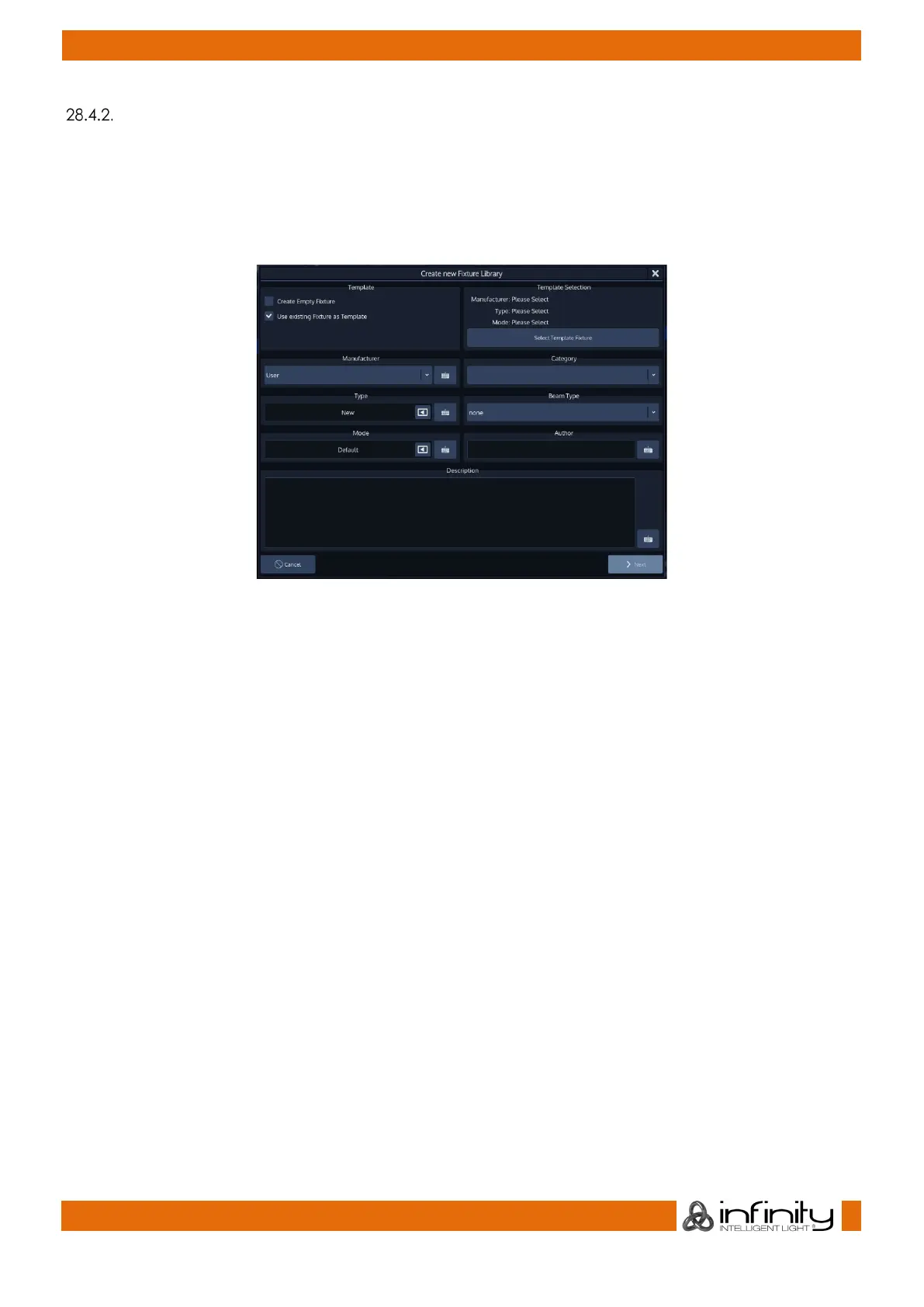
A screen asking a few questions regarding the new fixture will be shown. You need to specify the
Manufacturer, Type, and Fixture DMX Mode. Category, Beam Type, Author and Description are optional
but recommended.
In order to start using an exisiting fixture as a template, select Use Existing Fixture as Template and hit the
Select Template Fixture button.
Fig. 222: Use existing as Template
A menu that allows you to pick a fixture type will appear.
You may search for fixtures using the filter field shown in the top part of the screen. Alternatively, you may
select the fixture by selecting the Manufacturer, Type and Mode.
Click on Ok when done.
The Create New Fixture Library screen is shown again. Make sure you entered a Manufacturer and Name
for the new Fixture Type and hit the Next button when done.
The Library Editor will be shown allowing you to make changes to the fixture type.
Click on Save and Close when done.



 To Next Page