160
Automatic Generation of Presets
Chimp can assist you in generating Presets by using the Information entered in the Ranges in the Fixtures
Library.
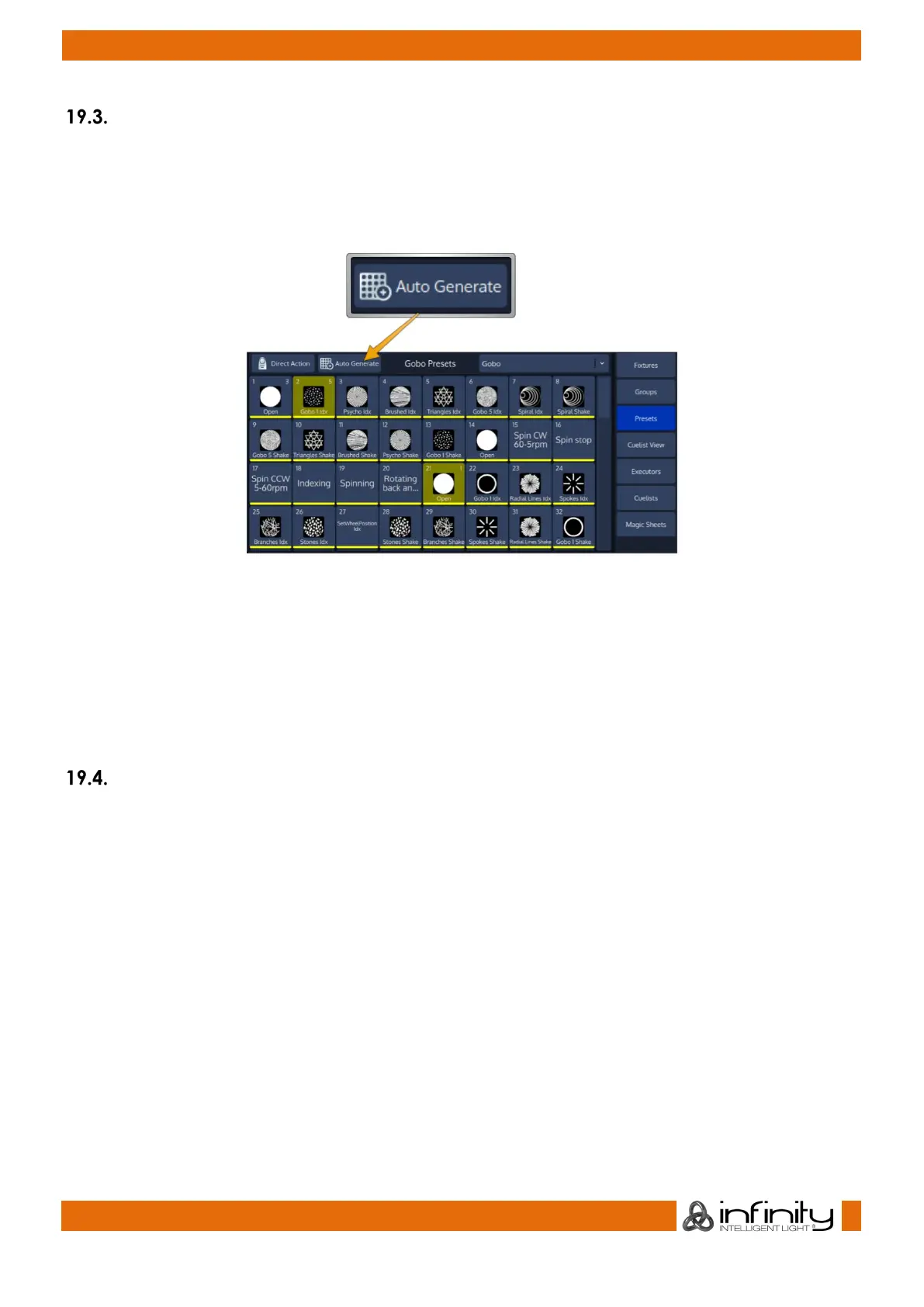
To automatically generate Presets for the selected fixtures and the selected Attribute Group Pool, click
on Auto Generate found in the Preset Pool title bar.
Fig. 141: Auto Generate Button
Presets can be generated multiple times for one or more Fixtures. If no suitable Library Range Information
is available, then no Presets will be generated.
If a color or Icon is set in the appropriate Range in the library, it will automatically be added to to the
Preset Item.
Presets will be organized by Fixture Types and Parameter Type. In Example, Presets from Color Wheel 1
and Color Wheel 2 are added after one another.
Editing a Presets Gobo and Color Icon
You may define Color and Gobo Icons for a Preset using the Edit Preset Window. For more information,
please see “Edit Preset Window” on page 167.



 To Next Page