VIsualEyes 515/525 - Additional Information Page 95
Test Name: Name of test
Results Displayed: Selects which eye is shown by default. Left Eye will set each subtest to display the left
eye. Right Eye will set each subtest to display the right eye.
Fixation Light Control: Determines when the fixation light in the goggles is displayed. Automatic (default)
will have the fixation light turn on after the current average slow phase velocity has dropped 10% of the
magnitude of the maximum average slow phase velocity. Manual will leave the operator to determine when
the fixation light should be displayed. Timed will have the fixation light come on automatically at the
designated time.
Show Nystagmus Count: If enabled, the software will display the number of detected nystagmus beats in
the peak response window and display the beat count in the pod view above the fixation index value..
Save Eye Recording: Choice to save eye video recordings.
Before the caloric irrigation test is performed, a spontaneous nystagmus (SPN) test can be recorded. This is
recommended for patients that have shown nystagmus in conditions without stimulation. The average slow
phase velocity determined during the caloric SPN test is used in the calculation of directional preponderance.
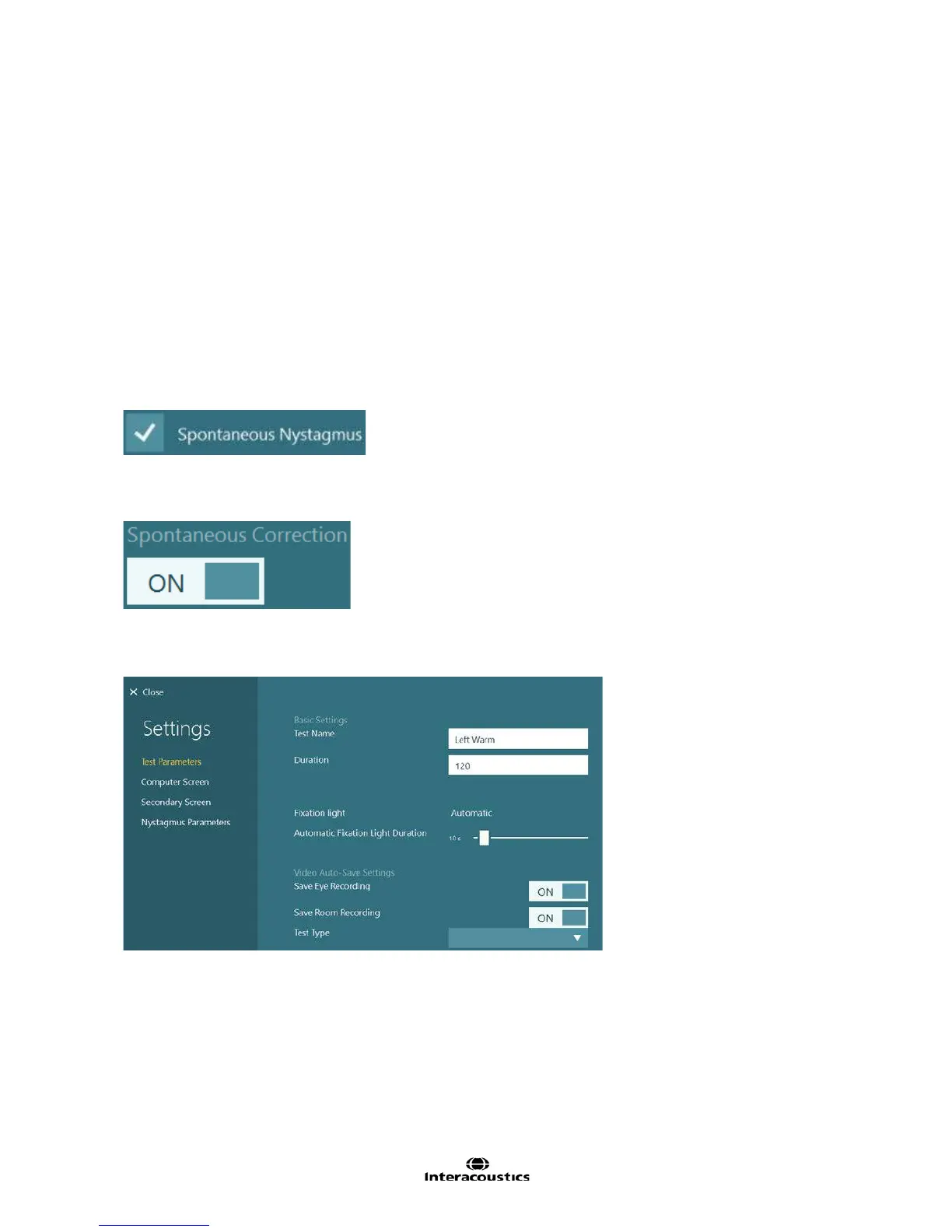
Under the Summary parameters choose ‘Spontaneous Nystagmus’
Once a sub test is complete, the option to choose Spontaneous Correction’.
The calculations consider the presence of underlying spontaneous nystagmus in the analysis of unilateral
weakness (UW) and Directional Preponderance (DP).
Test Arrangement: The order of the caloric subtests and how they are displayed on the screen can be
changed by setting the test order. Analysis results will also display the test results in the test arrangement if
possible.
Figure 8.3.7 Caloric subtest settings
Test Name: Name of test
Duration: Define how long the eye movement is to be recorded and analyzed (in seconds).
Fixation light: Determines when the fixation light in the goggles is displayed. This value is set by the Caloric
summary settings.
Automatic Fixation Light Duration: If the subtest is set to use Automatic Fixation Light, the length of time
the light is displayed to the patient can be set using the slider.
Save Eye Recording: Choice to save eye video recordings.
Test Type: After the test has been performed, this setting is available to change the type of caloric test in the
event the operator had irrigated the wrong ear during testing.














 To Next Page