VIsualEyes 515/525 - Additional Information Page 101
Test Name: Name of the test
Results Displayed: Selects which eye is shown by default. Left Eye will set each subtest to display the left
eye. Right Eye will set each subtest to display the right eye.
Run Tests Automatically: If enabled, when the subtest completes, the next subtest will be loaded and
started automatically.
Active Tests: The subtests selected will appear in the testing screen. The configuration gear button beside
each test will open the subtest settings. By default the Step Rotation test will test the patient in both
directions at 50 and 180 dps. Optionally the test can also spin the patient at 100 dps.
Move To Zero When Test Is Complete: If enabled, the chair (Nydiag 200 and Orion Reclining chair models
only) will return to the zero position as set in System Default Settings.
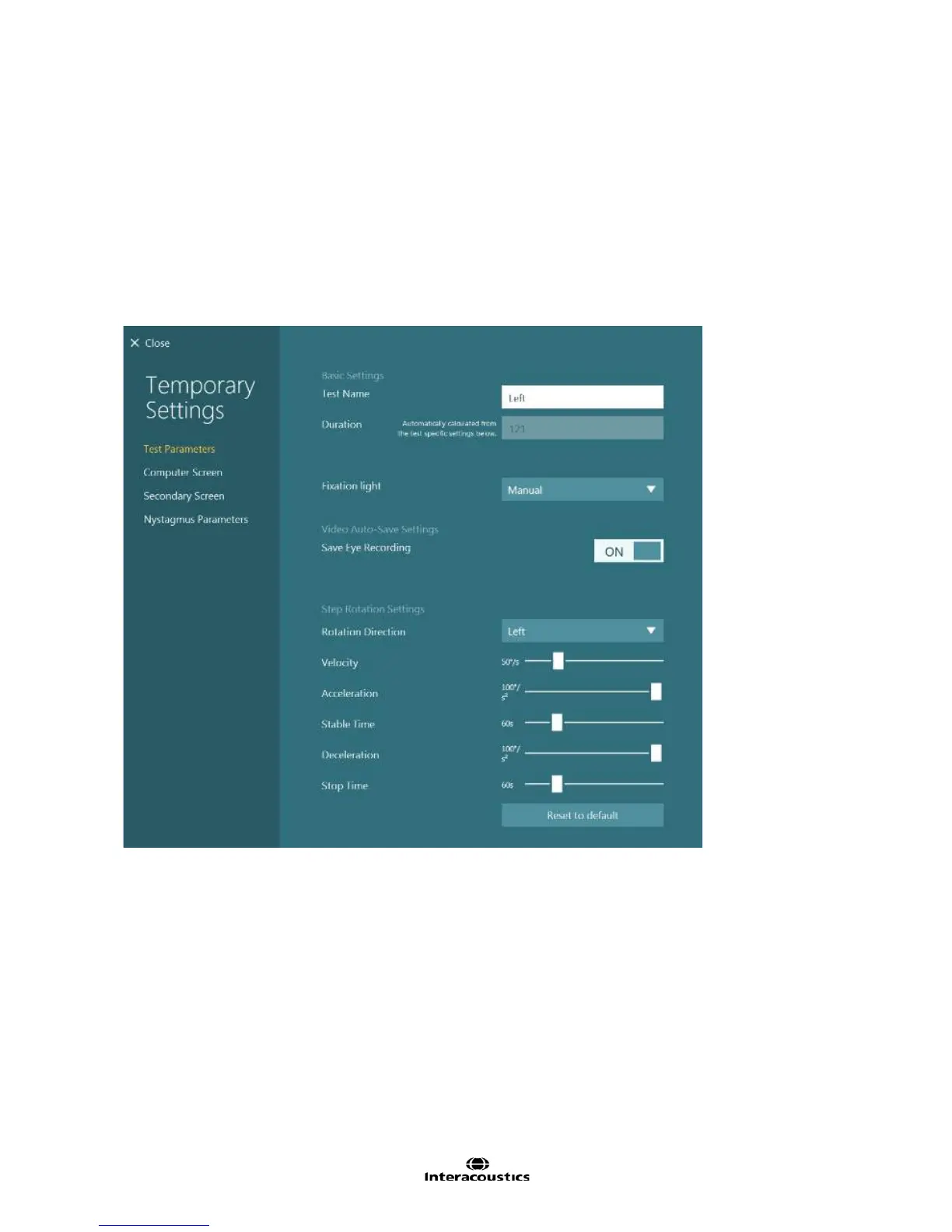
Figure 8.4.6 Step Rotation subtest settings
Test Name: Name of subtest
Duration: Length of time (in seconds) the test shall run. This is automatically calculated from the test specific
settings. The length of time is dependent on the step rotation setting, i.e. velocity, acceleration, deceleration
time.
Fixation light: Determines when the fixation light in the goggles is displayed. Manual (default) will leave the
operator to determine when the fixation light should be displayed. Timed will have the fixation light come on
automatically at the designated time.
Save Eye Recording: Choice to save eye video recordings.
Step Rotation Settings
Rotation direction: Defines the direction the chair will be rotating, Left (counterclockwise) or Right
(clockwise).
Velocity: The peak velocity of chair movement
Acceleration: The rate at which the chair accelerates to reach the Velocity value.














 To Next Page