4.
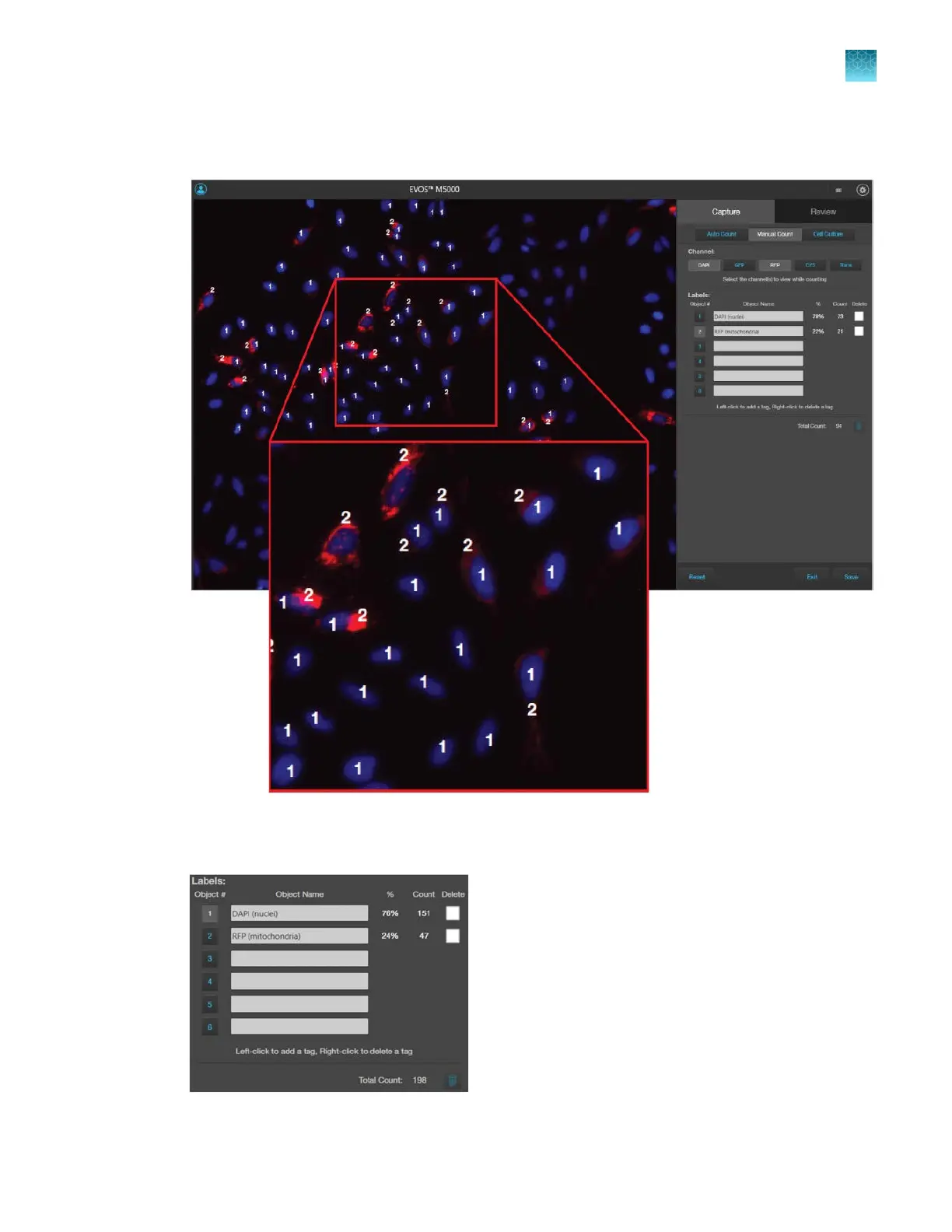
Click on the Label number to select a label, then left-click at each point on the Viewing area to tag
the items in that label category. You can switch labels as desired.
As you tag the objects onscreen with the selected label, the system keeps a running tally of the
counts with per
centages for each label assigned.
Chapter5Measure, annotate, and analyze captured images
Count cells – manual count
5
EVOS
™
M5000 Imaging System User Guide
53



 To Next Page