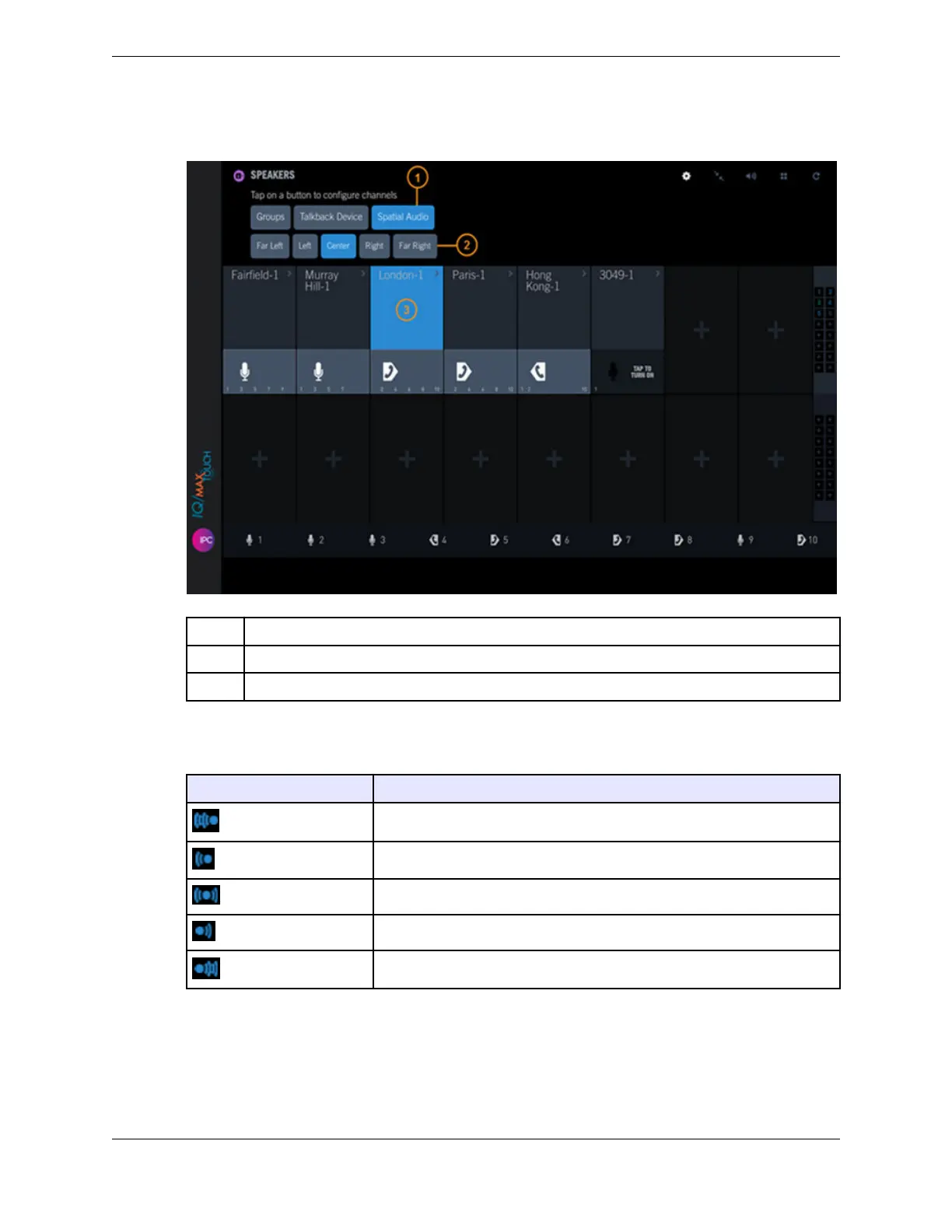
Figure 63: Speakers - Spatial Audio
1 Spatial audio button
2 Spatial audio position buttons
3 Speaker channel assigned the currently selected spatial audio position.
The icon at the bottom of each speaker channel indicates the spatial position assigned to the channel:
Icon Spatial audio position
Far Left
Left
Center
Right
Far Right
10.4.10.1 Display and change speaker channel spatial audio positions
Use this procedure to display the current spatial audio position for each speaker channel, and if
necessary, to change a speaker channel's position.
For an overview of spatial audio, refer to Spatial audio on page 139.
10.4: Use the Speakers application 141
IPC Proprietary Unigy 4.3
IQ/MAX TOUCH Turret User Guide



 To Next Page