9 Maintenance
9.5 KCM service connections
Page 80 Docu-No.: 1090020601-EN Rev. 1.2.1
9.5 KCM service connections
9.5.1 Forcing the Config Port to UserIF protocol
Use this procedure to reset the Config Port to the UserIF protocol for
reading KCM menu and parameter data with a connected PC.
1. Power the KCM.
2. Using the S1 DIP switch on the KCM CPU pcb, place switches 6,
7, 8 in the "ON" position for at least two seconds.
3. KCM Config port will then become UserIF protocol configured.
4. Return switches 6, 7, and 8 to the "OFF" or original positions.
9.5.2 USB
The USB Port is designed to duplicate all functions of Config port
using USB cable to a PC.
The Config data ports are service connections to the KCM. Service
connection to the KCM is possible by the USB port (J13) or the RS-
232 port (P1). A PC with K-Tron applications such as Loader,
SmartConfig and ParamStore are used with the KCM to upload new
application programs, upload custom <KGR> data communications
files and to download entered operating parameters respectively.
To access the Config ports, merely open the KCM front cover. The
Config DB-9 port and the USB port is on the cpu pc board on the
back of the front panel cover.
To use the USB, connect a cable from your computer to this port. The
cable is the USB A to B type.
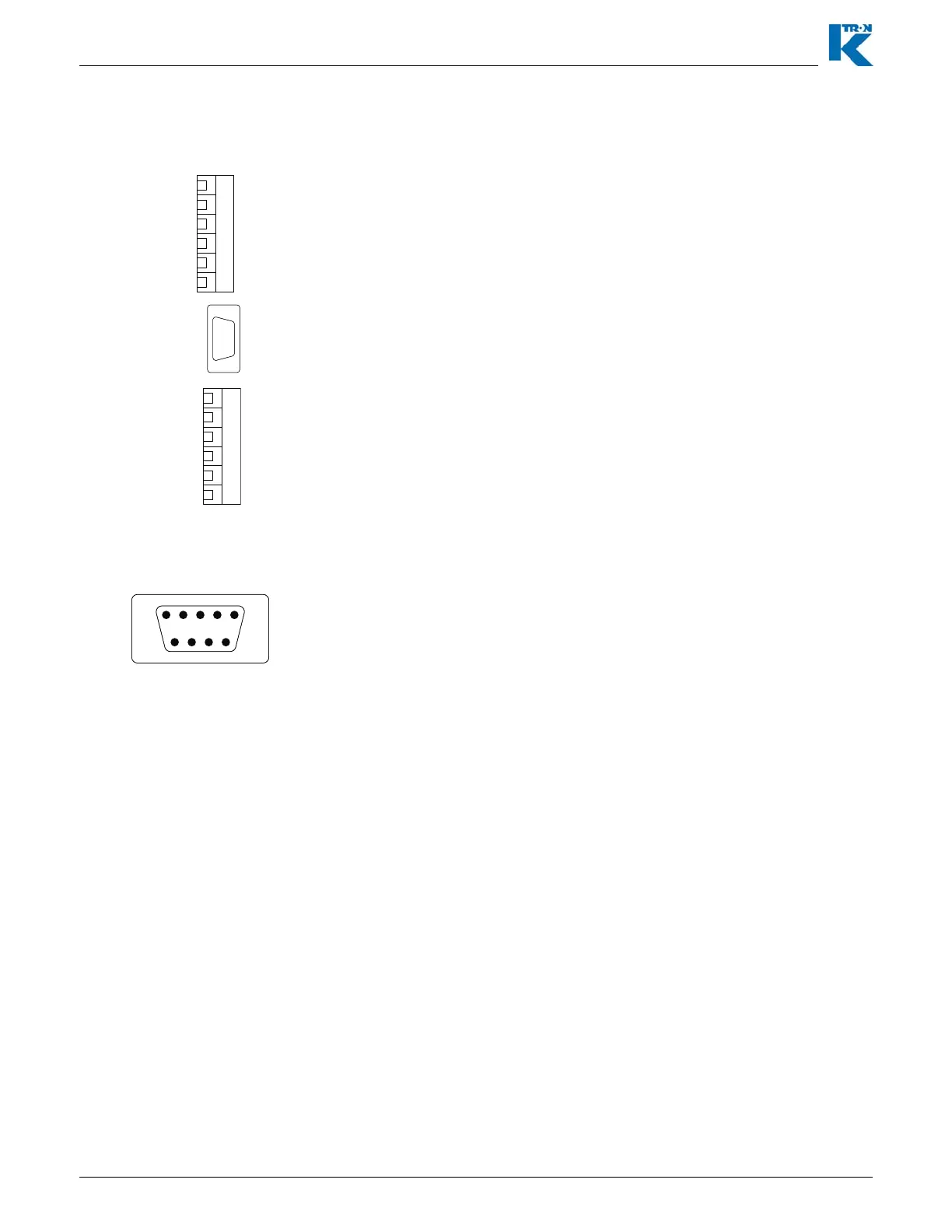
Fig. 9.6 KCM Config port on CPU pcb
Use a standard female to female DB-9 connector with a null modem
between the KCM Config port on the KCM CPU pcb and the PC.
This table provides wiring for the Config port connector.
2 = RxD, Receive data
3 = TxD, Transmit data
5 = Signal common
Note:
• A null modem cable is required for connection to a PC.
• The PC requires an RS232C serial port.
Fig. 9.7 Config port connections RS232


 To Next Page