STEM
• Repeat the operation for the other pads.
• If one or more drums tracks have been loaded, tap on the FIXED button and then on the
pads corresponding to the drums track to make them unaffected by the transposition.
• Adjust the volumes of the tracks. Tap on the LEVEL button, tap on the pad corresponding to
the desired track and then use the Value Dial to set the volume.
• Repeat this operation for the other scenes. Tap on the buttons SCENE 1, SCENE 2, SCENE
3 and SCENE 4 to change the scene.
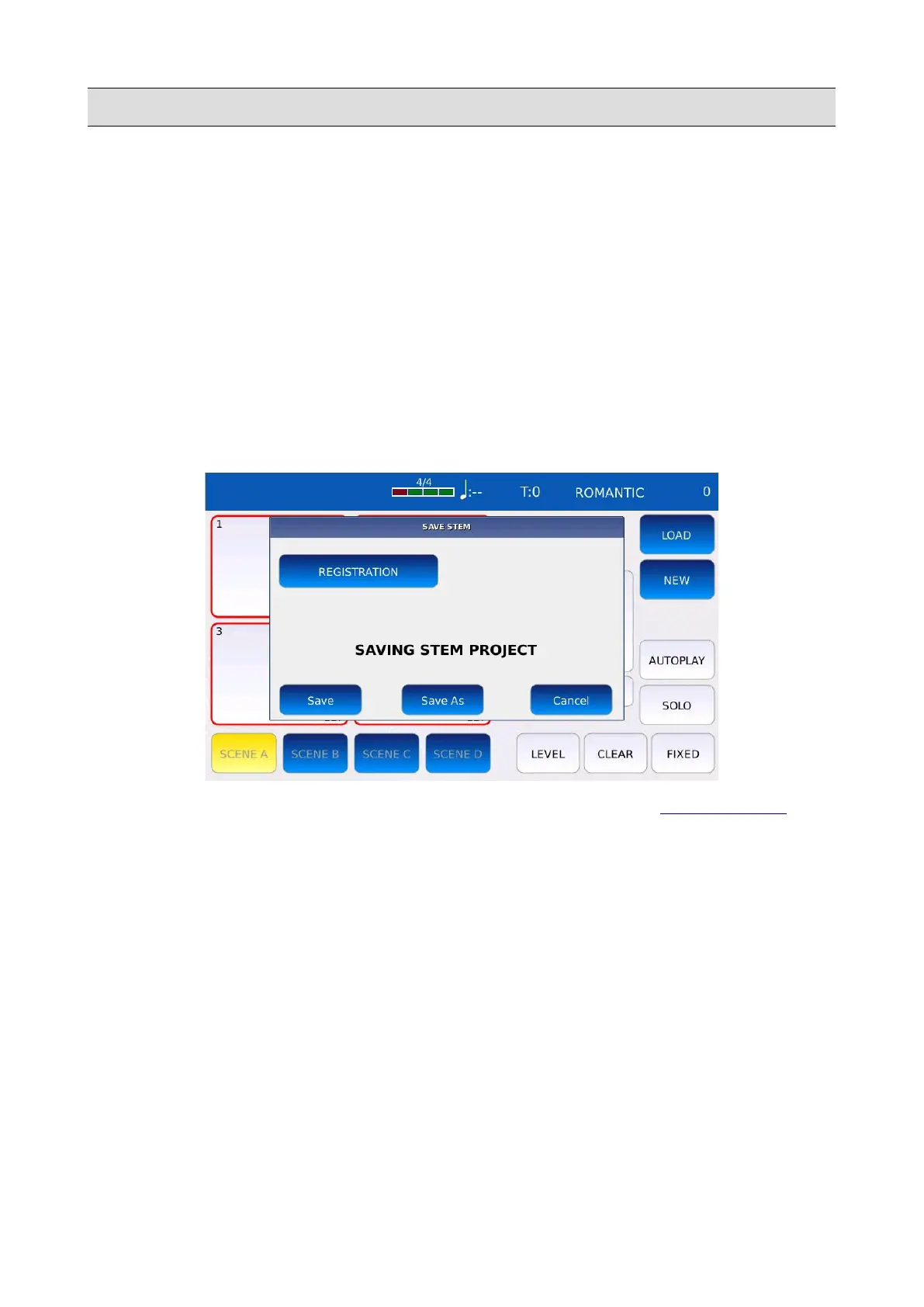
• Press SAVE to save all changes. Tap on the SAVE AS button to give a name to the Stem
Project. A virtual alphanumeric keyboard will appear on screen. A Stem Project has
the .STM extension. Compose the new name and then tap on ENTER. Tap on the CANCEL
button or press EXIT to cancel the operation.
NB: tap on the REGISTRATION button to save the Stem Project as a REGISTRATION.
• Once you saved a Stem Project, you can load it by tapping on the LOAD button. The list of
all Stem Project will appear on the left. Tap on the name to load the project.
102 - KETRON - LOUNGE



 To Next Page