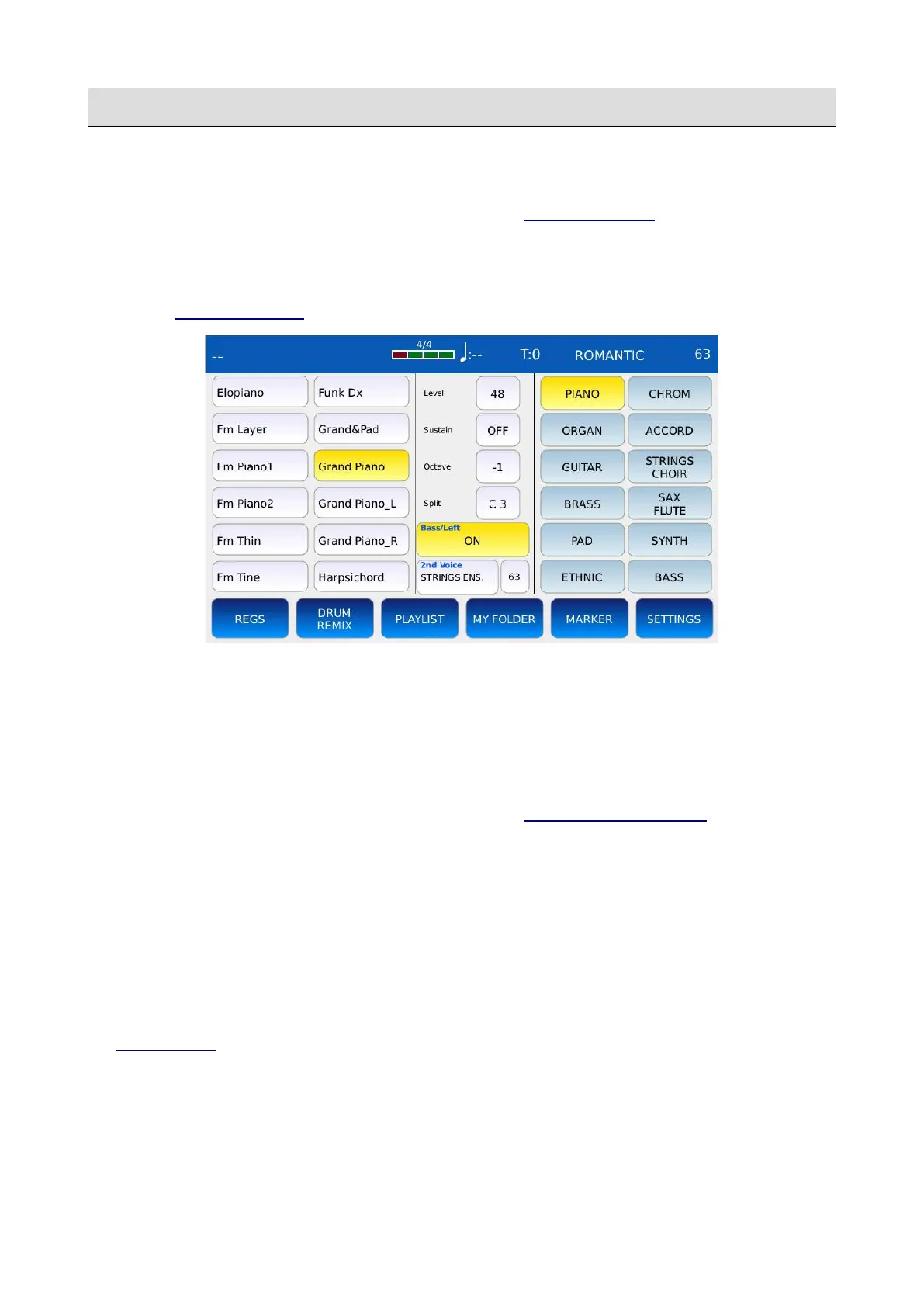
BASS/LEFT
Bass Edit
Tap on and keep pressed the BASS ON/OFF button of the VOICE SELECT page to enter in BASS
EDIT MODE. In BASS EDIT mode you can change the sound played on the left part of the
keyboard and the relative parameters. Tap first on the family name on the right and then tap on the
sound name on the left to load the desired sound. Tap again on the EDIT button or press EXIT to go
back to the VOICE SELECT page.
• LEVEL: adjust the volume of the BASS layer. Values range from 16 to 63.
• SUSTAIN: sets the amount of sound that should be sustained after a Note Off MIDI
message is received. If enabled, the sound will not stop immediately after a key is released,
but it will decay to zero in a certain amount of time. Tap on the button to enable or disable
the sustain and use the Value Dial to adjust the sustain time. Values range from OFF to 63.
NB: this sustain value is replaced by the one set in ACCORDION CLASSIC, if enabled.
• OCTAVE: sets the transposition of the BASS layer. Tap on the box next to the sound name
and use the Value Dial to adjust the octave transposition. Values range from -2 to +2.
• SPLIT: sets the split point (the last note to the left of the right part of the keyboard). Tap on
the SPLIT button and the use the Value Dial or press a key on the keyboard to select the split
point.
NB: when BASS is enabled, the RIGHT part is automatically transposed down by 12 semitones. You
can enable or disable the automatic transposition by turning on or off the SPLIT OCTAVE button in
the VOICE EDIT page.
KETRON - LOUNGE 87



 To Next Page