MENU
Accordion Classic
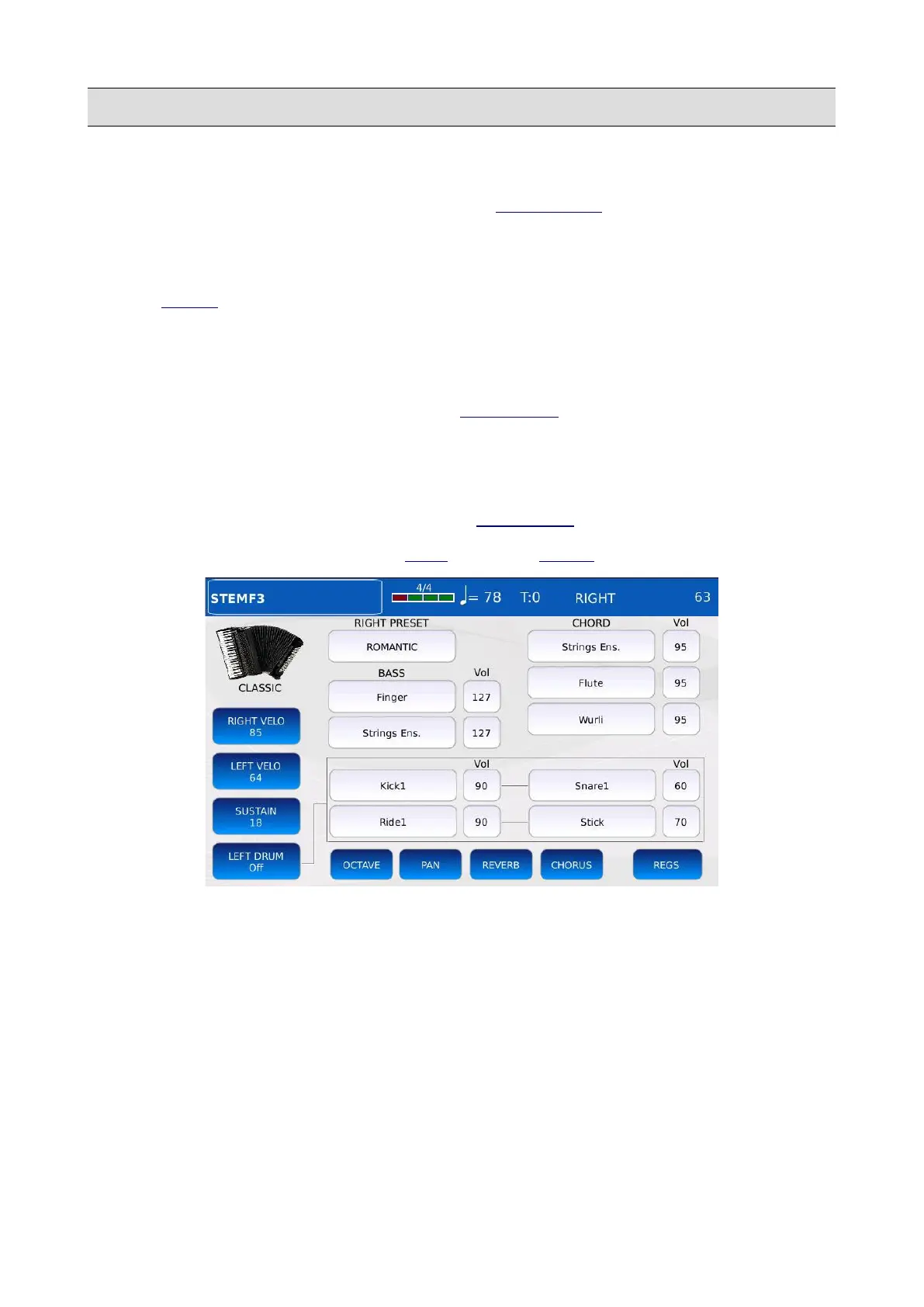
Tap twice on the ACCORDION CLASSIC icon of the PLAY MODE page to open the
ACCORDION CLASSIC page.
In this mode, you can control and play:
• A VOICE Preset with the right keyboard by sending MIDI messages to the RIGHT channel.
• Two layered GM sounds with the BASS keys (all MIDI messages received to the BASS
channel). Each sound has independent volume, chorus send, reverb send, octave and
panorama controls. The volume of these sounds can be controlled by the volume pedal, if
the option LEFT/DRUM is enabled in the CONTROLS page.
• Three layered GM sounds with the CHORD keys (all MIDI messages received to the
CHORD channel). Each sound has independent volume, chorus send, reverb send, octave
and panorama controls. The volume of these sounds can be controlled by the volume pedal,
if the option LEFT/DRUM is enabled in the CONTROLS page.
All the channels numbers are set up in the MIDI page of the MENU.
• RIGHT VELOCITY: sets the velocity curve that will be applied to MIDI Note On messages
generated by the right keyboard keys. This works only with velocity sensitive controllers.
Different velocity curves generate different MIDI velocity values for the same force applied
to the key. Tap on the button to choose between the following curves:
◦ SOFT: makes higher velocities harder to play.
◦ MEDIUM: the default curve, follow a linear response.
◦ HARD: makes higher velocities easier to play.
◦ FIXED: regardless of the force applied to the key, the MIDI velocity value generated is
always the same. Use the Value Dial to change the value.
KETRON - LOUNGE 107



 To Next Page