DRUM
you mute the GROOVE 1 while being on ARR A, the GROOVE 1 part will be muted only
on ARR A. Instead, if GLOBAL is selected and you set the volume of the REAL DRUM to
64, the REAL DRUM will have the volume set to 64 on all arrangements.
NB: the REAL DRUM and the PATTERN sounds are always in global mode.
Import a User Real Drum
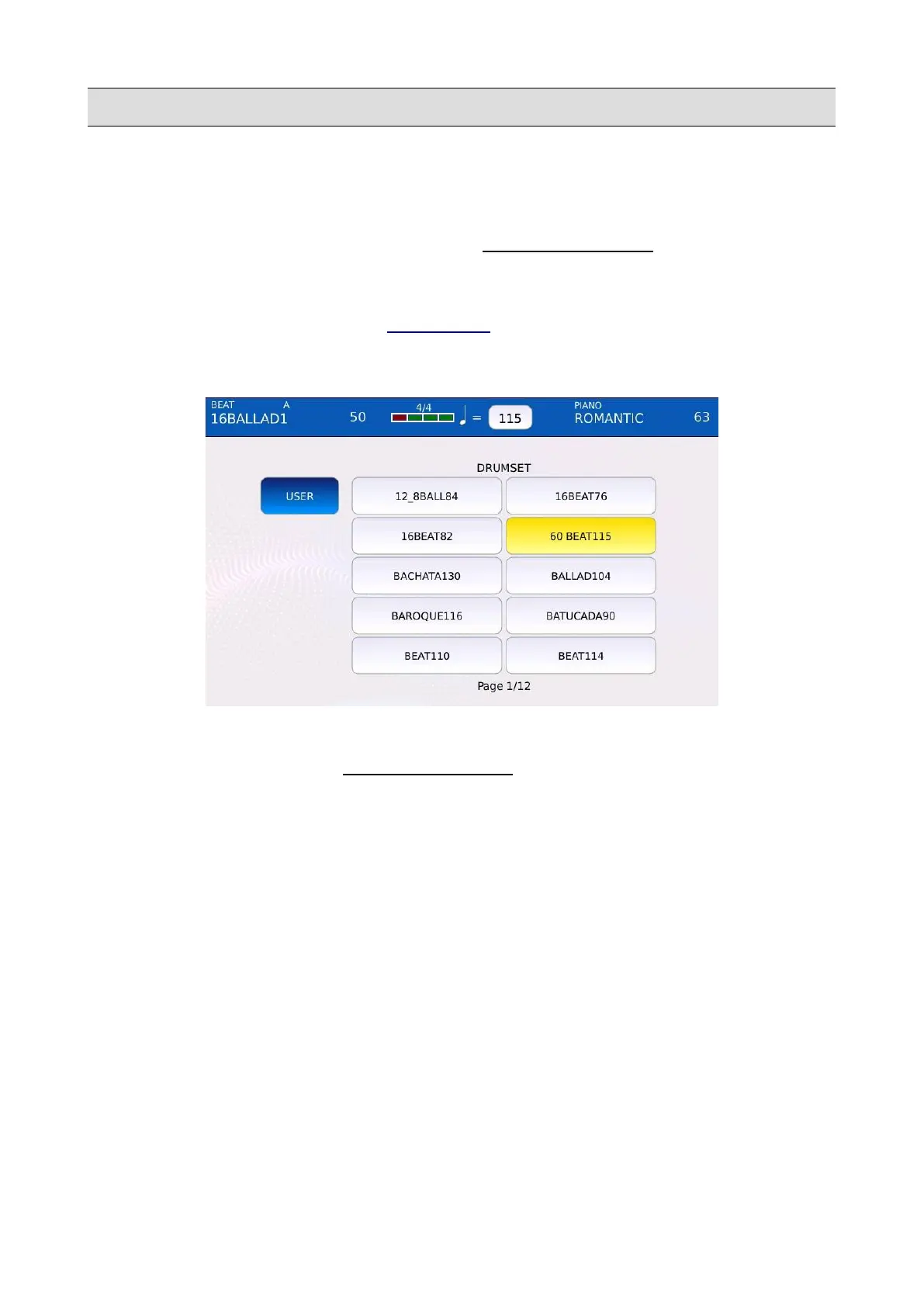
Tap on the REAL DRUM button on the DRUM EDIT page to open the REAL DRUM SELECT
page. All the available REAL DRUM sounds are displayed in a grid. Tap on the REAL DRUM
name to load it into the Rhythm.
• USER: toggles between factory and USER REAL DRUMS.
NB: the REAL DRUM sounds are always in global mode.
User REAL DRUMS are like Factory REAL DRUMS, but are created by the user. This allows you
to create custom drum patters to be played along with the regular factory content.
To add your User REAL DRUM to the instrument, follow the following steps:
• create a set of .wav files (ARRA.wav, ARRB.wav, ARRC.wav, ARRD.wav, BRKA.wav,
BRKB.wav, BRKC.wav, BRKD.wav, FILLA.wav, FILLB.wav, FILLC.wav, FILLD.wav,
INT1.wav, INT2.wav, INT3.wav, END1.wav, END2.wav, END3.wav), one for each
arrangement section. Al the .wav files must be stereo and must be PCM encoded with 44100
Hz sampling rate and 16 bit resolution. All the ARR*, FILL*, BRK* must have the same
dimension in bytes
• Copy all the .wav files into a folder.
94 - KETRON - LOUNGE



 To Next Page