MENU
Micro 2 / Guitar
Within this page, you can adjust the settings of the second analogical audio input of the instrument.
It has high input impedance, so it can be connected with passive guitar pickups, which usually have
much greater output impedance than microphones. In general, devices with impedances up through
600 Ohms are said to be “low impedance”, while devices with impedances of several thousand
Ohms and up are considered “high impedance”. You can choose to operate this input as a
microphone input or a guitar input, but not both simultaneous. Enabling the microphone input,
disables the guitar input and vice versa.
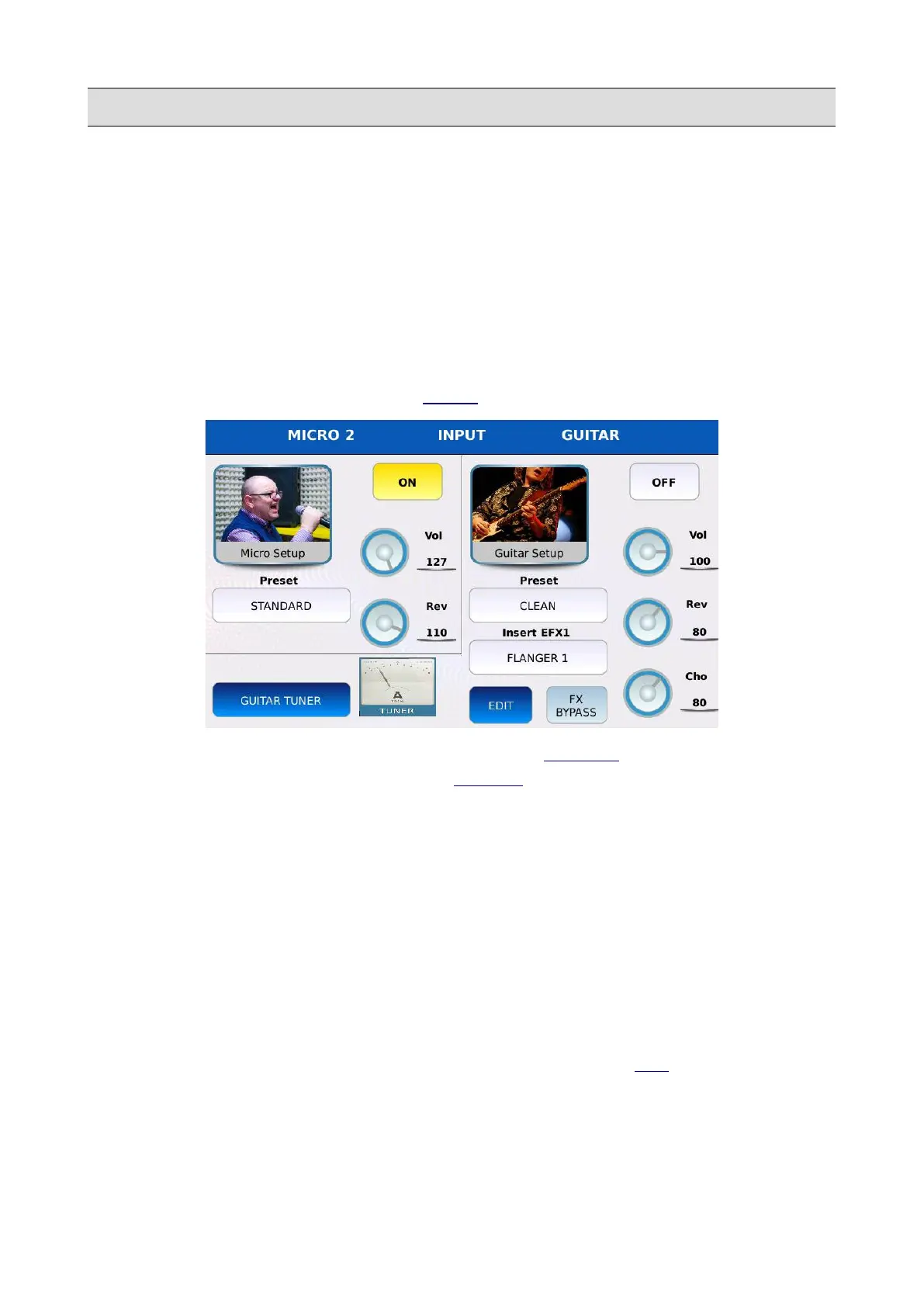
Tap on the MICRO2/GUITAR button on the MENU page to display the MICRO2/GUITAR page.
The page is subdivided into two sections: the first is labelled MICRO 2 and displays the
microphone settings while the second is labelled GUITAR and displays the guitar settings.
Micro 2
• ON/OFF: enables or disable the microphone input. If the guitar input is enabled, the latter
will be disabled.
• PRESET: tap on the box to select a microphone preset. Use the Value Dial to scroll through
the available ones and tap on the name to choose a preset.
• VOL: controls the input volume. Tap on the virtual knob and use the Value Dial to adjust the
value.
• REV: controls the reverb send amount. Tap on the virtual knob and use the Value Dial to
adjust the value. The reverb type and global volume are set in the DSP page.
KETRON - LOUNGE 153



 To Next Page