VOICE
Voice
A VOICE Preset or Program is a single instrument sound or multiple instrument sounds layered
together that can be played via an external MIDI keyboard connected to a MIDI IN (KEYBOARD)
port. All MIDI messages coming to the MIDI IN (KEYBOARD) port will be sent to the VOICE
sound engine.
All VOICE Presets are organized in 11 Families, each one of these is distinguished by a specific
instrument sound. The Families are PIANO, ORGAN, ACCORDION, GUITAR,
STRINGS/CHOIR, BRASS, SAX/FLUTE, PAD, SYNTH, ETHNIC and BASS/SFX.
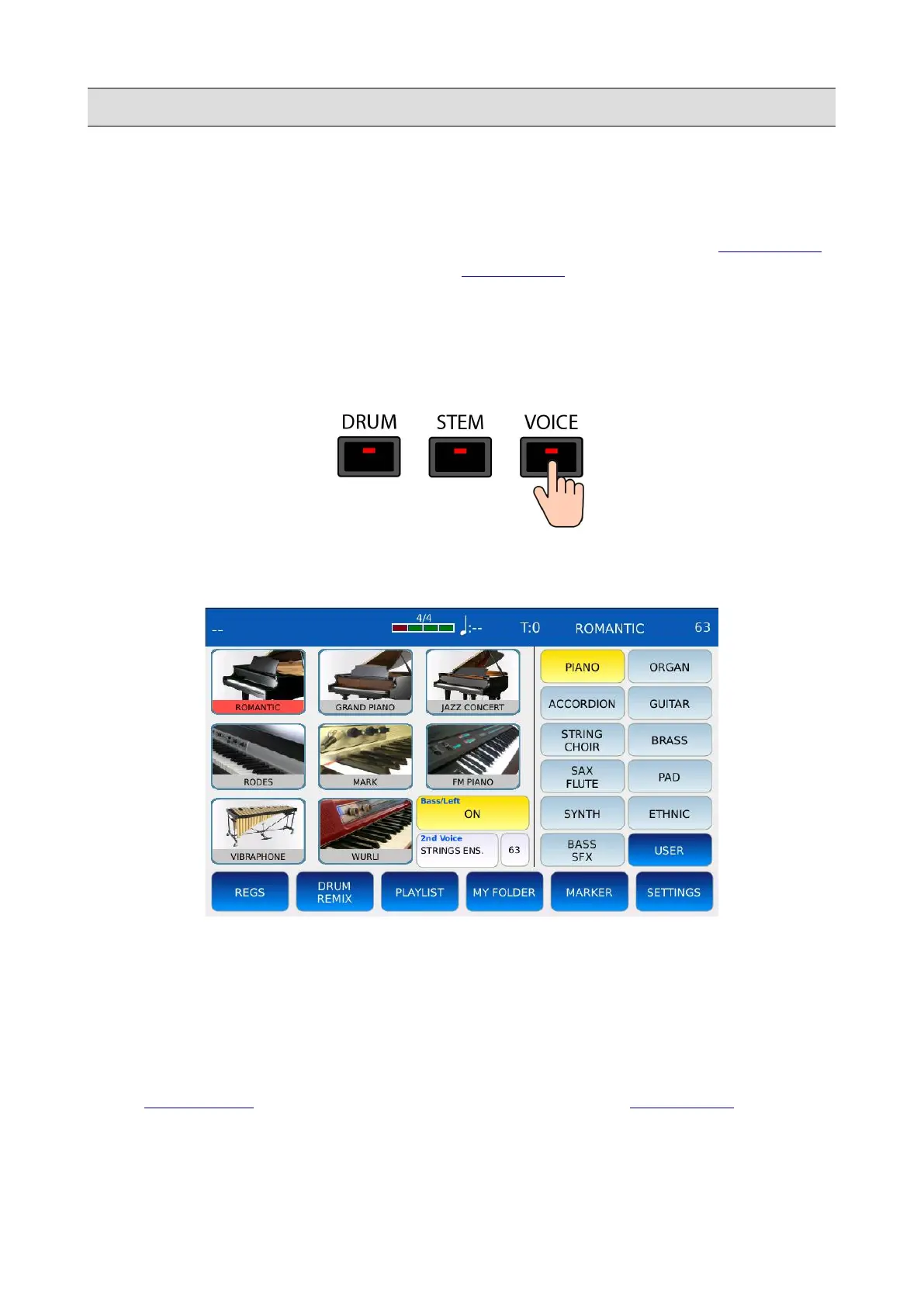
Press VOICE to enter in VOICE SELECTION mode. The VOICE button led will turn on and the
VOICE SELECTION page will be displayed on screen.
• FAMILIES: on the right half of the page, the 11 Families names are arranged in two
columns of buttons. Tap on a Family name to select the corresponding family.
• PRESETS: on the left half of the page, the Presets of the selected Family are displayed on a
grid. Each Preset has its own name and icon. Use the Value Dial to scroll through all the
Presets of the selected Family and tap on a Preset icon to load the corresponding Preset into
the VOICE sound engine. The current Preset name is displayed in the top-right corner of the
STATUS BAR. Tap on and keep pressed a Preset icon to enter in VOICE EDIT mode.
KETRON - LOUNGE 73



 To Next Page