MEDIA
Rename files and folders
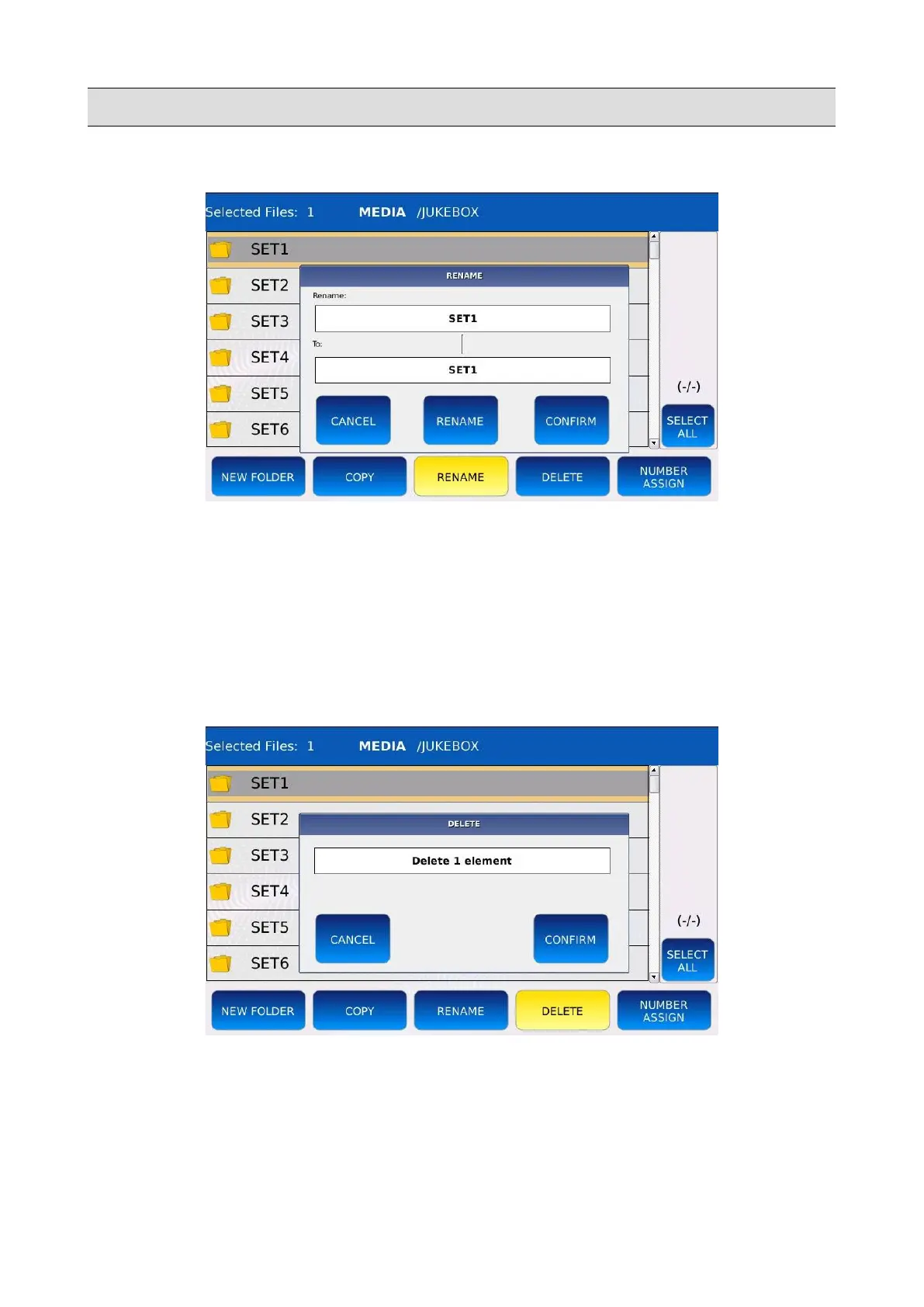
• Tap on the item you want to rename, it will be highlighted in grey.
• Tap on the RENAME button, a pop up window will be displayed on screen.
• Tap again on the RENAME button of the pop up window, a virtual alphanumeric keyboard
will appear on screen.
• Compose the new name and then tap on ENTER.
Delete files and folders
• Tap on the items you want to delete, they will be highlighted in grey.
• Tap on the DELETE button, a pop up window will be displayed on screen.
• Tap on the CONFIRM button to proceed with the copy or tap on CANCEL to cancel the
operation.
68 - KETRON - LOUNGE



 To Next Page