MENU
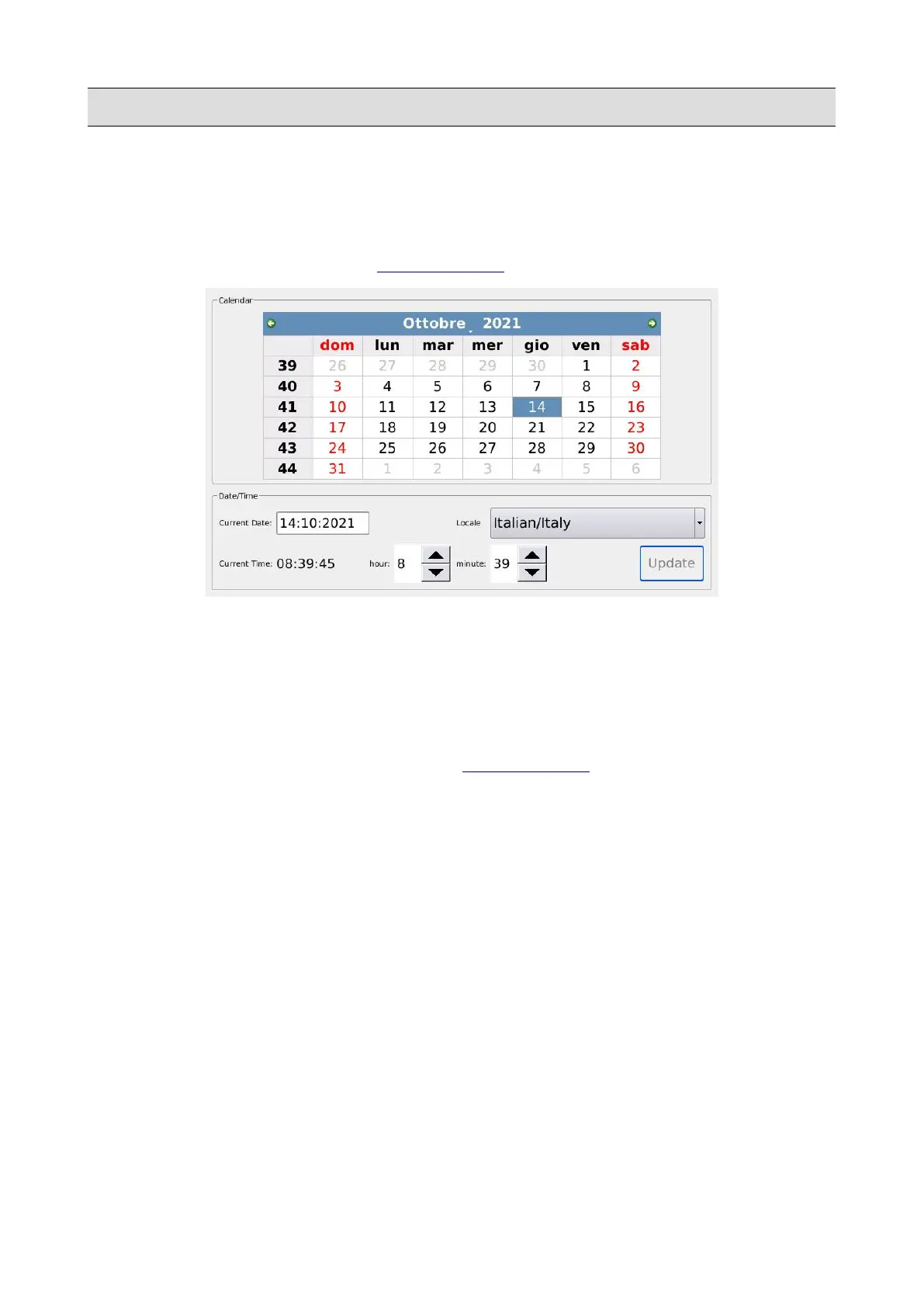
Date/Time
Within this page, you can set the current date (year, month and day) and adjust the clock (hour and
minutes).
Tap on the DATE/TIME button on the PREFERENCES page to display the DATE/TIME page.
• Tap on the green arrow buttons on the top of the page to change the year
• Tap on a cell of the table to change the day
• Tap on the grey arrow buttons at the bottom of the page to change the hour and the minutes.
• Tap on the UPDATE button to save the changes.
• Tap on the SAVE/RESTART button of the PREFERENCES to apply the changes and restart
the instrument.
140 - KETRON - LOUNGE



 To Next Page