PLAYER
Settings
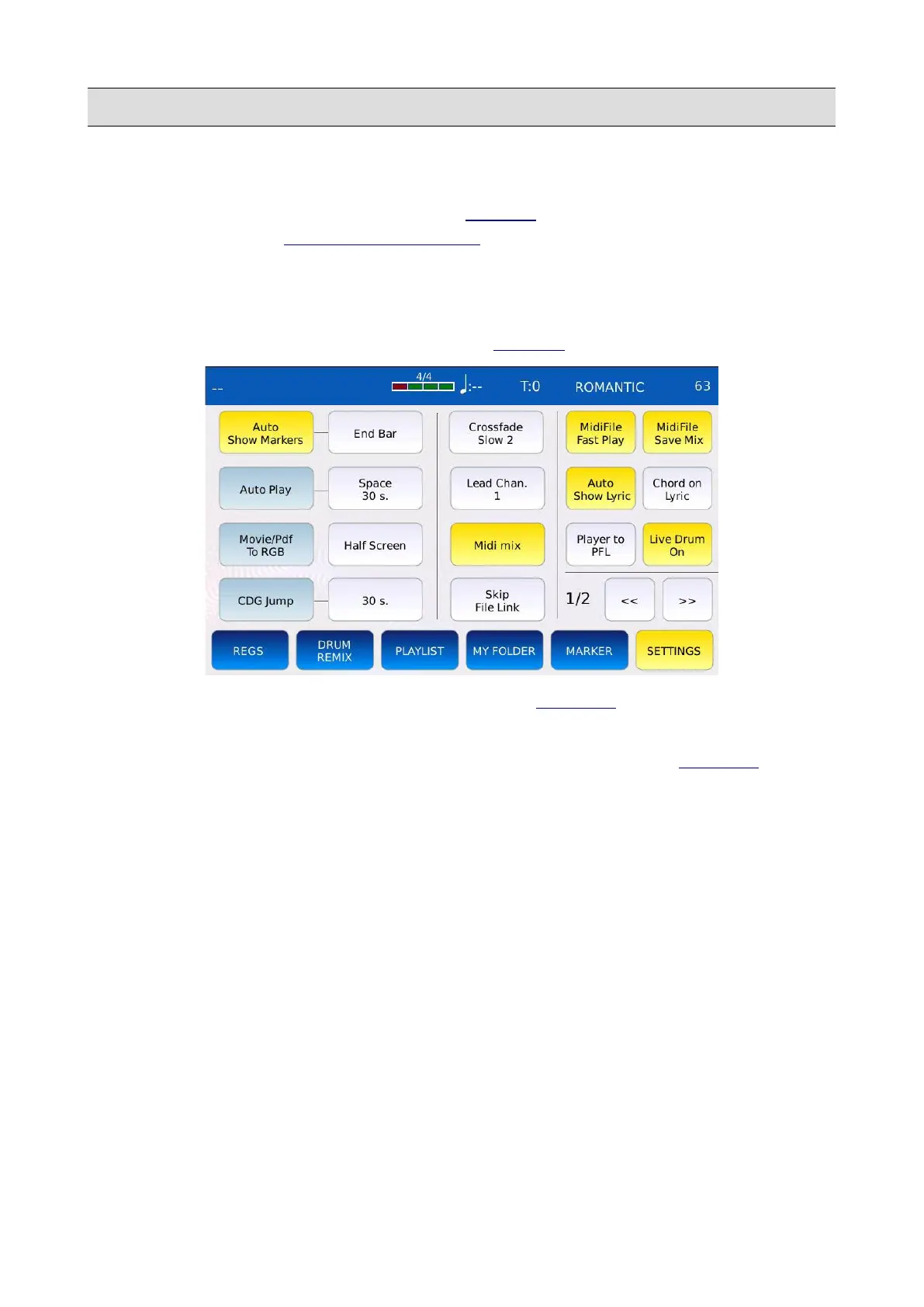
The SETTINGS mode allows you to adjust all the PLAYER settings and options. Tap on the
SETTINGS button on the PLAYER BOTTOM BAR to display the SETTINGS page. Use the <<
and >> buttons to navigate between pages.
Page 1 – Player
This page contains all the parameters which affect the PLAYER behaviour when playing songs.
• AUTO SHOW MARKERS: show automatically the MARKER selection window when a
song is started (only MIDI files).
• MARKER JUMP MODE: determines the way the PLAYER jumps to a MARKER locator.
Tap on the button and use the Value Dial to choose between:
◦ Immediate: jump to the selected marker point immediately.
◦ End bar: jump to selected marker point after completing the current measure.
◦ End Section: jump to selected marker point after completing the current section (e.g.
after completing verse).
◦ End Loop: jump to selected marker point after completing current loop.
• AUTOPLAY: automatically plays all the songs in the current folder. Tap on the AUTOPLAY
button to enable or disable this feature.
• AUTOPLAY INTERVAL: defines the time interval between songs. Values ranges from 0 to
30 seconds. Tap on the button and use the Value Dial to change the value.
• MOVIE/PDF TO RGB: allows you to view a video file, a picture or a pdf on the external
monitor instead on the touchscreen display.
58 - KETRON - LOUNGE



 To Next Page