DRUM
Drum Edit
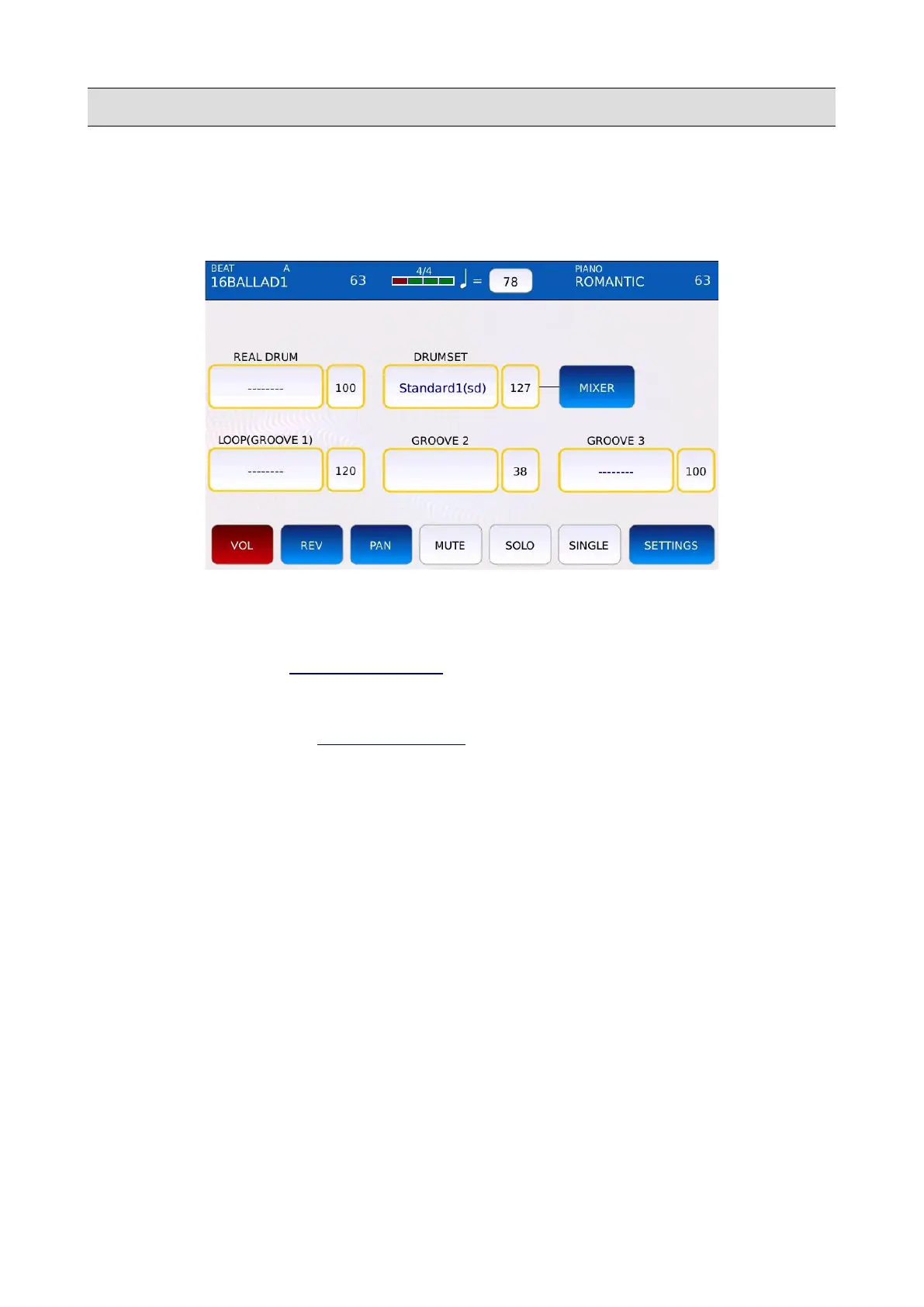
In DRUM EDIT mode you can edit and customize Rhythms. You can adjust the parts sounds,
volumes, pan positions and reverb sends.
• REAL DRUM: selects the REAL DRUM sound.
• DRUMSET: selects the DRUMSET sound.
• MIXER: opens the DRUMSET MIXER.
• GROOVE 1, 2 and 3: selects the GROOVE 1, 2 and 3 sounds.
• SETTINGS: opens the DRUM SETTINGS page.
• VOL: adjusts the volume of the part. Tap on the VOL button, then tap on the desired part
and use the Value Dial to adjust the volume of the selected part. Values range from 0 to 127.
• REV: adjusts the reverb send amount of the part. Tap on the REV button, then tap on the
desired part and use the Value Dial to adjust the reverb send amount of the selected part.
Values range from 0 to 127.
• PAN: controls the position on the stereo panorama of the part. Values range from -64 (all to
the Left) to 64 (all to the Right) with 0 being the centre position (>|<).
• MUTE: mutes the desired part. Tap on the MUTE button and then tap on the desired part to
mute the part (muted parts will be identified by an “M” symbol next to the name).
• SOLO: isolates the desired part and mutes all the others. Tap on the SOLO button and then
tap on the desired part to solo the part (muted parts will be identified by an “M” symbol next
to the name).
• SINGLE/GLOBAL: determines if the changes are done globally for all the arrangements (A,
B, C, D, etc.) or only to the current arrangement. For example, if SINGLE is selected and
KETRON - LOUNGE 93



 To Next Page