PLAYER
Edit a SET
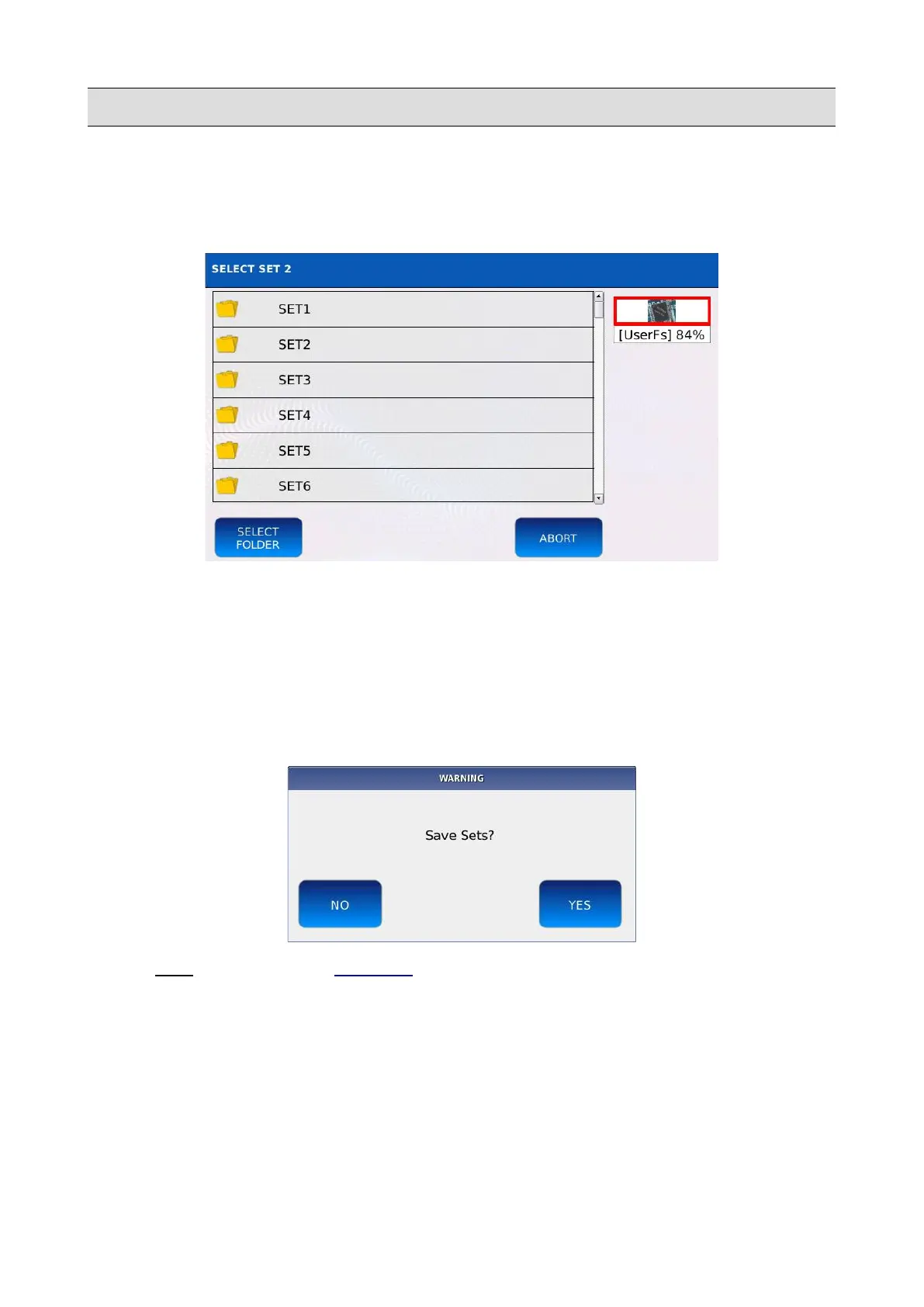
To change the default Set location (/media/back/JUKEBOX/SET*), tap on and keep pressed one of
the Set buttons. The browsing window will be displayed on screen:
• Use the Value Dial, the EXIT and the ENTER buttons to navigate through the folders.
• Tap on the SELECT FOLDER button to replace the current Set folder with the one selected
(highlighted in orange). The songs contained in the selected folder will be loaded into the
virtual pads when the Set is selected.
• Tap on ABORT to cancel operation and return to the previous screen.
• Press SAVE and then tap on YES to save the Set folder.
NB: it is NOT possible to load a PLAYLIST into a JUKEBOX SET.
KETRON - LOUNGE 31



 To Next Page